


Mac OSX High Sierra (10.13.6) and Photoshop
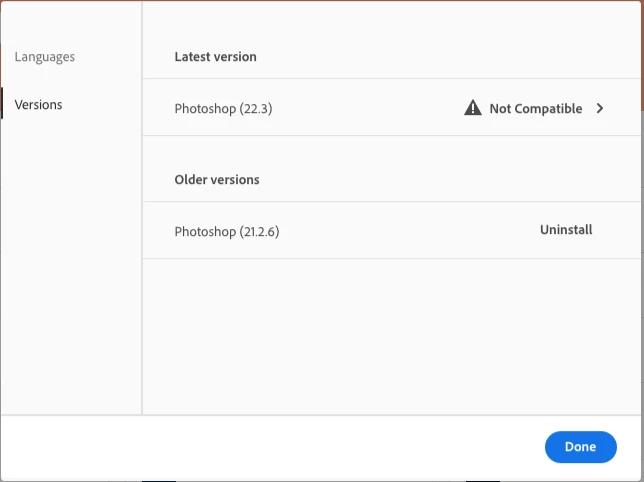
I have an iMac running OSX 10.13.6. Despite being 10 yrs old the computer itself is working fine with the exception of Photoshop. A recent update has rendered the software useless as it crashes all the time. I have version 21 on my desktop and 22 on my laptop which works fine, however, laptop is not really the place I do my main work. I wanted to revert to an earlier version of Photoshop that doesn't crash but that doesn't seem to be possible. The only options in the install earlier versions section show the latest incompatible version plus the version I have installed (which crashes). I see all the earlier versions for lightroom and thought it should be the same for Photoshop/Bridge. I just want to roll back one updated. Unfortunately I don't have a TimeMachine back up from an earlier version as I had inadvertently switched Time Machine off.
Any ideas how to get the earlier versions to show up?

 AdChoices