


Memory leak with Creative Cloud Desktop, InDesign and now Acrobat Reader
Following memory leak in Creative Cloud Desktop, which now also concerns InDesign and Acrobat Reader, is still not solved :
Solved: High memory usage by creative cloud desktop - Adobe Support Community - 11167890
The solution posted by Dany67 is just a temporary fix, which simply disable the Proxy "Automatically detect settings" under Windows :
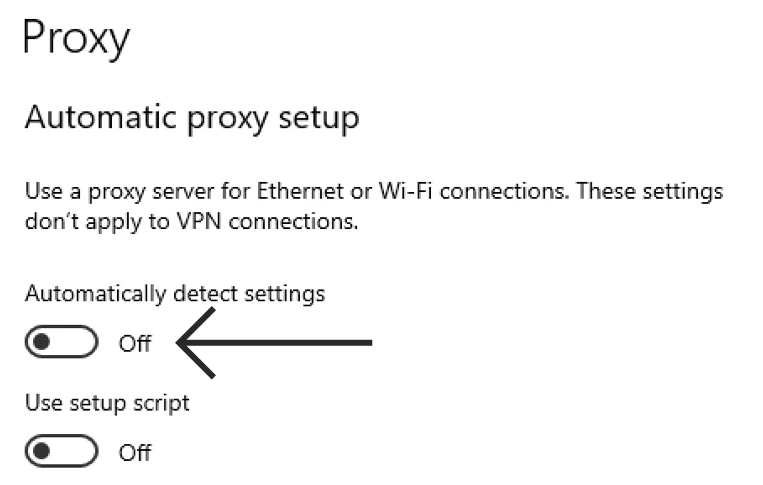
After enabling the Proxy "Automatically detect settings", the memory leak occurs again when starting the program : the leak will first using all memory, then swaping and filling the disk, finally the program and/or computer will crash.
The problem can easily and always be reproduced !
For information, Creative Cloud Desktop was the first were we identified it.
Then it was Avast, which is today solved :
RAM usage problem after upgra NEW Avast Version 20.7.2425
Meantime, InDesign is also concerned and not fixed.
The latest 64 bits version of Adobe Reader (october/november) is now also concerned !
On the other hand, Google Drive Desktop has a very similar problem.
Can you please try to find and solve the problem ?
Can you also contact Avast for helping ?
As the problem could comes from a third party library / framework, and concerns more and more peoples, it would be necessary to inform Microsoft or Google.
 AdChoices