


Participant
December 26, 2021
Answered

Message d'erreur "Nous ne pouvons pas vérifier votre statut d'abonnement" et Accès limité

  • December 26, 2021
  • 1 reply
  • 1857 views

Bonjour, 


Pour le contexte, je suis en pleine installation de la suite Adobe. J'ai téléchargé Creative Cloud mais celui-ci me met ce message d'erreur : 
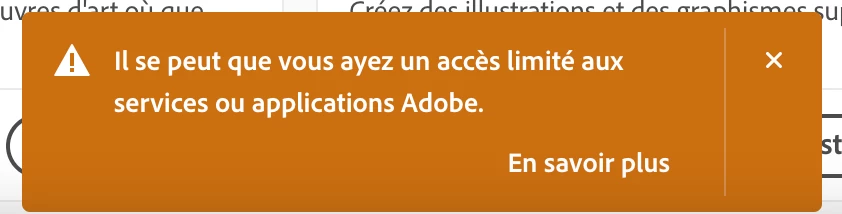
 

J'ai cliqué sur "en savoir plus" puis téléchargé l'outil Repair qui a réparé deux fichiers Host mais ça ne fonctionne toujours pas. J'ai donc décidé de les réparer manuellement, j'ai suivi la page d'aide Adobe https://helpx.adobe.com/x-productkb/policy-pricing/activation-network-issues.html (Solution 2, sous Mac OS) mais ceux-ci sont verrouillés et je n'y ai pas accès. J'ai suivi toutes les indications de cette page mais rien n'y fait. J'ai ensuite téléchargé les "network endpoints" de cette page https://helpx.adobe.com/enterprise/kb/network-endpoints.html mais je ne sais pas comment les utiliser. 


Pour tester, j'ai téléchargé Premiere Pro mais l'application ne veut pas s'ouvrir, j'ai un message d'erreur "Nous ne pouvons pas vérifier votre statut d'abonnement" et "Êtes-vous connecté à Internet ?" (oui, je le suis). Si je fais "réessayer", j'ai ce nouveau message qui s'affiche : 
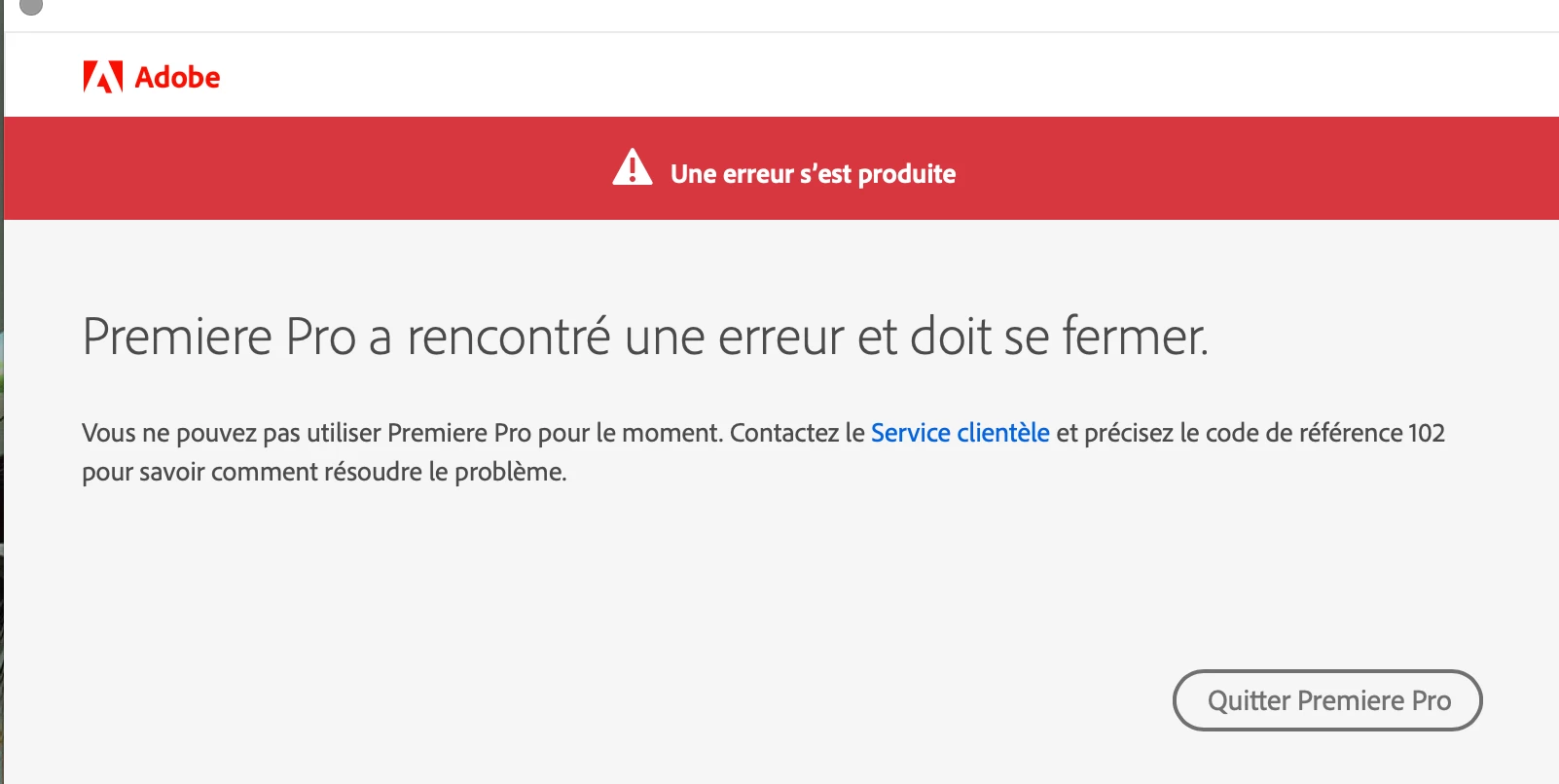
Voilà, je pense avoit fait le tour du problème..... Si quelqu'un a eu le même et a une idée pour m'aider (et surtout pour avoir accès aux fichiers host car je ne trouve pas de moyen de déverouiller l'accès), votre aide est la bienvenue ! 


Belle journée 🙂

This topic has been closed for replies.
Correct answer kglad

first, google your os and how to unlock files and check that hosts file for adobe entries.


then, reset the cc app:

to reset the cc desktop app, make sure it's in the foreground, then press:

Win: Ctrl + Alt + R
Mac: Cmd + Opt + R

if that fails, try to repair
https://helpx.adobe.com/download-install/kb/creative-cloud-install-stuck.html

if that fails go ahead and uninstall using the correct uninstaller from https://helpx.adobe.com/creative-cloud/help/uninstall-creative-cloud-desktop-app.html#sa_src=web-messaging and then reinstall

if that fails, do a clean cc install following each applicable step:

uninstall every cc app including preferences, https://helpx.adobe.com/creative-cloud/help/uninstall-remove-app.html
then uninstall the cc desktop app, again using the correct uninstaller, https://helpx.adobe.com/creative-cloud/help/uninstall-creative-cloud-desktop-app.html#sa_src=web-messaging
clean your computer of cc files per http://www.adobe.com/support/contact/cscleanertool.html
check for, and if available, update your os
repair all ms visual c++ versions that can be repaired.
update your ms visual c++, if it can be updated
restart your computer (don't skip this)
reinstall the cc desktop app, https://creativecloud.adobe.com/apps/all/desktop?action=install&source=apps&productId=creative-cloud
if you're unable to download the cc desktop app at this stage, use the link at the bottom of the page at https://helpx.adobe.com/download-install/kb/creative-cloud-desktop-app-download.html
use the desktop app to install your cc programs/trials


1 reply

kglad
Community Expert
kgladCommunity ExpertCorrect answer
Community Expert
December 26, 2021

first, google your os and how to unlock files and check that hosts file for adobe entries.


then, reset the cc app:

to reset the cc desktop app, make sure it's in the foreground, then press:

Win: Ctrl + Alt + R
Mac: Cmd + Opt + R

if that fails, try to repair
https://helpx.adobe.com/download-install/kb/creative-cloud-install-stuck.html

if that fails go ahead and uninstall using the correct uninstaller from https://helpx.adobe.com/creative-cloud/help/uninstall-creative-cloud-desktop-app.html#sa_src=web-messaging and then reinstall

if that fails, do a clean cc install following each applicable step:

uninstall every cc app including preferences, https://helpx.adobe.com/creative-cloud/help/uninstall-remove-app.html
then uninstall the cc desktop app, again using the correct uninstaller, https://helpx.adobe.com/creative-cloud/help/uninstall-creative-cloud-desktop-app.html#sa_src=web-messaging
clean your computer of cc files per http://www.adobe.com/support/contact/cscleanertool.html
check for, and if available, update your os
repair all ms visual c++ versions that can be repaired.
update your ms visual c++, if it can be updated
restart your computer (don't skip this)
reinstall the cc desktop app, https://creativecloud.adobe.com/apps/all/desktop?action=install&source=apps&productId=creative-cloud
if you're unable to download the cc desktop app at this stage, use the link at the bottom of the page at https://helpx.adobe.com/download-install/kb/creative-cloud-desktop-app-download.html
use the desktop app to install your cc programs/trials


Participant
December 26, 2021

Thank you so much !! I'm going to try everything 🙂

kglad
Community Expert
Community Expert
December 27, 2021

you're welcome.