
mtcbrendan
Participant
April 9, 2018
Answered

"Missing or damaged" CC - can't uninstall, can't reinstall - endless loop

  • April 9, 2018
  • 2 replies
  • 1619 views

2018 iMac Pro

OSX 10.13.3

Parallels Desktop running Windows10

First the details:

1. I get notifications with every CC app I open stating:
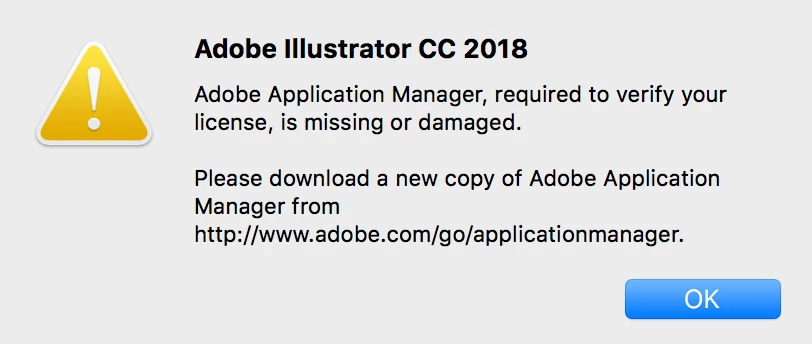
Basically I can't open any of my CC Libraries

2. I go to install as directed in the above notification and get this:
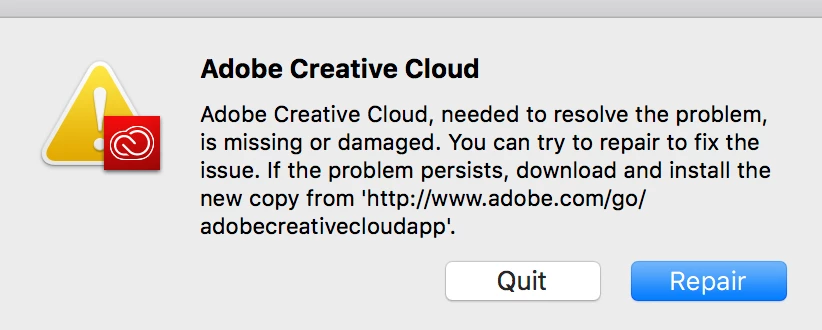
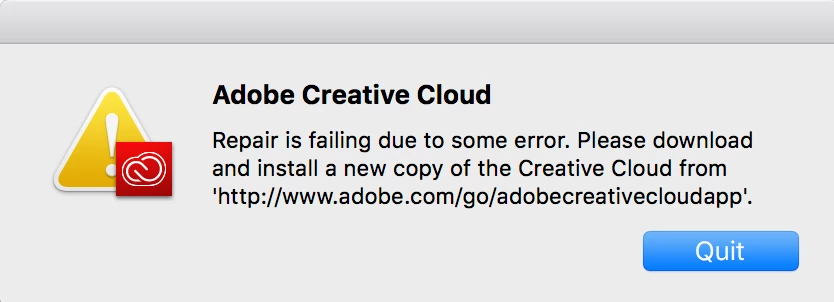
     If I hit "repair" I get this notification:
3. I try to uninstall CC to get a fresh version:
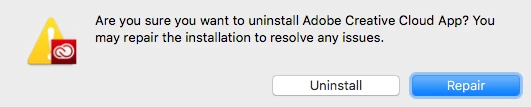
     If I click repair:           If I click "Uninstall":

4. So then I go to uninstall the apps and get this:
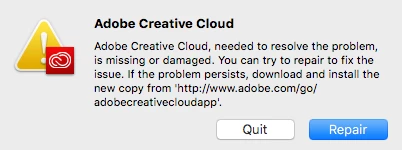
I'm in an endless loop and I can't figure out how to get my CC back up and running.

History:

Problem started when my WebRoot discovered SurfBuyer Adware on my Mac. How it got there I have no idea. I used Webroot to uninstall all references to SurfBuyer and went to ~/Library/LaunchAgents to make sure all other problematic files were deleted. I don't know what else can be done to get my Creative Cloud back up.

Thanks for the help
This topic has been closed for replies.
Correct answer Bani Verma

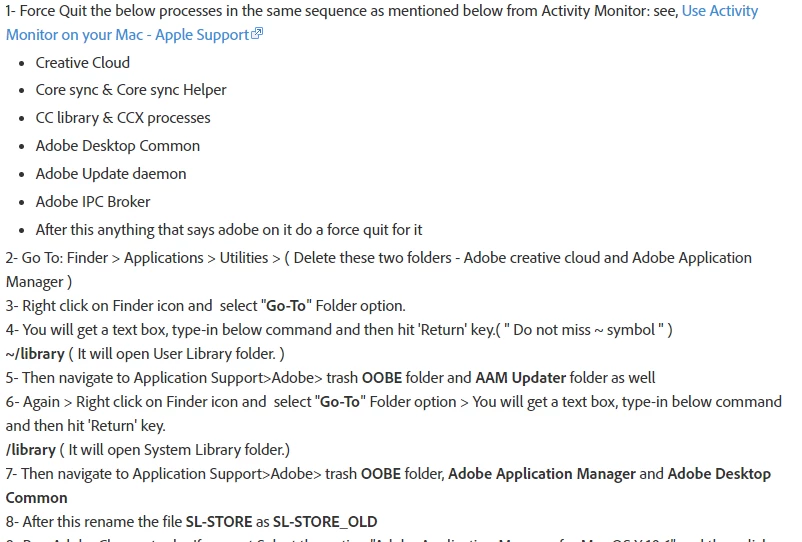
Thanks for the update, just complete these steps given in that link:

After this download and install the app from here: http://ccmdl.adobe.com/AdobeProducts/KCCC/1/osx10/ACCCx4_4_1_298.dmg

If it still fails, then can you please reach out to us via phone or chat here? Contact Customer Care.

Our product and tech experts will be able to help you out best! as they can hop on a remote session to troubleshoot this further.

Let us know if you have any questions.

2 replies

Bani Verma
Legend
April 10, 2018

Hi Mtcbrendan,

Sorry to hear that you are having trouble installing the Creative Cloud desktop app on your Mac machine, as it fails with an error message "Creative Cloud is missing or damaged".

Thank you for sharing the troubleshooting steps you have already performed. Next step we can take to resolve this issue is to perform a manual cleanup of the desktop app, to do that follow the steps given here: illustrator reinstalling free trial 1 day old!

Once you are done with the manual removal of the desktop app, please turn off any anti-virus, system optimizer, firewall and internet or browser security software installed on your machine, now using the the direct download link given here: Download Creative Cloud desktop app , download and install the Creative Cloud desktop app again.

Let us know if this helps.

Participant
April 10, 2018

I have tried everything that has been suggested for the same problem.  I have clicked on all the links you suggest and when I go to install the uninstaller I STILL get the same issues as mentioned in the screen grabs above.   It's a never ending circle of trying to repair,

uninstall, re-repair etc.,  I have turned off firewall, Webroot etc., and I'm getting absolutely nowhere.  It's incredibly frustrating.

Bani Verma
Bani VermaCorrect answer
Legend
April 10, 2018

Thanks for the update, just complete these steps given in that link:

After this download and install the app from here: http://ccmdl.adobe.com/AdobeProducts/KCCC/1/osx10/ACCCx4_4_1_298.dmg

If it still fails, then can you please reach out to us via phone or chat here? Contact Customer Care.

Our product and tech experts will be able to help you out best! as they can hop on a remote session to troubleshoot this further.

Let us know if you have any questions.

Kanikas
Legend
April 9, 2018