
Answered
My Adobe CC doesn't show there is an update for Adobe XD
Hi,
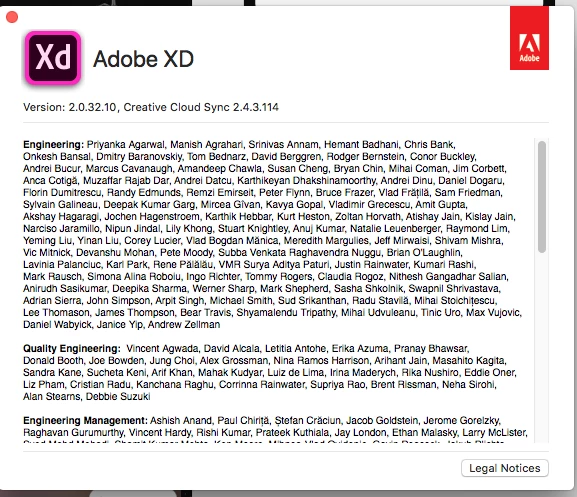
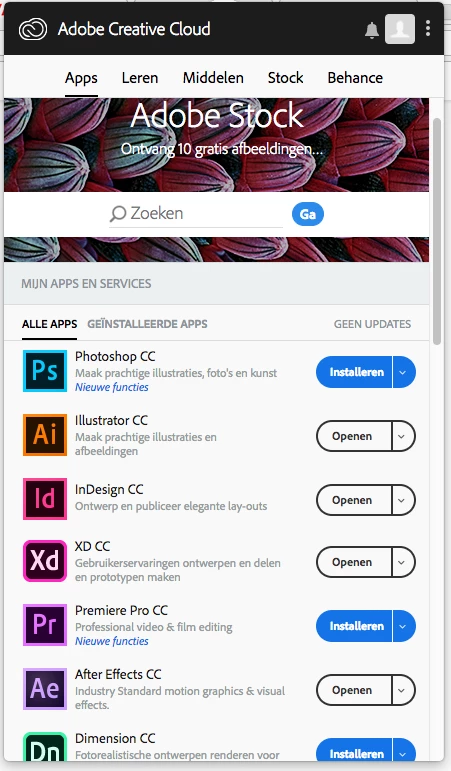
I have an old version of Adobe XD 2.0.32.10 but CC doesn't show me that there is an update available so I cannot install the update.
Can you help me please?
Thanks you,
Sarah

Hi,
I have an old version of Adobe XD 2.0.32.10 but CC doesn't show me that there is an update available so I cannot install the update.
Can you help me please?
Thanks you,
Sarah
Thanks for the update, Sarah. It looks like you may be facing other difficulties as the version of Creative Cloud Sync is also out of date.
I would recommend you uninstall the Adobe Creative Cloud desktop application by using the uninstaller available at Uninstall the Adobe Creative Cloud desktop application . You can then reinstall the Creative Cloud desktop app by following the steps listed in Learn how to download your Adobe Creative Cloud apps . Once the updated Adobe Creative Cloud desktop application is installed, then please update Adobe XD.
If you continue to not see updates for Adobe XD, then please uninstall Adobe XD by using the steps listed in Uninstall or remove Creative Cloud apps . You can then reinstall Adobe XD through the Creative Cloud desktop app. The Creative Cloud desktop app will install the latest version of Adobe XD as part of the installation process.
Please update this public forum discussion if you have any questions or encounter any new errors, Sarah.
Already have an account? Login
Enter your E-mail address. We'll send you an e-mail with instructions to reset your password.
 AdChoices