


My MacOS: APFS (Encrypted, Case-Sensitive) won't work with Adobe products, any alternatives?
What up Adobe community!
My name is Alexander, and right now it really does hurt when IP, because of this issue I'm having with Adobe. Lol x-D
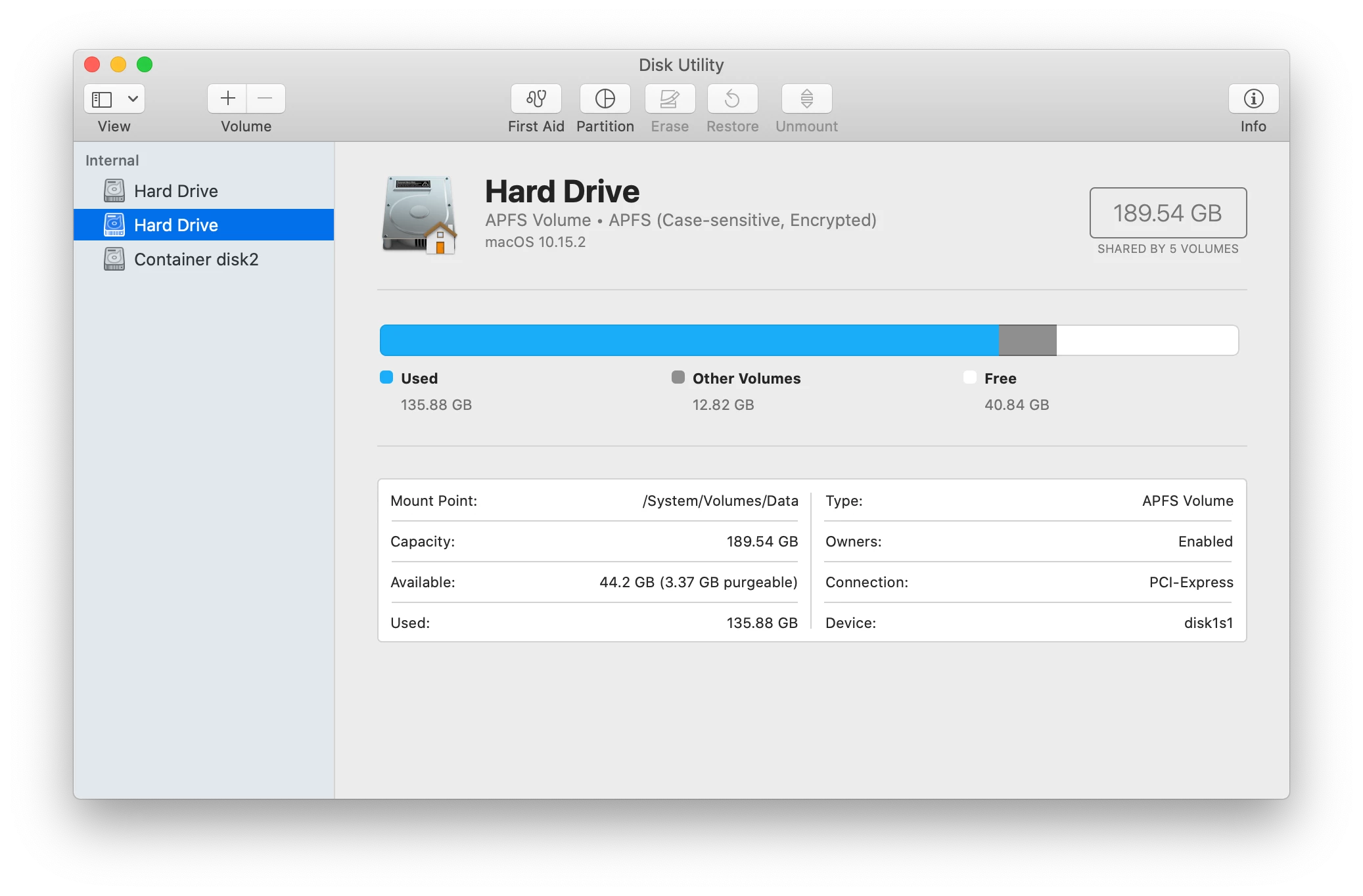
My MacBook's internal hard drive(s) are APFS, Case-Senstive, Encrypted.
It's the case-sensitive aspect that makes the Adobe products I purchased, not compatiable, with arguably the best OS to use Adobe on.
If I go on MacOS's Disk Utility, and create a volume or partition of the internal hard drive that's not, case-sensitive format encryption, can I get the apps/software to utilize that particular partition or volume? So far when, I try to install CC or Photoshop and the like, it will not let me choose where..... >.>
Or can I install Adobe products on an external hard drive?
I need some alternative options, lest I have to re-install my entire MacOS from ground zero.
Also why is there a conflict with Adobe apps/software and the case sensitive form of APFS Encrypted?!
Was told by Apple (not that you can trust them on getting ethical repairs from them.....if you keep up with Apple behind the scenes, journalists exposing their lies, etc. you'll feel what I mean.) that the APFS, Case-Sensitive Encrypted format is the ideal and most secure.
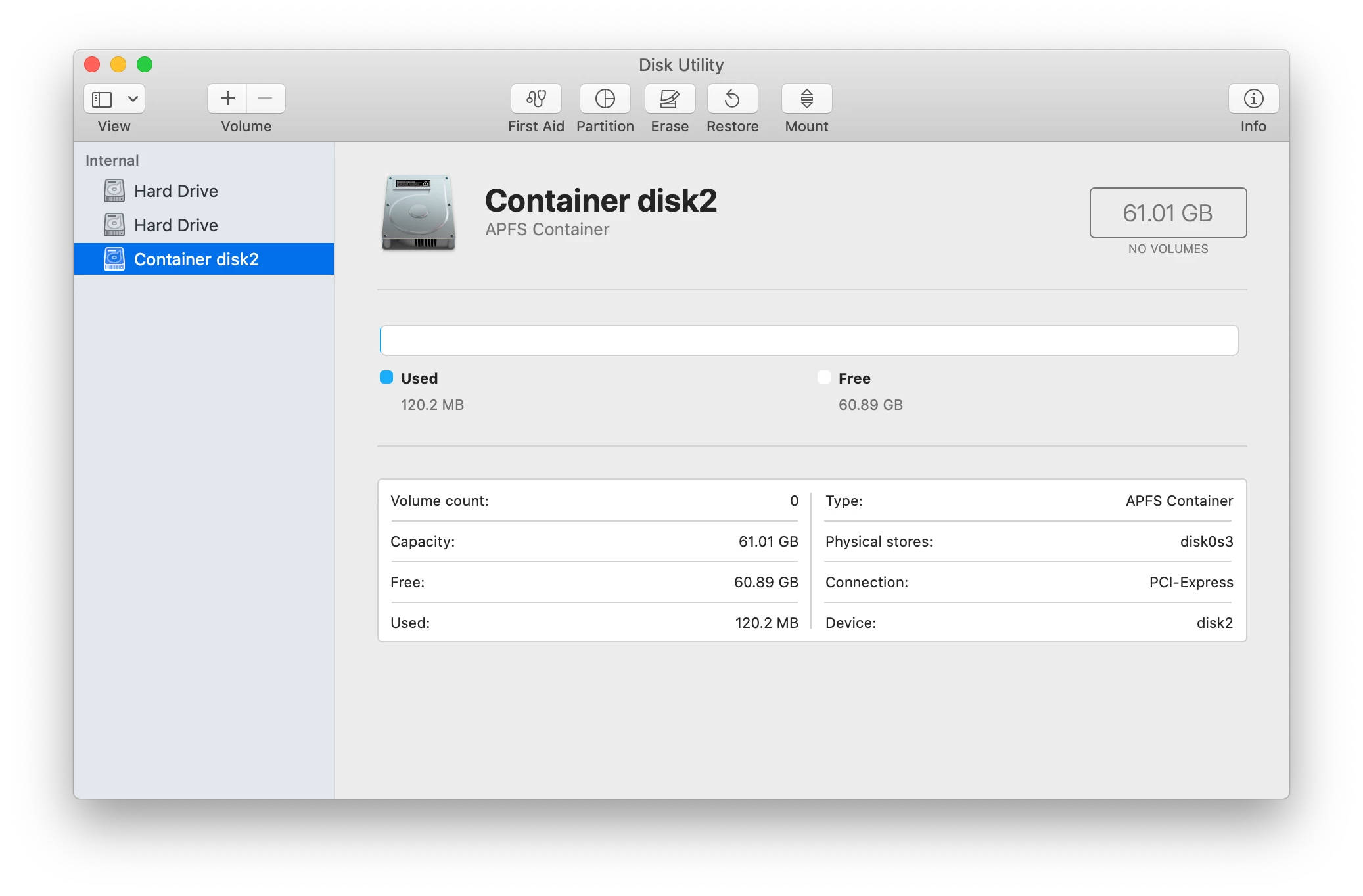
Any-who, also please see the image attachments below of the MacOS's Disk Utility.
Why do I have TWO internal hard drives, and something called Container disk2? O_o
Take care,
Alexander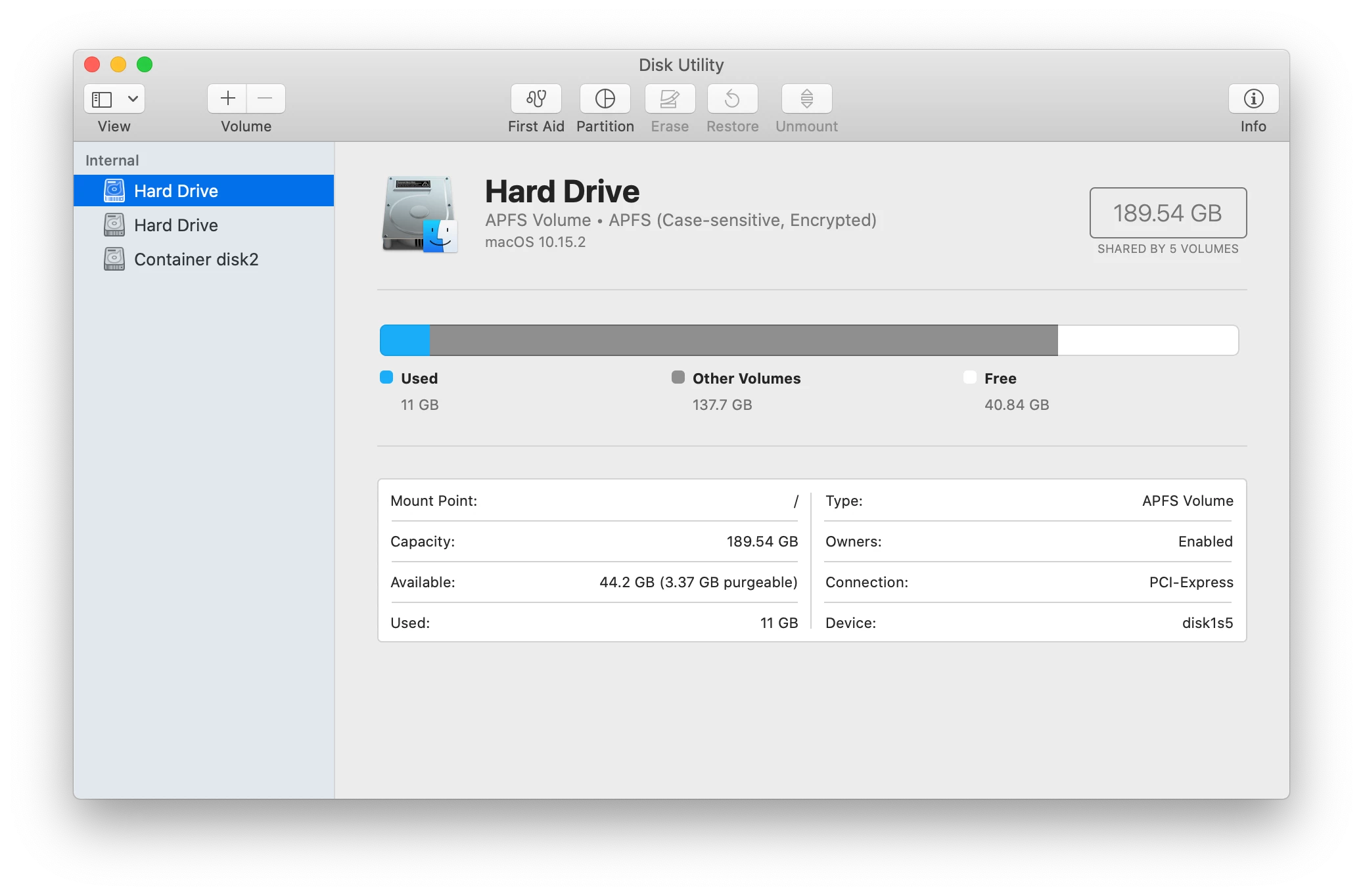
 AdChoices