
Participant
January 3, 2020
Answered

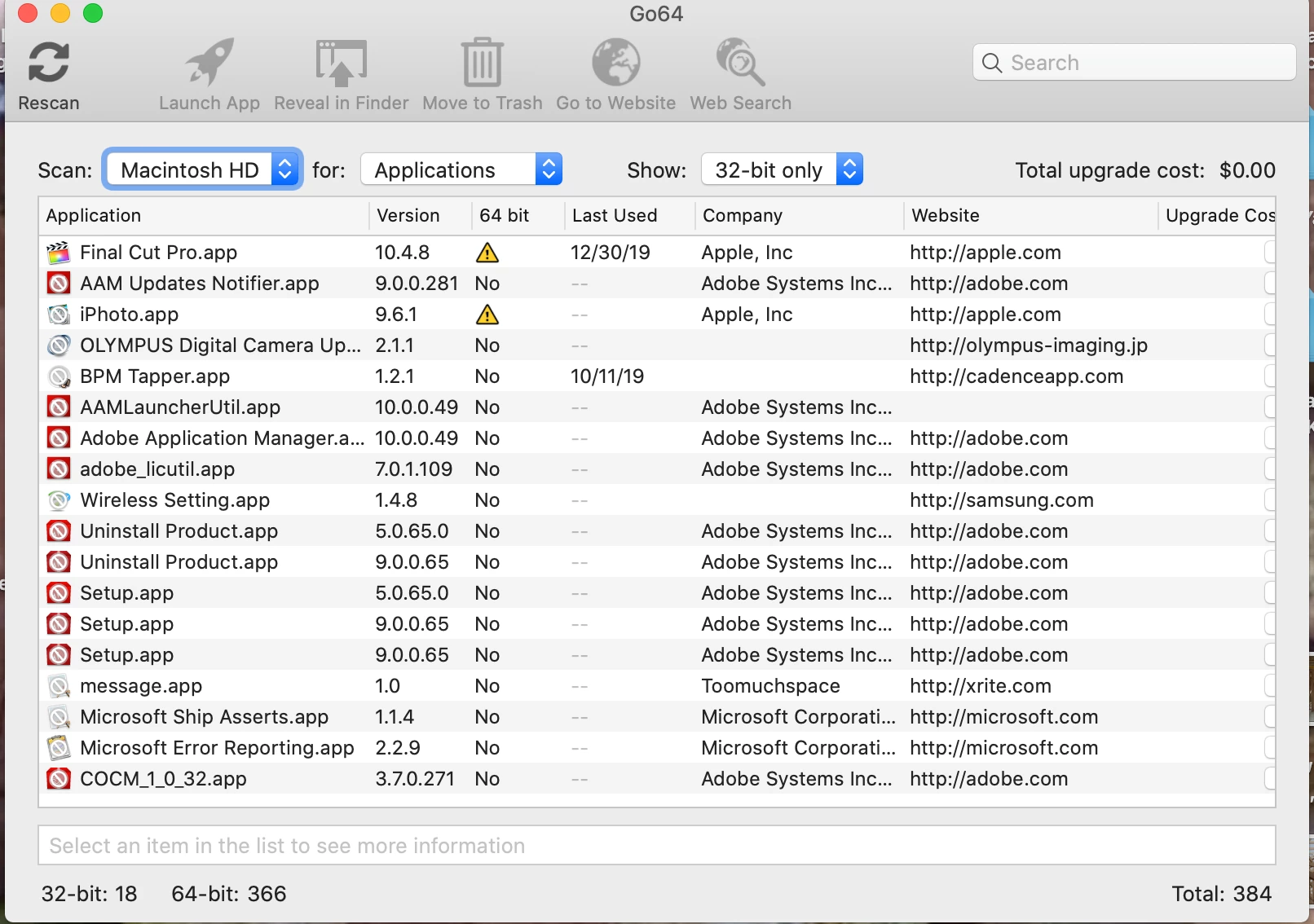
My OS is 64 Bit Catalina for Mac. Can I delete the remaining 32 bit Adobe files?

  • January 3, 2020
  • 1 reply
  • 338 views

All my creative cloud programs are working on 64 bit OS Catalina on my MBP.  Can I delete the 32-bit files show below as indicated by a NO in the 64-bit column?  Thanks in advance!
 

This topic has been closed for replies.
Correct answer John Waller

>> Can I delete the 32-bit files show below as indicated by a NO in the 64-bit column


Yes, if you're absolutely sure you'll never need them again. There's no way of reinstalling 32 bit apps on Catalina.


Ensure that you also run the Creative Cloud Cleaner app to ensure all 32 bit fragments are removed.

https://helpx.adobe.com/creative-cloud/kb/cc-cleaner-tool-installation-problems.html

1 reply

John Waller
Community Expert
John WallerCommunity ExpertCorrect answer
Community Expert
January 3, 2020

>> Can I delete the 32-bit files show below as indicated by a NO in the 64-bit column


Yes, if you're absolutely sure you'll never need them again. There's no way of reinstalling 32 bit apps on Catalina.


Ensure that you also run the Creative Cloud Cleaner app to ensure all 32 bit fragments are removed.

https://helpx.adobe.com/creative-cloud/kb/cc-cleaner-tool-installation-problems.html