
Need help uninstally older versions of Adobe products (CC cleaner not working)
Not sure if this is the right place for a post like this.
I've been using Adobe for almost 5 years now and as a result, have some pretty old program versions from 2015. Decided to finally go in and uninstall them but I can't seem to delete them.
For example:
I have two versions of Animate CC 2015 that I want to delete. When I try to delete it, it tells me that the uninstall failed and that I should try using the cleaner tool.
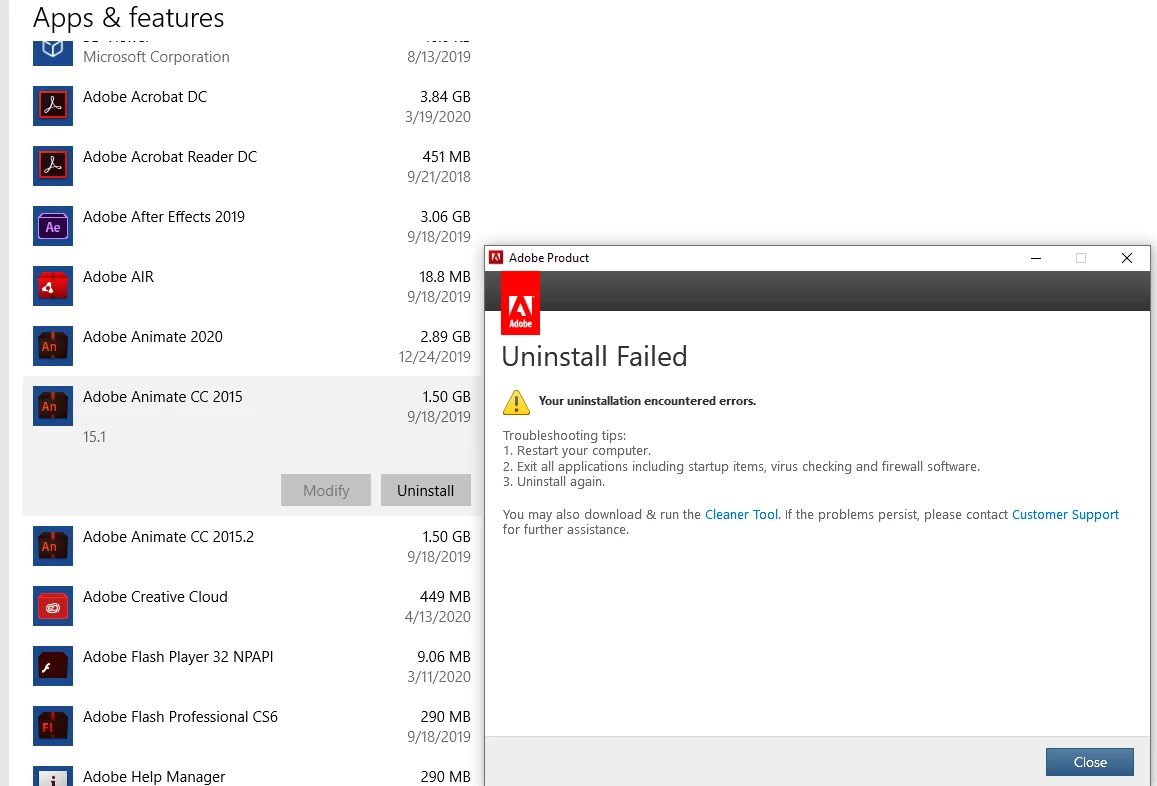
that's fine, I downloaded the CC cleaner tool and booted it up. The problem now, however, is that Adobe CC doesn't seem to recognize the old files anymore. Here's a screenshot of what it looks like when I select "all"
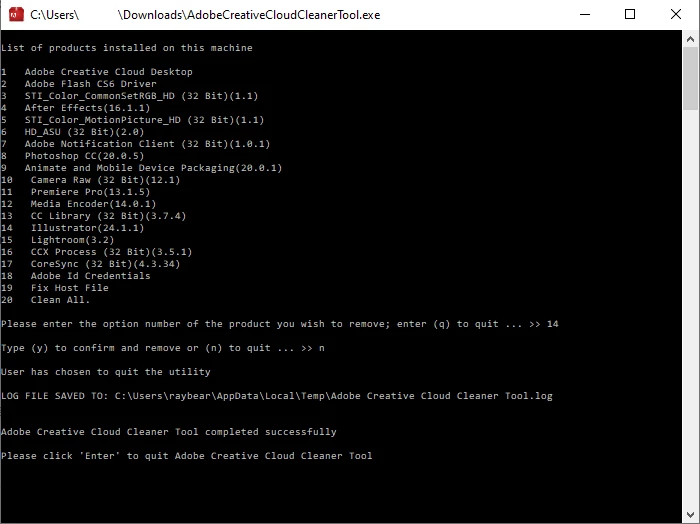 What's listed is all of the updated and up to date (for the most part) versions of each program I use, however, none of the old versions are present. Going back to Animate CC, the only option is "Animate and Mobile Device Packaging (20.0.1)" which is the most current version. The older 2015 versions are listed anywhere.
Is there something I'm missing or another way to delete these old versions?
Thank you!
 AdChoices