Participant
September 6, 2026
Question

Need official Illustrator 2024 (28.x) Mac installer for Cutting Master 4

  • September 6, 2026
  • 4 replies
  • 53 views

Hello Adobe Support,


I have an active paid subscription that includes Illustrator and need an official offline installer for Illustrator 2024 (version 28.x) for Mac, preferably the latest available 28.x build.


My setup is a MacBook Pro 14-inch (2021), Apple M1 Max, 64 GB RAM, running macOS Sonoma 14.6.1. I currently have Illustrator 2026 installed and would like to keep it alongside Illustrator 2024.


I use a Graphtec CE5000-60 cutting plotter with Cutting Master 4 version 5.10 (build 3871). Cutting Master detects the plotter over USB, but its Illustrator plug-in supports Illustrator 2024 rather than 2026.


I have already checked Other Versions in Creative Cloud: the oldest version offered is 29.0, so 28.x is unavailable there. Adobe Admin Console also says I do not have access. The virtual support assistant did not provide a 28.x installer.


Following the Community Manager advice in the Illustrator community, I am posting here. Could an Adobe staff member please provide an official download link for the Mac installer, by private message if necessary, or escalate this request to the download and installation team? I intend to activate it using my existing Adobe subscription.


Thank you.

    4 replies

    Nancy OShea
    Community Expert
    Community Expert
    September 7, 2026

    If you’re a Teams or Enterprise user, contact your IT dept and ask them for a special package.

    Otherwise, Illustrator 30 & 29 are the only versions available from Creative Cloud Desktop App. 


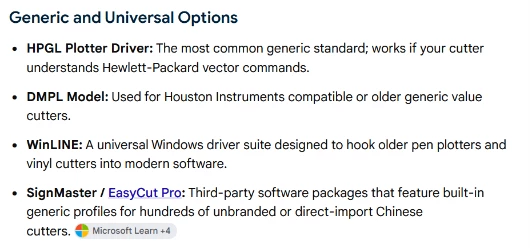
    You may need to use generic or universal option to connect your plotter/cutter to Illustrator. 


    Good luck.


    Nancy O'Shea— Product User & Community Expert
    leo.r
    Community Expert
    Community Expert
    September 6, 2026

    First, this is a user-to-user forum, not an Adobe support channel. Second, there’re no official ways to obtain Illustrator 2024. I assume that “the Community Manager in the Illustrator community” advised you to contact the official Adobe support (which, most likely, wouldn’t provide you the 2024 installer anyway), or sent you here so you get the aswers I gave you.

    I noticed that recently there were several other posts regarding Illustrator and Cutting Master plugin incompatibilities. I’ll try to find them and post links here.

    leo.r
    Community Expert
    Community Expert
    September 6, 2026


    You can try to search for more (not that I can see any solutions there).

    kglad
    Community Expert
    Community Expert
    September 6, 2026

    only 2025 and 2026 are readily available.