Inspiring
September 27, 2022
Answered

new version of creative cloud

  • September 27, 2022
  • 1 reply
  • 503 views

Hi,

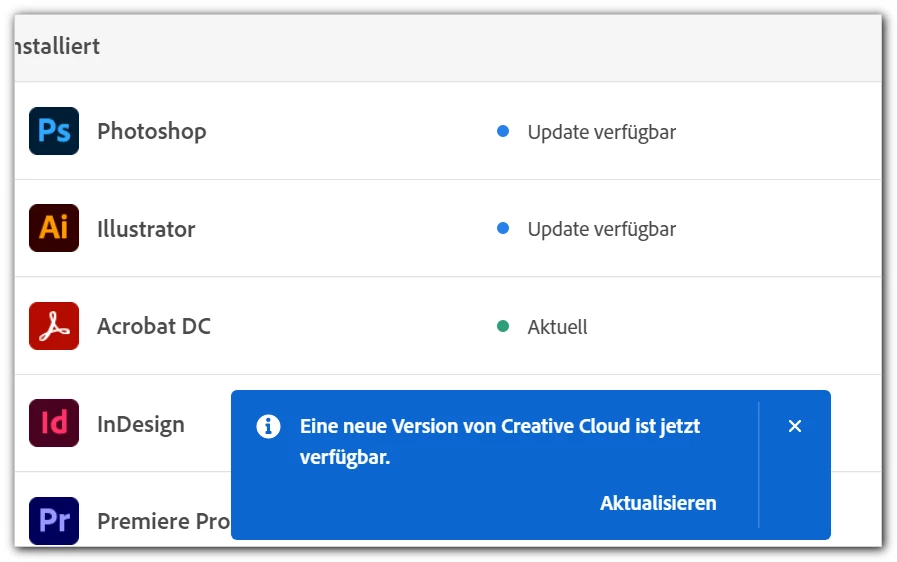
the "message in blue" – new version of creative cloud is available – does not mean a new version / an update of "Creative Cloud Desktop", just that there are one or more updates for a programs, or?


It's always irritating ...

Thanks!


mycc


 ew versi

This topic has been closed for replies.
Correct answer kglad

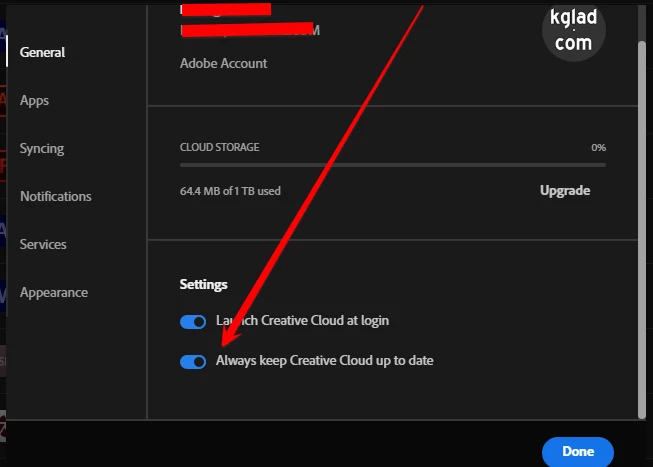
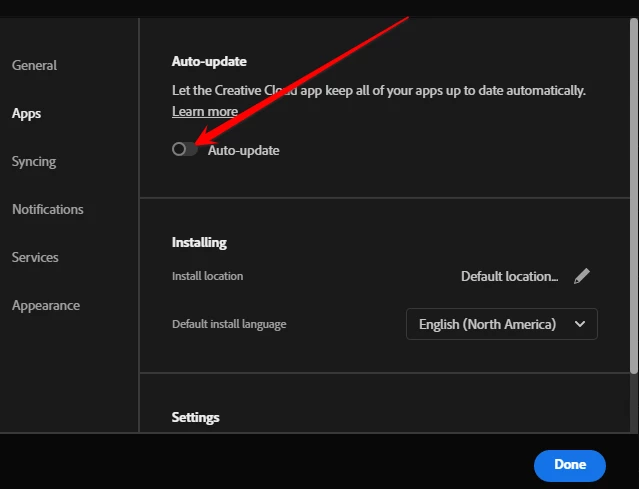
you can update the desktop app without updating your individual apps.  set the desktop app to update automatically and the individual apps to update only after okaying a prompt.


cc desktop app > file > preferences > general > enable keep up to date


preferences > apps > disable auto update


1 reply

kglad
Community Expert
Community Expert
September 27, 2022

that's an update message for the creative cloud desktop app itself.

myccAuthor
Inspiring
September 27, 2022

But if I click the update button, not only the desktop version will be updated, but also any updates of the programs.

kglad
Community Expert
kgladCommunity ExpertCorrect answer
Community Expert
September 27, 2022

you can update the desktop app without updating your individual apps.  set the desktop app to update automatically and the individual apps to update only after okaying a prompt.


cc desktop app > file > preferences > general > enable keep up to date


preferences > apps > disable auto update