Participant
July 27, 2013
Answered

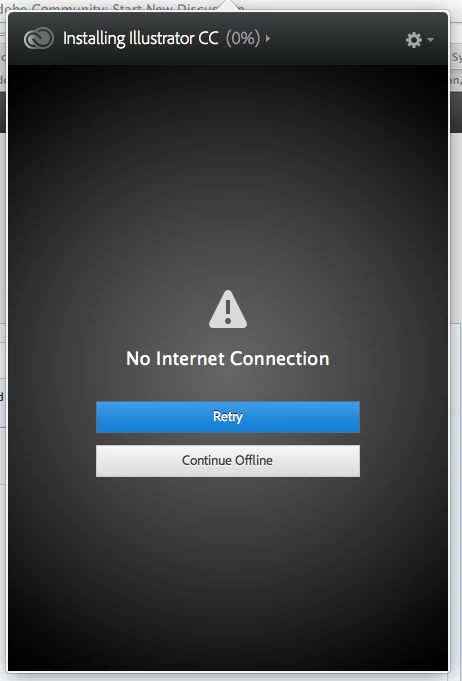
"No internet connection" error whilst I am clearly online.

  • July 27, 2013
  • 1 reply
  • 1301 views

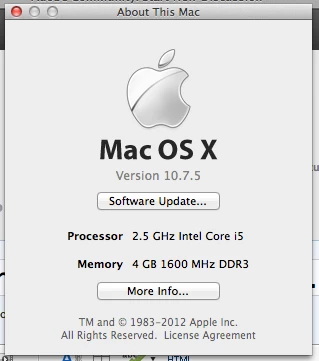
Creative Cloud desktop app will not downlowd apps because of a "No internet connection" error message. Sometimes it downloads a few percent and dies, sometimes not even that. Though I have been successful with downloading a few apps in the past on the very same home connection. I'm on a mac. In the past when I have gotten the error message I have been both on online forums looking for answers and listening to spoitify so I know that I'm obviously conected to the internet. I have now tried connecting to my router via ethernet as well as wi-fi.
This topic has been closed for replies.
Correct answer kglad

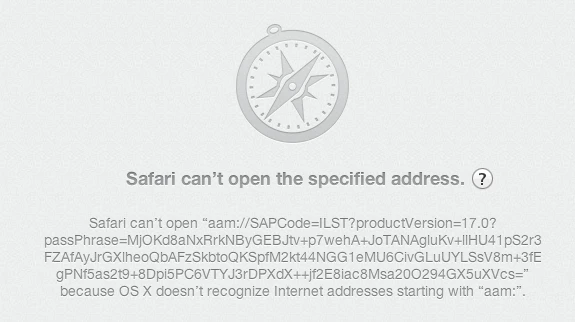
uninstalled my desktop app... now when i click to download apps from the CC site safari tells me that OSX doesn't recognize internet adresses starting with "amm:".


your browser needs the AdobeAAMDetect plugin:  http://helpx.adobe.com/creative-suite/kb/troubleshoot-creative-cloud-installation-download.html

p.s. if you have no cc apps installed, run the cleaner and then restart your computer: http://www.adobe.com/support/contact/cscleanertool.html

1 reply

kglad
Community Expert
Community Expert
July 27, 2013

try a direct connection: https://creative.adobe.com/

Participant
July 28, 2013

I attempted that. Sadly when i click to download anything it opens up the desktop app and dies as usual. I may try to uninstall the desktop app and try the "direct connection" again... though I would only want that to be a temporary solution. I've paid for the service: I'm assuming it'll work.

kglad
Community Expert
Community Expert
July 28, 2013

you can use direct downloads if you follow all 7 steps:  http://prodesigntools.com/adobe-cc-direct-download-links.html

if you have a problem dl'g, you didn't follow all 7 steps.  the most common error involves failing to meticulously follow steps 1,2 and/or 3 (which adds a cookie to your system enabling you to download the correct version from adobe.com).