Non-activation Adobe ID problem when install Adobe SW.
Hello~
I’m a MacOS Sierra (10.12.5 ver) user.
I’m a legal user of Adobe WebPremium CS5.5 MLP Package and i have permanent Software License Certificate too.
I’ve tried to install Illustrator four times yesterday, but Adobe didn’t check AdobeID on MacOS Sierra(!0.12.5ver) until now .
Fortunately illustrator is running, but I can not find md5 and userID in Home account.
Adobe didn't check Adobe ID of user when I install Web premium CS 5.5 every times for 10 years.
It makes me non-formal user in the cyber network. And then Adobe mds process give me some damages on System Security for long time.
This is a trick to get some benefits points on security policy in illegal.
- Evidence : Non-activation Adobe ID on Adobe WebPremium CS5.5 Install Process
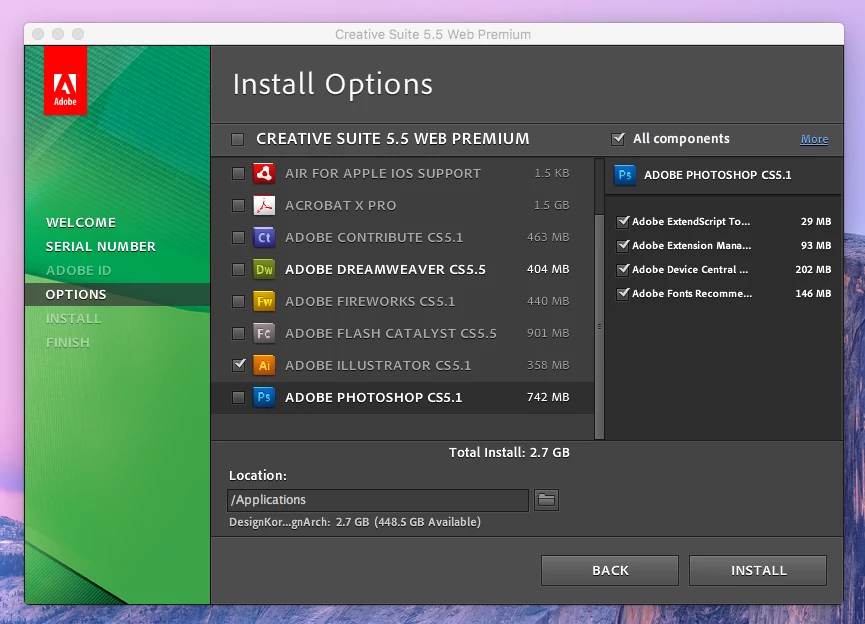
AAM did not make md5 and userid on Home account even though i update newest AAM and Adobe Extension Manager CS5.5 through the internet directly.
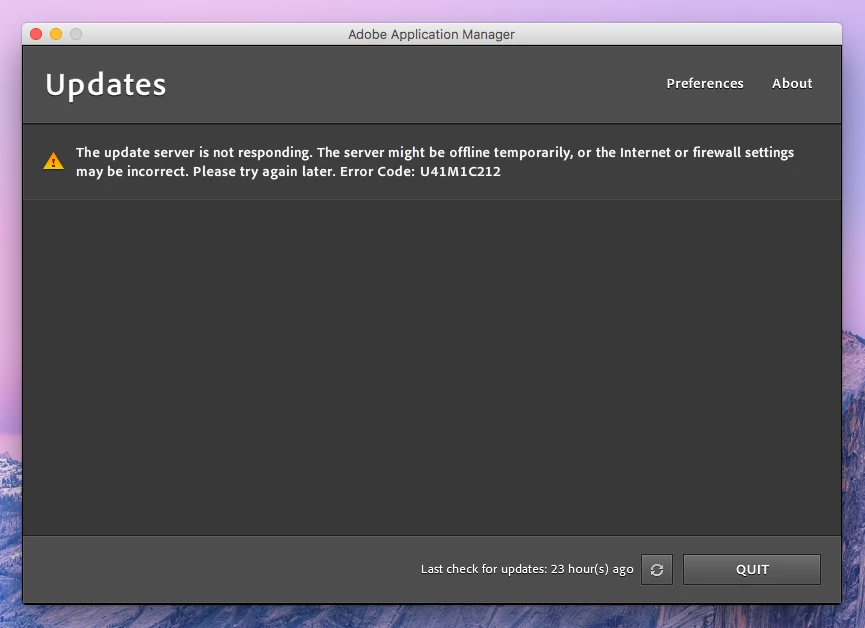
Finally I’ve got updating error code :U43M1D207, The update server is not reponding with error code : U41M1C212.
- Evidence : AAM Update Server Error message and Code.
I’ve found that AdobePatchFiles {FD58D99B-9927-4226-8E00-959A4F76BD89} have some polluted files below exactly : 3eab5109ead811af58d87498a3852f92, dae77084cf2bce4200644586c23be933, f870233bc824ff1ed91824b25fc6d71c . AAM and CS5.5 Service Manager are polluted too.
And I’ve found something wrong ‘PCD Service in non-threaded mode & CommitPCD ENDED’ in oobelib.log today such as below :
- •2017-05-23 21:01:49 [644] PCDService: PCD Service in non-threaded mode
- •2017-05-23 21:01:49 [644] OOBELib: OOBELibImpl::CommitPCD ENDED
It's due to SL Core Service problem I think.
And some fseventsd codes have interrupted to create adobe userid on MacOS exactly.
Everything is Adobe faults only to get some benefits on security.
Adobe should have to pay for user's damages for long times before.
In addition, I would like to know ‘PCD Service in non-threaded mode & CommitPCD ENDED’ in detail.
Please check them and kindly inform me as soon as possible.
 AdChoices