


Ikujaga
Participant
March 1, 2023
Question

Not all CC apps show up on Parallels installation

  • March 1, 2023
  • 4 replies
  • 2480 views

Hi all!

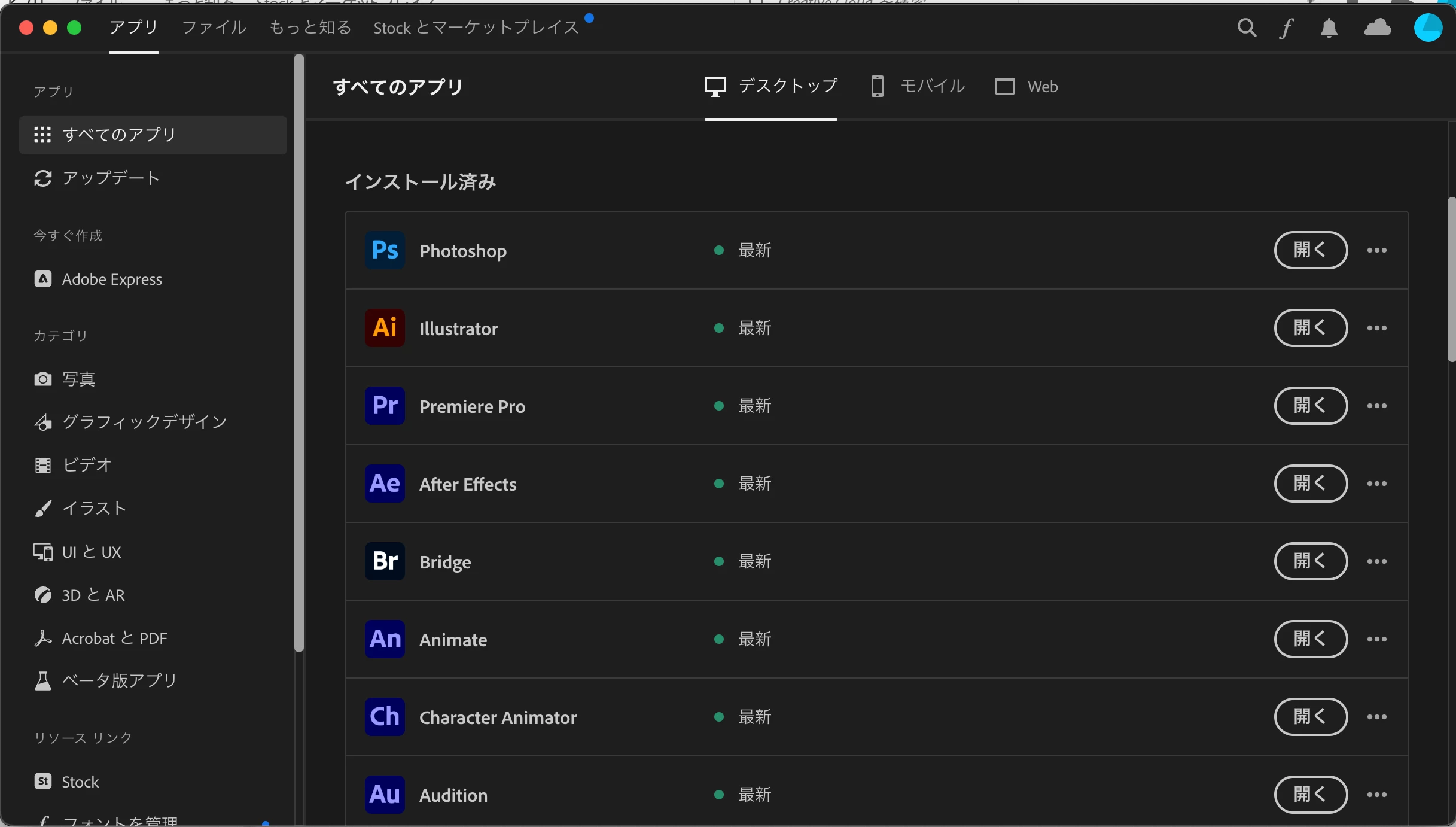
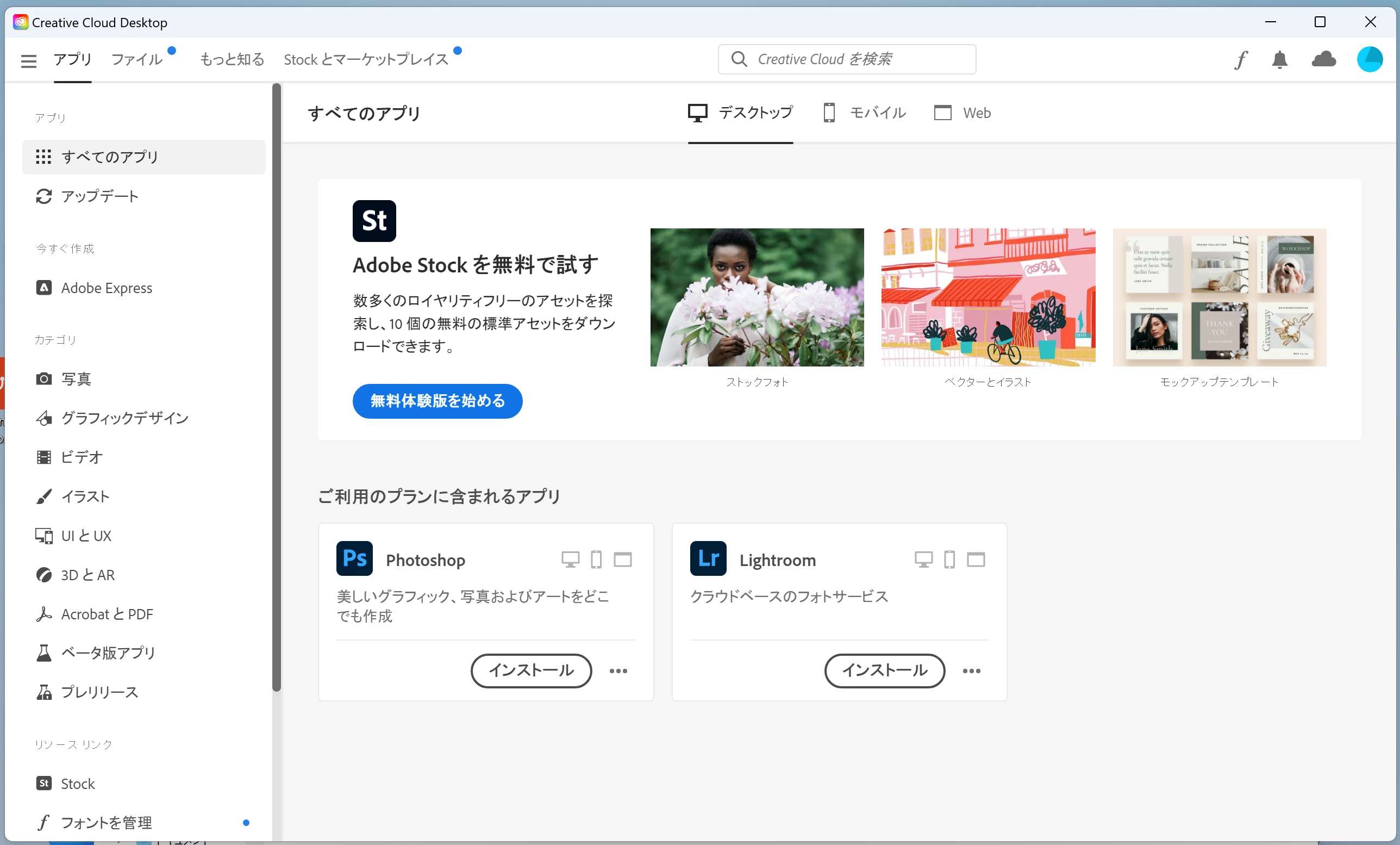
I have a subscription to the whole CC suite which is running fine on my Mac. Now I'm trying to install the apps on Windows via Parallels, as well. (Why do I need to? There's an app that exists only for Win and it can interact with Illustrator and After Effects if it's installed locally.) However, after installing CC on my Windows, only Photoshop and Lightroom show up amongst the available apps. (I'm attaching screen grabs to illustrate the problem.)

I already tried  the Adobe CC Cleaner tool, it didn't help.

Any other ideas? Would be much appreciated.

Best,

Ikumi

CC on macOS:
CC on Win 11:
 

4 replies

Participating Frequently
April 15, 2025

Same problem here, it's absolutely insane. MacBook Pro M4, with Parallels, WIN11. On Mac all apps, on WIN only Photoshop, Acrobat and Illustrator for Tablets. 

Nancy OShea
Community Expert
Community Expert
March 2, 2023

This is a really messy set-up complicated with trying to combine native mac OS with Windows 11 and a VM in between. Eeeek!


For simplicity sake, just get a Windows laptop for Windows apps and keep Mac for your Mac apps. 


Nancy O'Shea— Product User & Community Expert
Legend
March 1, 2023

Ah one more very important thing. Is this an Intel Mac or an Arm (M1/M2) Mac?

Legend
March 1, 2023

1. How much RAM is given to the Windows VM?

2. In the Windows screen shot, there is a button for Photoshop and a button the same for Lightroom. Please translate that button to English for us. (for example Open/Install/Try/Buy/...)

Ikujaga
IkujagaAuthor
Participant
March 1, 2023

Thanks for replying!

1. Windows says, it's got 6GB of RAM. The Mac itself has 16GB though.

2. It says 'Install' – and install it I can.

Kanikas
Community Manager
Community Manager
March 1, 2023

Hi, 

We're here to help you. Do you mean the other apps show as trial? 

If yes, please follow the steps shared in this link: https://helpx.adobe.com/in/manage-account/kb/stop-creative-cloud-trial-mode-after-purchase.html


Let us know the details. Thanks 


Regards 

Kanika