
November 2019: Adobe Updates Confusing
Adobe November 2019 Updates Confusing in your Creative Cloud
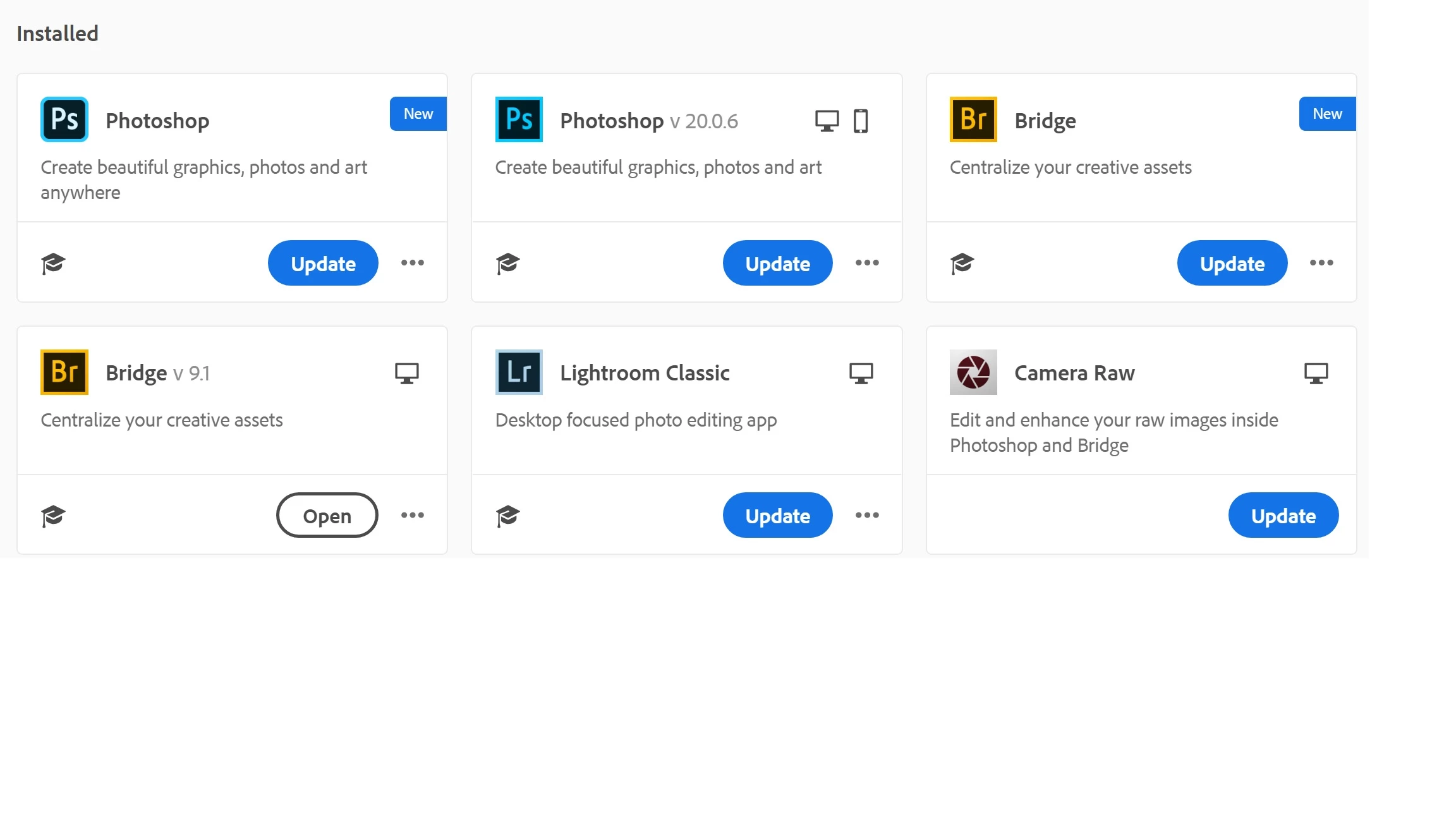
First you tell me that there are two updates for Photoshop. One is "Photoshop" and the other is Photoshop 20.0.6.
I have the subscription plan for desktop. I thought my "Photoshop" was "CC".
Both "Photoshop" choices say they are Installed.
Which "Photoshop" do I update? Better yet, which "Photoshop" do I HAVE? I only want Photoshop CC.
Secondly, I see there is an update for Lightroom Classic. I see that is in my Installed section. But, I thought the name was "Lightroom Classic CC". Did you change the name?
Sidebar: Adobe CC Desktop program also blocks use of Lightroom on a regular basis stating that "Lightroom is open on another computer". At the time we were using two computers and our third lightroom one was Logged Out. We are supposed to get two uses. We have two laptops for my wife and I. And I have a desktop. I don't use my desktop and my laptop at the same time and make sure one of them is Logged Out. The CC Desktop program is Aggravating.
 AdChoices