



HenriVi
Participant
August 4, 2026
Question

old download link for Adobe Lightroom Classic v13.5

  • August 4, 2026
  • 5 replies
  • 21 views

Dear,

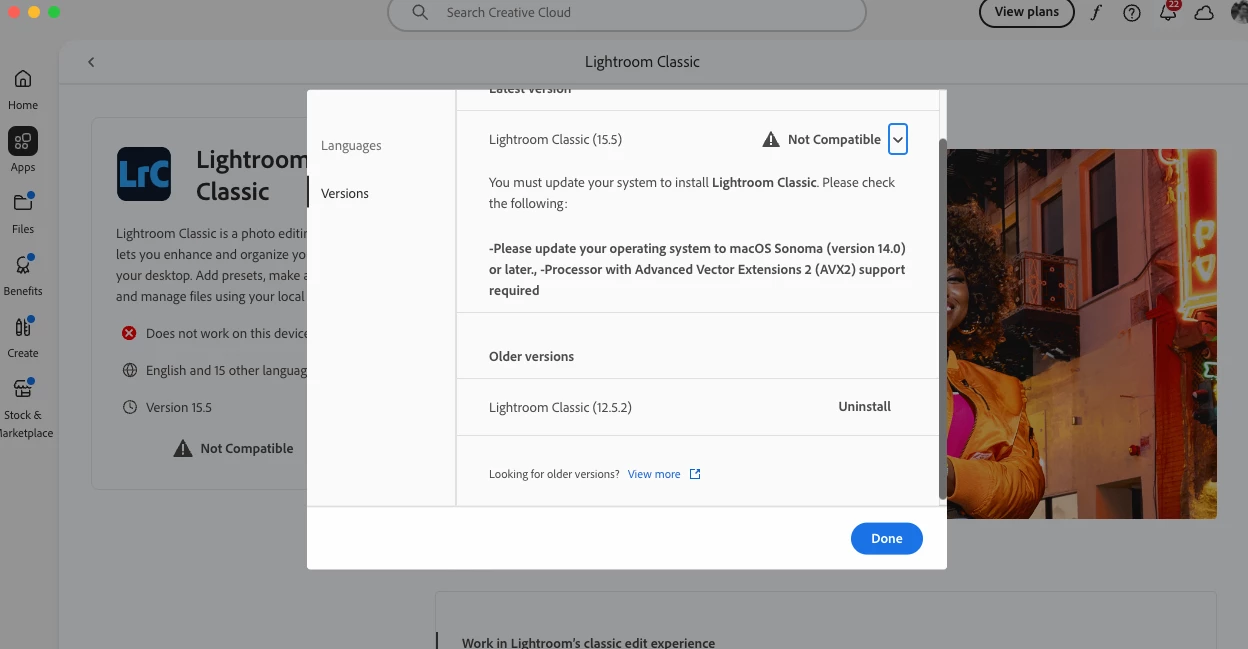
I'm looking for download links to old versions of Lightroom/Photoshop, respectively v13.5 and v25.2. When checking old version Adobe Creative cloud only suggest the Lightroom classic v12.5.2 for macOS BigSur. I'm running with a MacPro and Monterey. the v13.5 / v25.12 seems to be the last one compatible with my configuration.


I tried different method to find an old version but Adobe do not list anymore all old version.


Could I expect some support and a link where to download Lightroom Classic v13.5 and Photoshop v25.12?
Thank you

    5 replies

    kglad
    Community Expert
    Community Expert
    August 4, 2026

    you can use the wayback archive with prodesigntools if you can bypass the 306 erros, https://web.archive.org/ 

    Community Expert
    August 4, 2026

    @kglad I’ve try that for several links to download older files but it doesn’t work.

    I see the ProDesginTool website with the links. On click on the appropriate link it shows the following:

    I don’t see no 306 error.


    My System: Intel i7-8700K - 64GB RAM - NVidia Geforce RTX 3060 - Windows 11 Pro 25H2 -- LR-Classic 15 - Photoshop 27 - Nik Collection 9 - PureRAW 6 - Topaz Photo AI
    kglad
    Community Expert
    Community Expert
    August 4, 2026

    you have to use prodesigntools.com then navigate to the download page.

    Community Expert
    August 4, 2026

    You can download and install only the current version and one version before. If you need an earlier version you have to contact Adobe and asking them for a download link.But it isn’t sure you’ll get it. 

    Contact Adobe support by clicking here,  https://helpx.adobe.com/contact.html?rghtup=autoOpen

    In the chat field (lower right of screen) typing “Agent” into the chat text field will bypass the initial chatbot. Be patient, it can take quite a while to reach a human. Explain why you need the old versions, and ask politely for the links.

    If you are not able to get to the chat window, then disable your ad-blockers, firewall, enable cookies/scripts on your browser. 

    But again: It isn’t sure that you get the link for an older and unsupported version of a Adobe application.

    If you get the links save the downloaded files for further use.


    My System: Intel i7-8700K - 64GB RAM - NVidia Geforce RTX 3060 - Windows 11 Pro 25H2 -- LR-Classic 15 - Photoshop 27 - Nik Collection 9 - PureRAW 6 - Topaz Photo AI