
Opening Adobe Creative Cloud App changes Word document formatting?
Dear community,
I write a lot of Word documents with text formats that I tailor to those specific documents. However I've started to notice a change in formatting whenever I open an Adobe CC program while also working in Word.
1) The document could look like this:
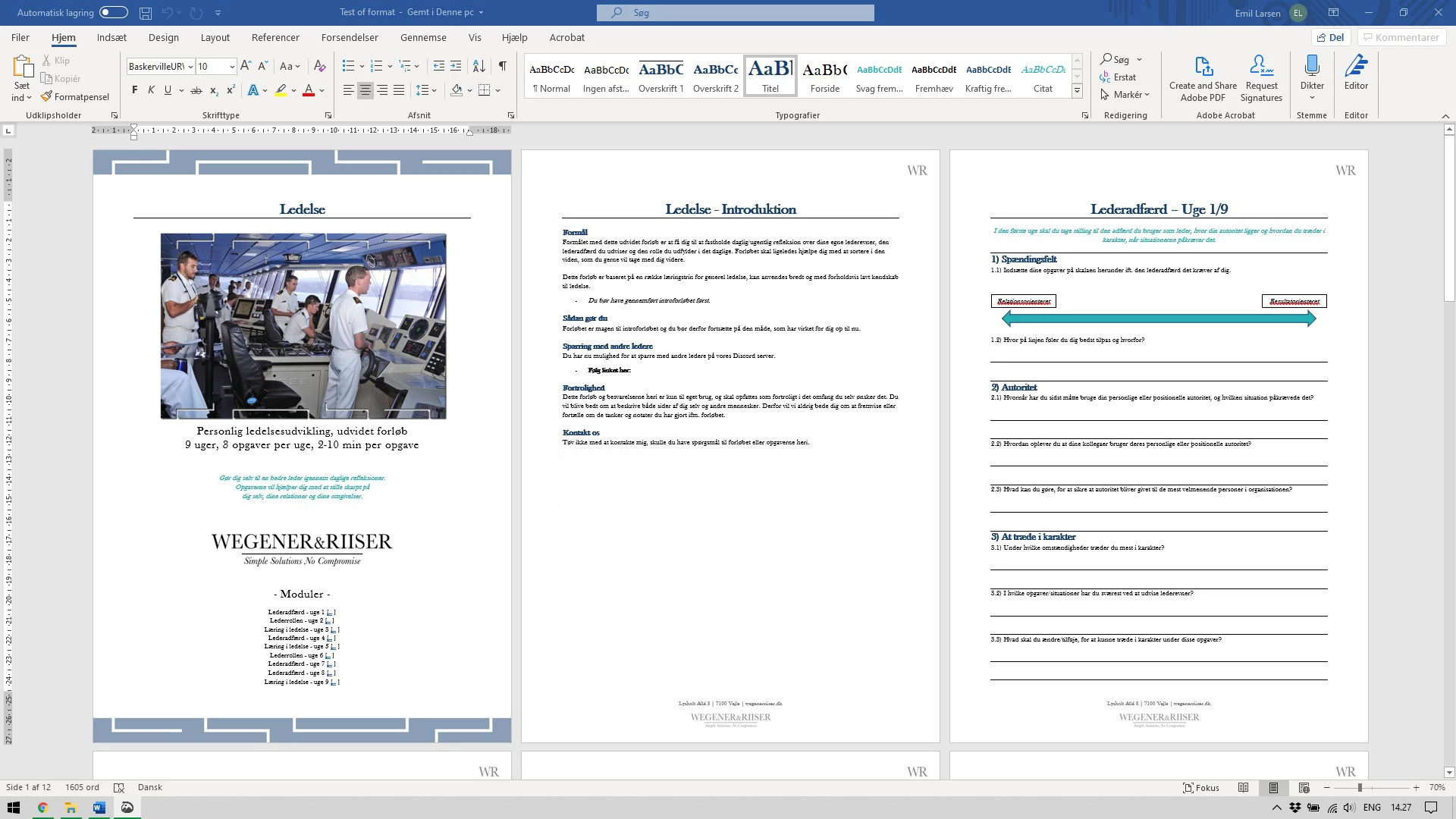
2) I might then open an Adobe program, this could be Photoshop, InDesign or Acrobat, depending on what else I might be working with.
3) My Word document then changes formatting after the it's saved or reopened, to something like this:
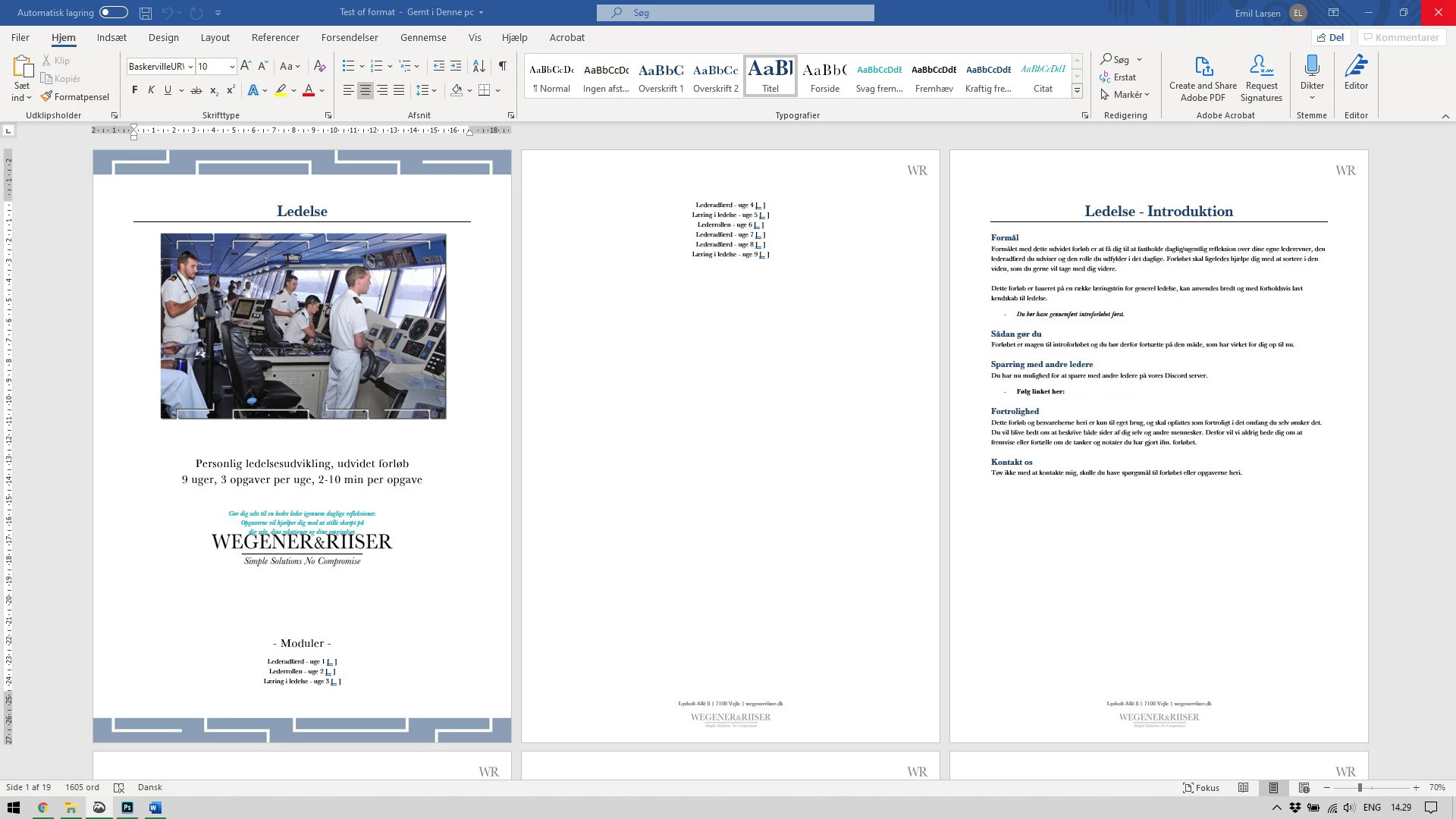
So my two questions are...
- What is going on?
- What can be done about it?
- - - - - - - - - - - - - - - - - -
It doesn't help to close the Adobe apps again (nor to force the background apps to close), the error continues until I've restarted the machine. The formatting is then back to normal, as long as I don't reopen any Adobe apps.
- - - - - - - - - - - - - - - - - -
Program details:
Microsoft 365 MSO, Word, 16.0.12827.20236, 64-bit
Adobe Creative Cloud + Apps: 5.1.0.407 (all app updated)
CoreSync: 4.3.45.2 | CCX Process: 3.6.2.5 | CC Library: 3.8.26.14
System details:
Lenovo Legion Y540-17IRH
Windows 10 Home, ver 1903, OS build: 18362.836
- - - - - - - - - - - - - - - - - -
Thanks a lot for your help,
Best regards Emil
 AdChoices