Optical Drive Changes and Unsupported Graphics Message - Adobe PS CC
Can changing out your optical drive cause weird errors related to graphics support? I had a UJ-167 BD-ROM/DVD-RW combo drive installed in a late-2009 white unibody MacBook in use by my sister-in-law who is a professional photographer that I had lent her for a while (she never needed the Blu-ray feature and I wanted the drive back). So I swapped it out for a UJ-898A from from my early 2011 MacBook Pro and now we are getting weird errors related to her GPU not being supported. The electrical requirements of the optical drives are the same and the SATA interface and connectors are all the same. No other system configuration changes were made aside from an optical drive swap.
The UJ-898A is a native Apple supported drive released prior to El Capitan and should be recognized and not be causing an issue related to graphics hardware on a cloud based application like Adobe CC unless there are hardware registry components stored locally or in the Adobe cloud associated with your Creative Cloud account and tied to your specific machine configuration.
See the error message:
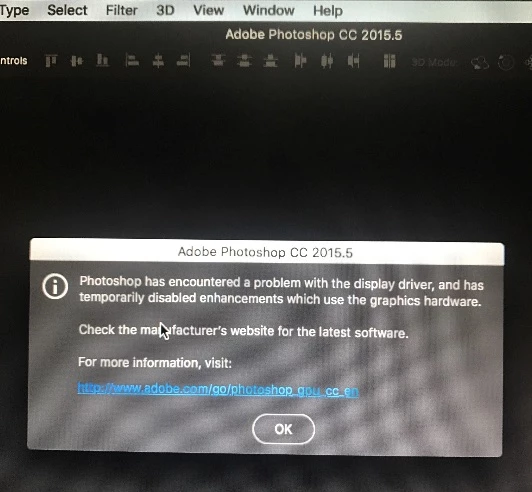
System Configuration:
MacBook 7,1
1280x800 glossy display
2.4 GHz P8600
Current Optical: UJ-898A Apple SuperDrive (previously UJ-167 BD-ROM/DVDRW)
GeForce 320M 256 MB
MacOS El Capitan 10.11
8 GB DDR3 RAM
1 TB 5400 RPM hard drive
Does my sister-in-law need to uninstall and re-install the application?
Thanks for any suggestions!
 AdChoices