Participating Frequently
March 16, 2022
Answered

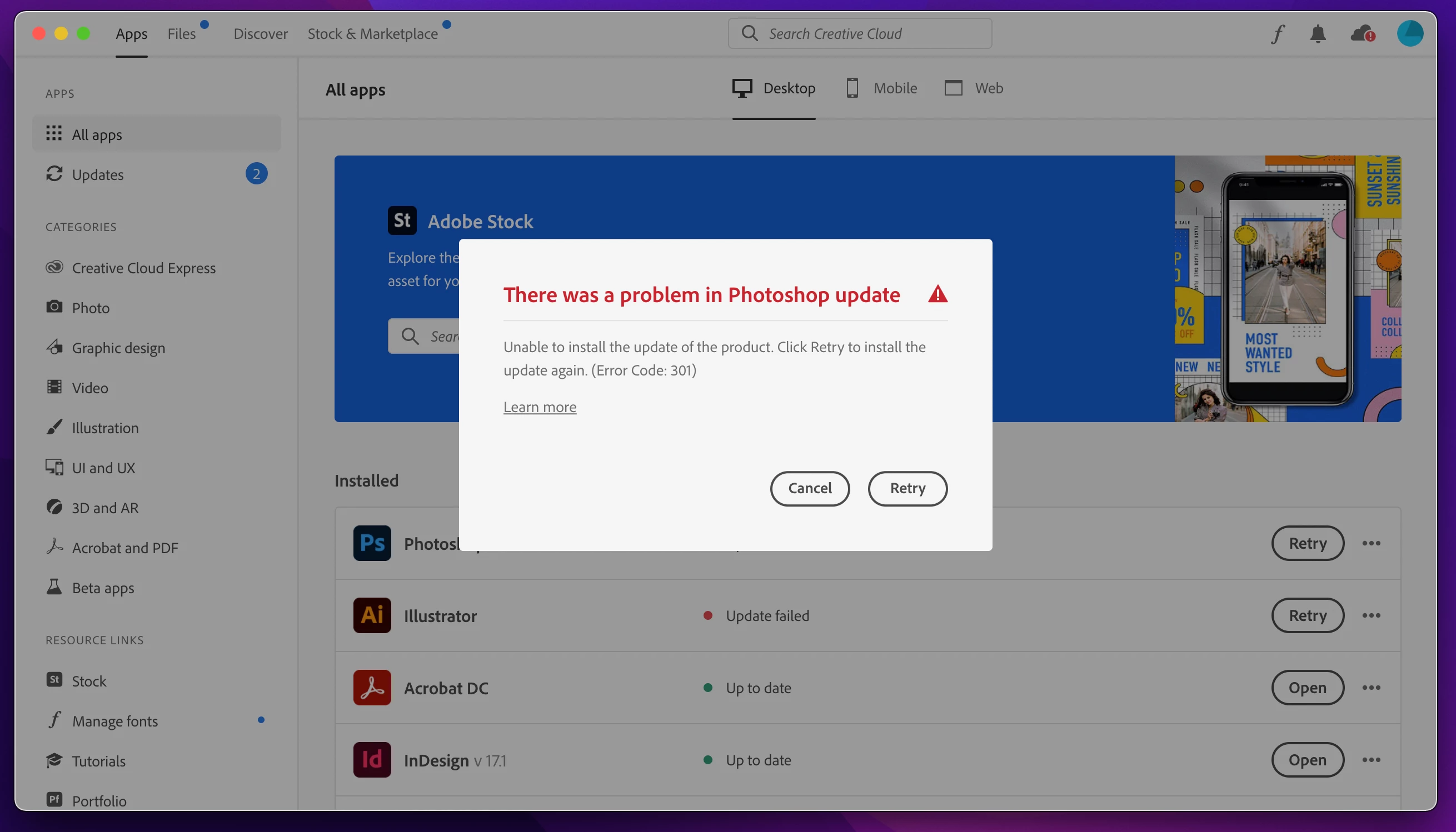
Photoshop and Illustrator Updates not working in Mac M1 running macOS Monterrey 12.2.1

  • March 16, 2022
  • 2 replies
  • 1626 views

Photoshop and Illustrator Update not working in Mac M1 running macOS Monterrey 12.2.1 as shown in attachment.

This topic has been closed for replies.
Correct answer kglad

reset the cc desktop app: make sure it's in the foreground, then press:

Win: Ctrl + Alt + R
Mac: Cmd + Opt + R

if that fails, try to repair
https://helpx.adobe.com/download-install/kb/creative-cloud-install-stuck.html

if that fails go ahead and uninstall using the correct uninstaller from https://helpx.adobe.com/creative-cloud/help/uninstall-creative-cloud-desktop-app.html#sa_src=web-messaging and then reinstall

if that fails, do a clean cc install following each applicable step (which precludes the ms c++ steps):

uninstall every cc app including preferences, https://helpx.adobe.com/creative-cloud/help/uninstall-remove-app.html


then uninstall the cc desktop app, again using the correct uninstaller, https://helpx.adobe.com/creative-cloud/help/uninstall-creative-cloud-desktop-app.html#sa_src=web-messaging


clean your computer of cc files per http://www.adobe.com/support/contact/cscleanertool.html


check for, and if available, update your os


repair all ms visual c++ versions that can be repaired.


update your ms visual c++, if it can be updated


restart your computer (don't skip this)


reinstall the cc desktop app, https://creativecloud.adobe.com/apps/all/desktop?action=install&source=apps&productId=creative-cloud


if you're unable to download the cc desktop app at this stage, use the link at the bottom of the page at https://helpx.adobe.com/download-install/kb/creative-cloud-desktop-app-download.html


use the desktop app to install your cc programs/trials

2 replies

Jeffrey_A_Wright
Community Manager
Community Manager
March 16, 2022

Mario, I am sorry you encounter so many errors while using Adobe applications on the M1-powered Mac computer.  What process did you use to set up the computer?  Were any files or applications transferred or migrated from another computer?


Please see https://helpx.adobe.com/download-install/kb/apple-silicon-m1-chip.html for important information on using Adobe applications on computers using Apple's new processors.

Participating Frequently
March 23, 2022

Thank you, Jeff! I received great support from Adobe support, as always, quite professionals.

Jeffrey_A_Wright
Community Manager
Community Manager
March 23, 2022

You are welcome, Mário!  Enjoy your new computer!

kglad
Community Expert
kgladCommunity ExpertCorrect answer
Community Expert
March 16, 2022

reset the cc desktop app: make sure it's in the foreground, then press:

Win: Ctrl + Alt + R
Mac: Cmd + Opt + R

if that fails, try to repair
https://helpx.adobe.com/download-install/kb/creative-cloud-install-stuck.html

if that fails go ahead and uninstall using the correct uninstaller from https://helpx.adobe.com/creative-cloud/help/uninstall-creative-cloud-desktop-app.html#sa_src=web-messaging and then reinstall

if that fails, do a clean cc install following each applicable step (which precludes the ms c++ steps):

uninstall every cc app including preferences, https://helpx.adobe.com/creative-cloud/help/uninstall-remove-app.html


then uninstall the cc desktop app, again using the correct uninstaller, https://helpx.adobe.com/creative-cloud/help/uninstall-creative-cloud-desktop-app.html#sa_src=web-messaging


clean your computer of cc files per http://www.adobe.com/support/contact/cscleanertool.html


check for, and if available, update your os


repair all ms visual c++ versions that can be repaired.


update your ms visual c++, if it can be updated


restart your computer (don't skip this)


reinstall the cc desktop app, https://creativecloud.adobe.com/apps/all/desktop?action=install&source=apps&productId=creative-cloud


if you're unable to download the cc desktop app at this stage, use the link at the bottom of the page at https://helpx.adobe.com/download-install/kb/creative-cloud-desktop-app-download.html


use the desktop app to install your cc programs/trials

Participating Frequently
March 23, 2022

Thank you! I appreciate your support!

kglad
Community Expert
Community Expert
March 23, 2022

you're welcome (from me, too).