


Participant
December 25, 2022
Question

Photoshop Elements 11 auf neuen Computer installieren

  • December 25, 2022
  • 4 replies
  • 2937 views

Hallo!


Ich habe Photoshop Elements 11 vor einigen Jahren gekauft und möchte es nun auf meinem neuen Computer installieren. Wenn ich das Programm mit meiner Adobe-ID verknüpfen will, bekomme ich folgende Fehlermeldung (rechts unten im Screenshot).
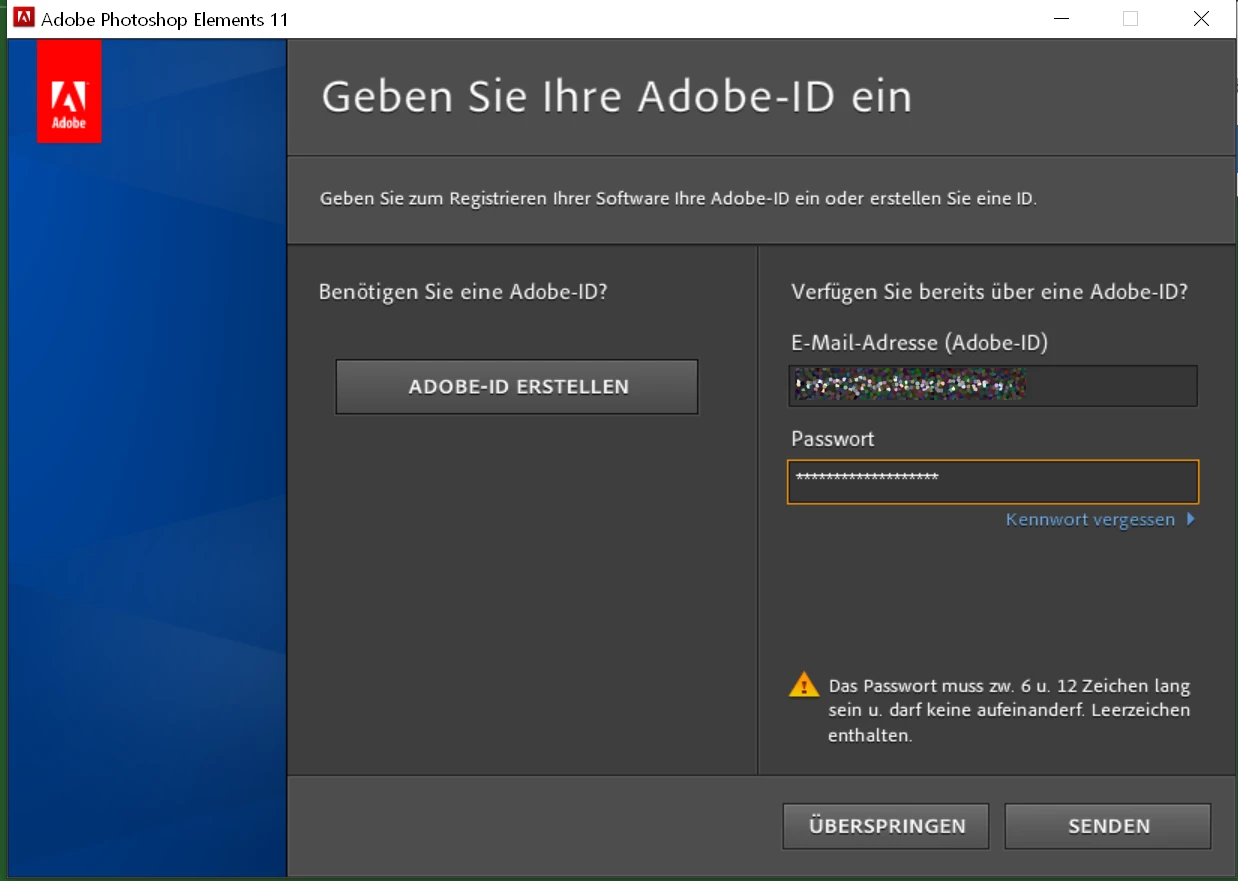
 

Mein Passwort ist aber länger als 12 Zeichen....


Was kann ich nun tun?


Mit sonnigen Grüßen,

Ronald Wytek


[Moderator deleted private information. Please do not post private information like e-mails and phone numbers]


This topic has been closed for replies.

4 replies

Participant
December 27, 2022

Hallo! Vielen Dank für die Rückmedungen!


Ich habe nun ein passendes (kürzeres) Passwort für die Adobe-ID erstellt und erhalte folgende Fehlermeldung (rechts unten) auf meinem alten Computer.


Das bedeutet, mir ist es noch immer nicht möglich, Photoshop Elements 11 zu meinem Konto hinzuzufügen.

Ich verwende Windows 11. Weiß wer, ob Photoshop Elements 11 damit kompatibel ist?


Hat noch jemand eine Idee?


Btw:

Über dieses Forum habe ich eine "Private Nachricht" erhalten, dass ich mich an "Adobe.Service@xyz.something " wenden soll - ist das ein Fake?


Liebe Grüße,

Ronald


[Moderator deleted private information. Please do not post private information like e-mails and phone numbers]

kglad
Community Expert
Community Expert
December 27, 2022

@Ronald, webinartrainer.eu 


again, i'm not aware if any benefit of doing this, and in fact, pse 11 is so old, it may not be possible to do whatever you're trying. eg, you can register adobe software once and, even if pse 11 had never been registered, i doubt it can be registered now.


ie, skip it, don't send.  

Abambo
Community Expert
Community Expert
December 26, 2022

Einfach »überspringen« drücken.

ABAMBO | Hard- and Software Engineer | Photographer
AxelMatt
Community Expert
Community Expert
December 25, 2022

If @kglad 's answer doesn't help try to change you passwort. Click on "Kennwort vergessen" an generate a new one that's matches the requirements.


BTW: Which operating system do you have installed on your new computer. It's possible that PSE 11 isnt' compatible.

My System: Intel i7-8700K - 64GB RAM - NVidia Geforce RTX 3060 - Windows 11 Pro 25H2 -- LR-Classic 15 - Photoshop 27 - Nik Collection 8 - PureRAW 5 - Topaz Photo
kglad
Community Expert
Community Expert
December 25, 2022

@Ronald, webinartrainer.eu 


that pse is showing its age. you could try signing into your adobe account to see if it can be added there.


but i'm not aware if any benefit of doing this, and in fact, pse 11 is so old, it may not be possible to do whatever you're trying. eg, you can register adobe software once and, even if pse 11 had never been registered, i doubt it can be registered now.