Participant
August 4, 2016
Answered

Photoshop Elements Install Problem

  • August 4, 2016
  • 2 replies
  • 348 views

I am trying to install Photoshop Elements and receiving this error:
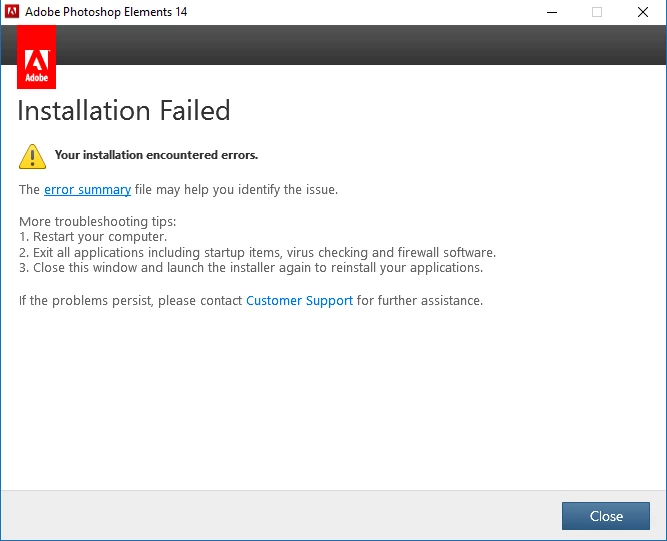
The error summary link is broken, the file does not exist. But I have found and linked all the Adobe logs from this timeframe. I do not see the exit codes.

http://sealcocvp.com/dl/APProblem.zip

I have tried reinstalling as administrator, disabling my firewall, msconfig selective startup, and no antivirus. If is matters I am trying to install the 32-bit version on Windows 10 64 (The 64-bit version will not uncompress - Amazon download purchase). The laptop is a Dell XPS 9350.

I have searched the forums here as well to no avail.

Please help.

Thank you,

    This topic has been closed for replies.
    Correct answer John T Smith

    As long as you have a serial number, you can download the correct 64bit version from Adobe

    kglad links in reply #1 here https://forums.adobe.com/thread/2081216 may help

    2 replies

    Participant
    August 4, 2016

    I used the link to downloaded the 64-bit version and it worked without error.

    Thank you

    John T Smith
    Community Expert
    John T SmithCommunity ExpertCorrect answer
    Community Expert
    August 4, 2016

    As long as you have a serial number, you can download the correct 64bit version from Adobe

    kglad links in reply #1 here https://forums.adobe.com/thread/2081216 may help