
Participant
April 5, 2015
Answered

photoshop will not update

  • April 5, 2015
  • 1 reply
  • 600 views

Hello,

I have a hard copy CD version of Photoshop CS6 13.0 which I installed on a new 2015 Retina Macbook Pro 13 inch running Yosemite. I was able to install the update to 13.0.1, however it will not allow me to update to 13.0.4 or 13.0.6.  If I click on the updater in the photoshop it says you applications are all to date as checked!   If I download it directly and try to install it it says Update Failed this patch is not applicable for you!!    What is going on here?  My current version of Photoshop is totally blurry and not compatible with the retina.   Please help..  I do not understand how this can be so complicated..  

Thanks.
    This topic has been closed for replies.
    Correct answer andrews15801840

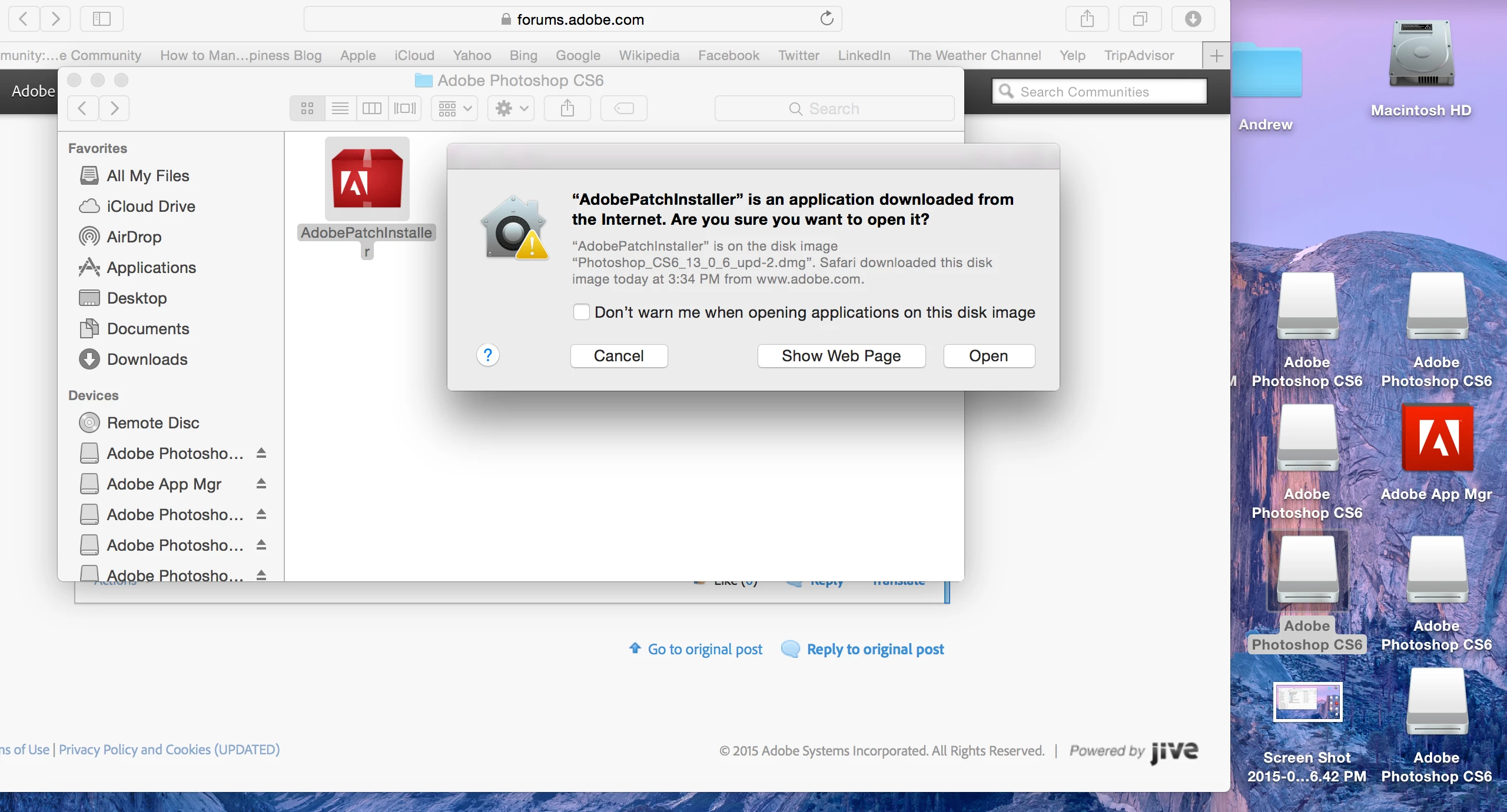
    Here is a screenshot of the version that I am trying to upgrade.  You can you please give me advice as to how to successfully update Photoshop 13.0.1 to Photoshop 13.0.6?  This is not a trivial issue because currently the Photoshop is pixelated.


    Hmmm...  After trying for half the day I got it to work.  I think I tried to complete my registration online at Adobe, although it did not regains my serial number.  Then I tried to open up the directly downloaded update. Before clicking on open, I went to the finder and then did a force quit of photoshop, and everything else that was open.  The update then installed and the pixelation issue was fixed!

    I think this may support other reports that this update tried to install via two instances open on the mac which conflict?   Anyway I don't know..

    1 reply

    kglad
    Community Expert
    Community Expert
    April 5, 2015

    attach a screenshot showing the downloaded update on your computer.

    Participant
    April 5, 2015

    Ok here is screenshot, I tried installing it from the desktop. Also copied into the Adobe Photoshop CS6 folder.. neither worked.