


Participant
April 4, 2020
Question

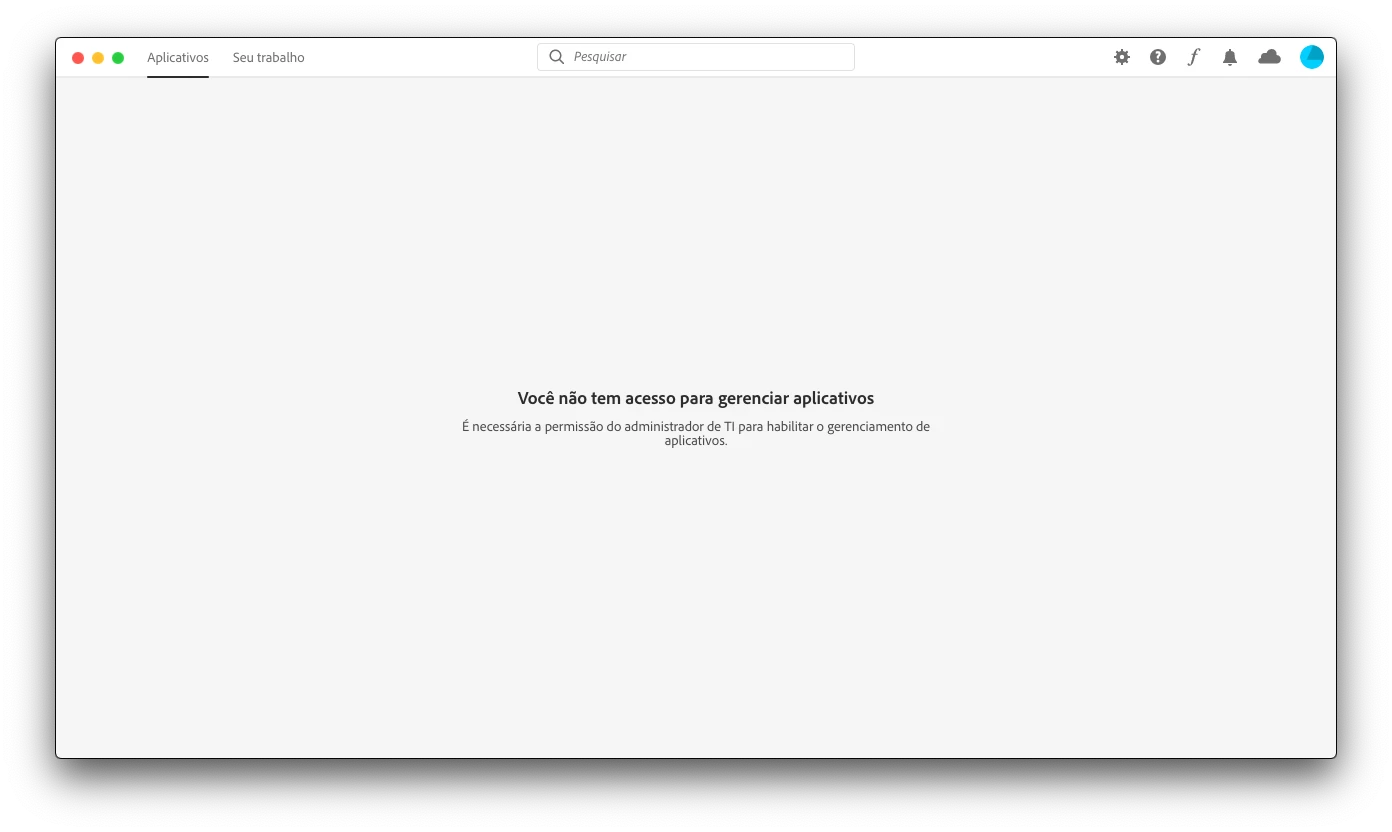
Preciso de ajuda, meu Creative Cloud diz que não tenho acesso para gerenciar aplicativos.

  • April 4, 2020
  • 4 replies
  • 4491 views

hoje pela manha resolvi comprar o pacote da creative cloud completo com todos os app para Mac, porem quando abrp meu creative cloud diz que  nao tenho acesso para gerenciar aplicativos e que é nessesario a permissao do administrador de TI para Habilitar o gerenciamento de aplicativos. alguem me ajuda ?
This topic has been closed for replies.

4 replies

Tilles
Inspiring
January 25, 2022

tive o mesmo problema e consegui resolver, caso alguém se interesse.
Tem que :


  • Navegue até o seguinte local e renomeie opm.db:

    • macOS: Macintosh HD/Users/[nome do usuário]/Library/Application Support/Adobe/OOBE
    • Windows: C:\Users\[nome do usuário]\AppData\Local\Adobe\OOBE

    Altere o nome para opm.db.old


Link do post completo no site da Adobe: https://helpx.adobe.com/br/creative-cloud/kb/apps-panel-reflect-creative-cloud.html

John T Smith
Community Expert
Community Expert
November 23, 2020
Participant
November 23, 2020

Thank you for your quick response. The tutorial video is great but I don't have the Configs inside the OOBE and therefore no ServiceConfig.xml file, so I still could't fix the problem.

Any other option?

Thank you

Isabel

Participant
November 24, 2020

After all I was on the wrong Library forlder and that' s why I couldn't find the ServiceCongi.xml file.

It worked already.

Thank you so much John for your help!

Isabel

Nancy OShea
Community Expert
Community Expert
May 7, 2020

Do you have a Team or Enterprise account at work or school?


1. Open CC Desktop App.
2. Click the gear icon > General tab > Settings. Select "Always keep Creative Cloud up to date."
3. Click on your Avatar (top right image).
4. Sign-out of Creative Cloud.
5. Close all apps.
6. Restart your computer.
7. Open CC Desktop app.
8. Click your Avatar.
9. Sign-in with your paid personal ID and password.


Nancy O'Shea— Product User & Community Expert
Participant
November 23, 2020

I follow all the 9 steps and still the same message as MaverikClash and camimgama.

Any help, please?

Thank you


Participant
May 7, 2020

Oi! Eu estou com o mesmo problema. Conseguiu alguma solução? Estou esperando na linha para falar com o suporte da Adobe, mas estão demorando muito para atender.