Premier Elements - We have Encountered the Following Issues - Installer Failed to Initialize.
Anyone that can help please do so.
I have spent 24 hours over the last three nights including over 3 hours last night on the Customer Service Chat room only to find out that my product is not only not supported by phone but also not supported by Chat. This is absolutely ridiculous.
Here is my issue. I have Photoshop Elements 13 and Premier Elements 13 that I am trying to load onto a new computer. After much todo about nothing I was finally able to get the Photoshop Elements 13 to download and install. That was first night. Then I tried to Install Premier Elements 13 and I get the following error message.
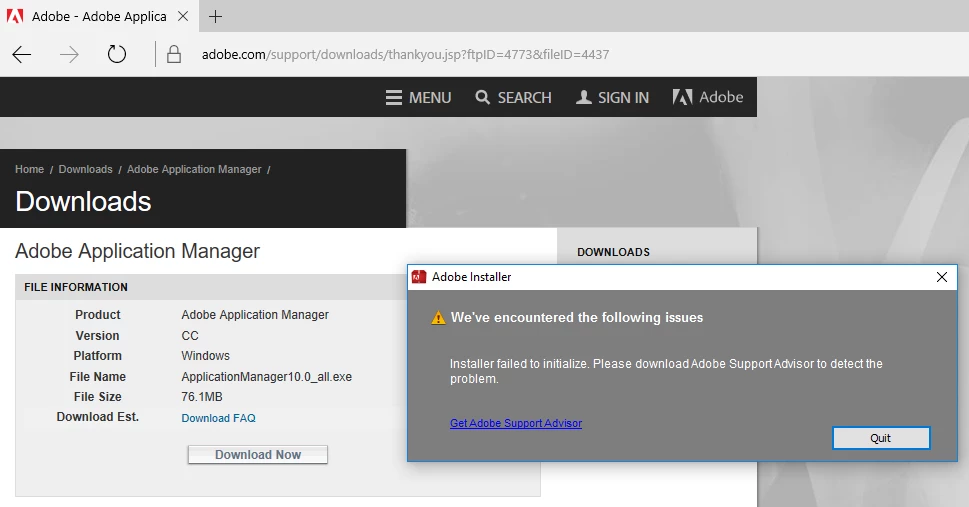
I know this is error message is for Adobe Application Manager. But it is the same message for any Adobe product I try to install now that I have Photoshop Elements installed. Last night I had the idea that I would uninstall Photoshop Elements and all Adobe products and then reinstall them. I tried to do an uninstall and the message came up that I needed to load Adobe Application Manager. Went through all the steps only to get this message when it tried to install.
Last night I put the same message on the Premier Elements Forum and have not gotten any response. This should not be that hard. Download a program you have already paid for, install the program and then use the program. An hour or two tops. I have now spent more than 24 hours of my time trying to get this program installed with no help.
Looking for any help someone can provide.
 AdChoices