
Participant
January 9, 2018
Answered

Premiere Pro CC installation hangs after sign in
  • January 9, 2018
  • 2 replies
  • 1247 views

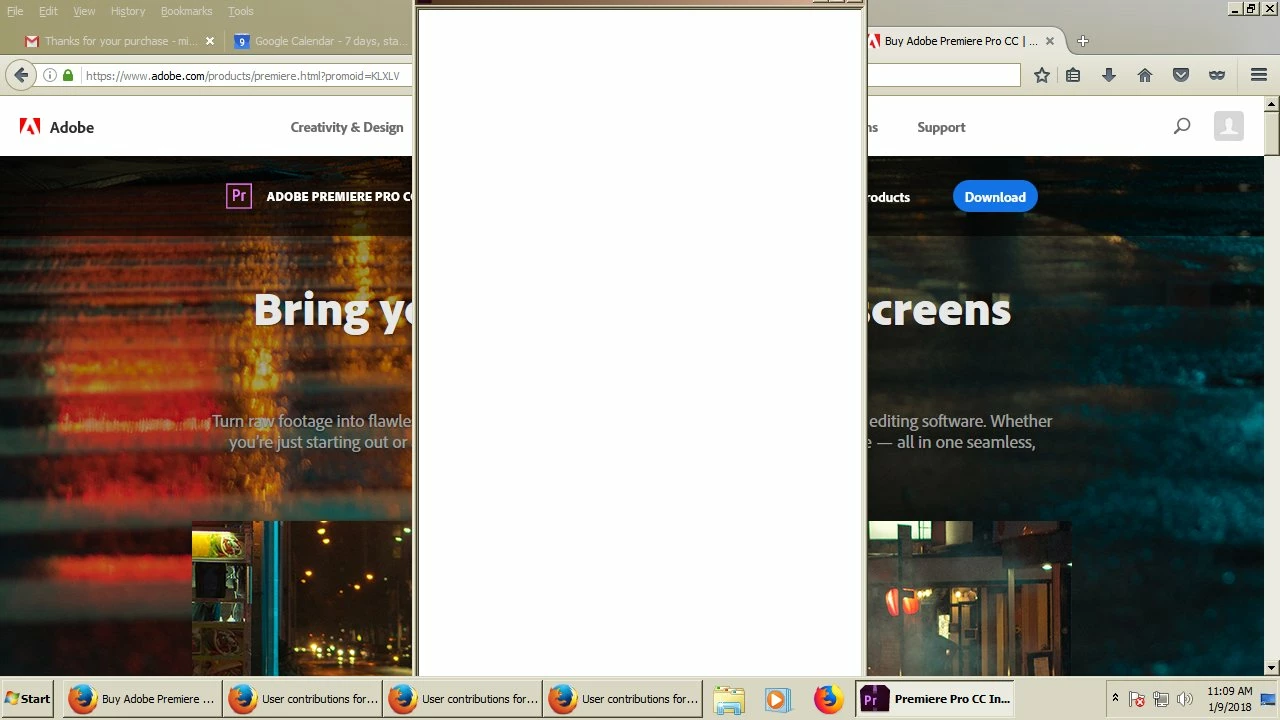
New installation of Creative Cloud single-app membership for Adobe Premiere Pro (month-to-month). I downloaded the installer, and right-clicked on it to run as admin. A vertically oriented window comes where I can sign in with my password, but after entering my password the window goes all white, with no text. The installation hangs here. How can I get the installation to continue?

This topic has been closed for replies.
Correct answer kglad

follow each step you can.

uninstall everything cc including preferences, https://helpx.adobe.com/creative-cloud/help/uninstall-remove-app.html

then uninstall the cc desktop app, https://helpx.adobe.com/creative-cloud/help/uninstall-creative-cloud-desktop-app.html

clean your computer of cc files per http://www.adobe.com/support/contact/cscleanertool.html

restart your computer (don't skip this)

reinstall the cc desktop app, https://creative.adobe.com/products/creative-cloud.

if you're unable to install the cc desktop app at this stage, use an administrator account (solution 3 here, https://helpx.adobe.com/creative-cloud/kb/creative-cloud-missing-damaged.html)

use the desktop app to install your cc programs/trials

2 replies

Participant
March 29, 2018

Tried that, and mine is still hanging. Spent about 5 hours trying various things, but sweet fa is happening.

My PC spec is quite good too - 1 TB HD, 16GB RAM, Intel i7 blah blah blah...what I'm saying is I don't think I should be having these issues with this laptop.

Think I am going to have to sack off trying to use Premiere Pro before it actually breaks me!

Does anyone have any recommendations for something that will work?

Thanks

Jeffrey_A_Wright
Legend
March 29, 2018

Joelt78351654 are you also seeing a blank screen when you attempt to install the Premiere Pro CC trial?  What happens when you install in the Adobe Creative Cloud desktop application as suggested by Kglad in message #3?

kglad
Community Expert
Community Expert
January 9, 2018

that looks like an incompatible os.  do you have win 7, sp1 or better?

[moved from Downloading, Installing, Setting Up to Creative Cloud Download & Install]

Bink33Author
Participant
January 9, 2018

Windows 7 Pro, Service Pack 1

kglad
Community Expert
kgladCommunity ExpertCorrect answer
Community Expert
January 9, 2018

follow each step you can.

uninstall everything cc including preferences, https://helpx.adobe.com/creative-cloud/help/uninstall-remove-app.html

then uninstall the cc desktop app, https://helpx.adobe.com/creative-cloud/help/uninstall-creative-cloud-desktop-app.html

clean your computer of cc files per http://www.adobe.com/support/contact/cscleanertool.html

restart your computer (don't skip this)

reinstall the cc desktop app, https://creative.adobe.com/products/creative-cloud.

if you're unable to install the cc desktop app at this stage, use an administrator account (solution 3 here, https://helpx.adobe.com/creative-cloud/kb/creative-cloud-missing-damaged.html)

use the desktop app to install your cc programs/trials