jadel61170638
Participant
July 2, 2015
Question

problem installing elements 13

  • July 2, 2015
  • 2 replies
  • 174 views

Hi I am having problem installing elements 13 I get the following error message: c:\Usres\Jonathan\AppData\Local|Adobe\OOBE\PDApp\DECore|setup.exe More data ia available
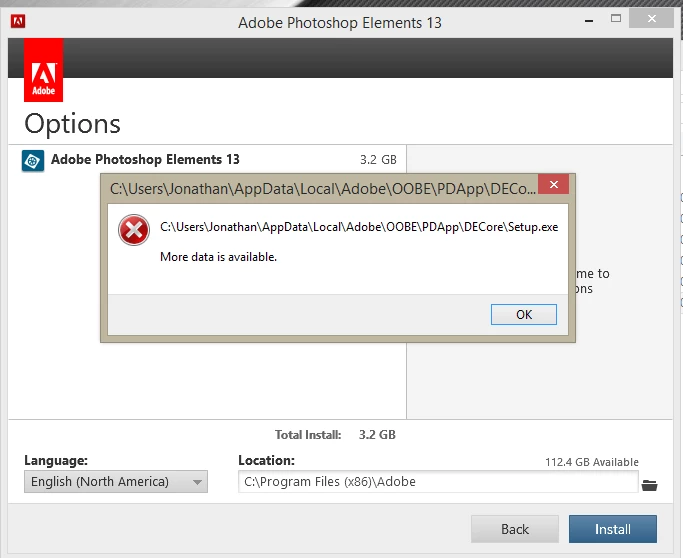
    This topic has been closed for replies.

    2 replies

    Govardhan.V
    Participating Frequently
    July 2, 2015

    Still same??

    Step 1)

    Please press Windows+R button together and you will get a run command window, please type-in %temp% and hit enter.

    Delete all contents present inside temp folder.

    You can skip the files which cannot be deleted.

    Step 2)

    Open C:drive and navigate to C:\Program Files (x86)\Common Files\Adobe.

    Open Adobe folder and delete folders named Adobe Application Manager and OOBE.

    Step 3)

    Click on the below link and download Adobe Application manager and install the same :

    http://download.adobe.com/pub/adobe/creativesuite/cc/win/ApplicationManager9.0_all.exe

    Once the installation process is completed, locate Adobe Application Manager launch icon on Desktop and double click on it .

    It will start update process.

    once it is completed, try to install the Elements 13 again .

    Still same??

    Open Temp folder and locate PDAPP log , open it , copy and  paste the contents here .

    Govardhan.V
    Participating Frequently
    July 2, 2015

    End all Adobe related processes from Task Manager .

    Press Windows button (located between Ctrl and Alt buttons) along with R button together at a time , you will get a run command window.

    Type in below command and hit 'Enter' key.

    Appdata

    It will open Appdata folder.

    Then navigate to Local>Adobe

    .

    Open Adobe folder and rename OOBE folder to OOBE-old

    Then try to install again and check.