Participant
April 27, 2014
Question

Problem installing Web Premium CS5.5 on mac

  • April 27, 2014
  • 1 reply
  • 287 views

Hello,

I just got a new computer and I'm trying to install Creative Suite 5.5 Web Premium on a Mac OS X 10.9, but I keep getting this error message when I try opening the .dmg:

"The following disk images couldn't be opened: image not recognized."
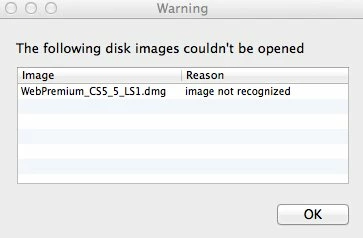
So far, I've tried downloading it from these two places multiple times, but no luck:

http://helpx.adobe.com/creative-suite/kb/cs5-5-product-downloads.html

http://prodesigntools.com/adobe-cs5-5-direct-download-links.html

http://prodesigntools.com/adobe-cs5-5-direct-download-links.html

Separately, I tried using the adobe download assistant, but it doesn't let users download any CS products.

This topic has been closed for replies.

1 reply

Rave
Participating Frequently
April 28, 2014

Hi fyonkof,

Please try downloading the file from a different network connection and check.

It seems to me that the downloaded .dmg file might be correct. To verify, please copy the downloaded .dmg file to a flash drive and try running it on a different Mac and see. That would isolate the issue being with the file or the Mac.

Regards,
Rave

fyonkofAuthor
Participant
April 28, 2014

Hi Rave,

Thank you so much for the reply.

I copied the .dmg file to a flashdrive and transfered it to another mac, and the same error message came up.

Does this mean the file is corrupt?