Participant
July 28, 2020
Answered

Problem linking Domain purchased in Wix to Adobe Portfolio

  • July 28, 2020
  • 4 replies
  • 5897 views

Hello guys,


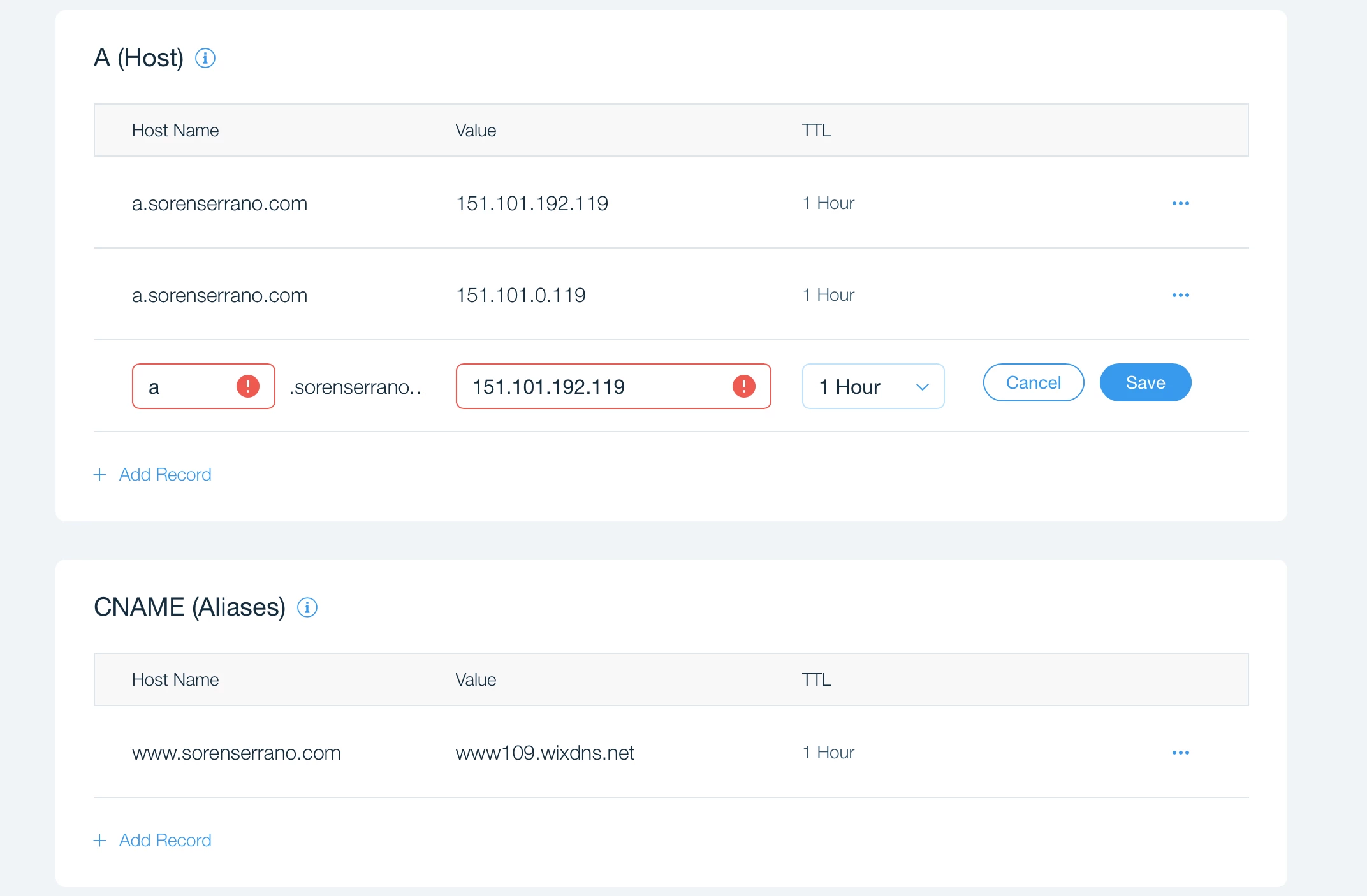
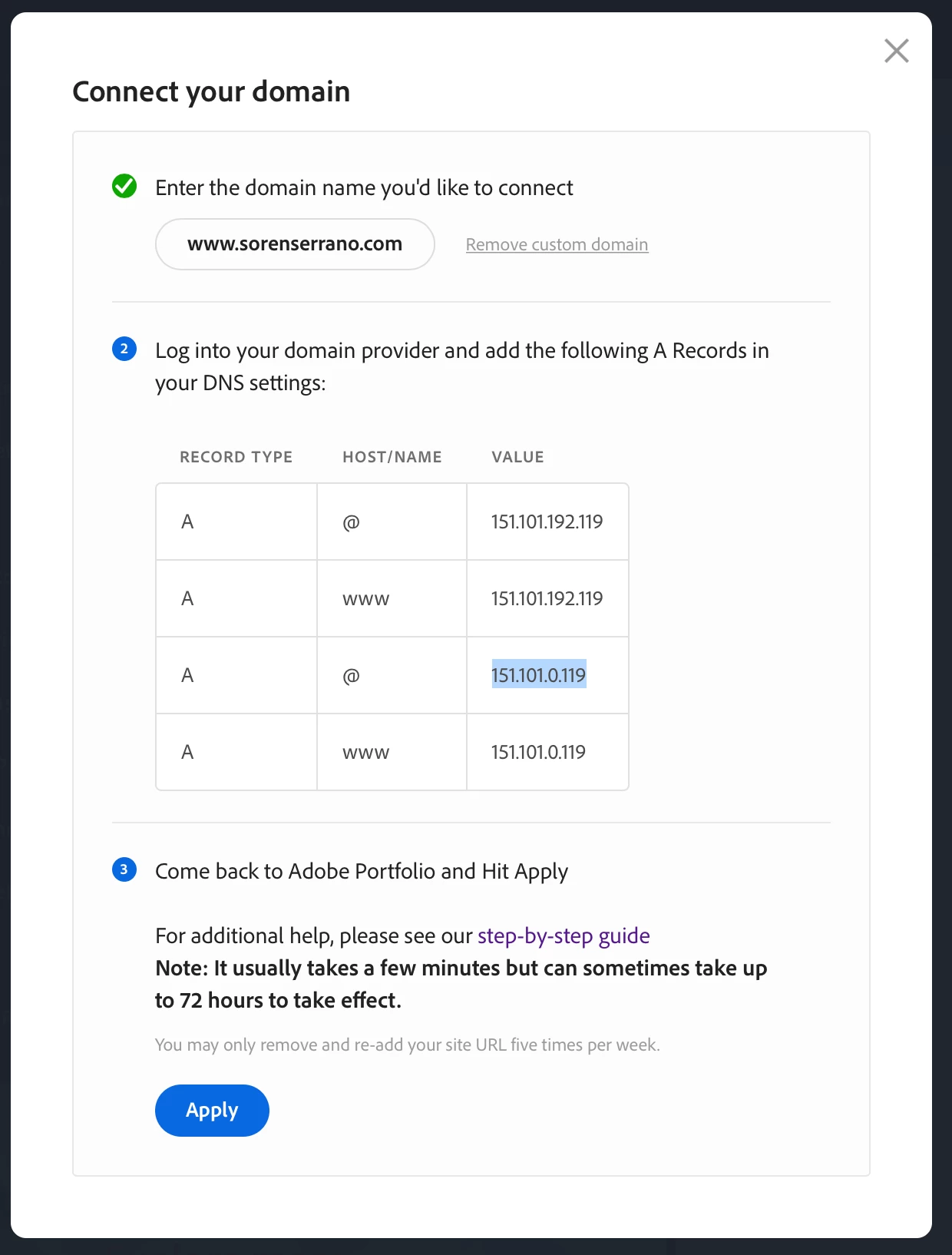
I am new here. I would like to get your advice on how to link my Domain I purchased from Wix.com and link it to my Adobe Portfolio. I followed the step-by-step process on how to manually connect the custom domain of entering four (4) A records but Wix would allow only two (2). Please see screenshots attached.


Is two (2) A's sufficient enough to properly link the domain? I read somewhere that other host allow for only two. One for A, and one for CNAME. I haven't click the "Apply". button in Adobe Portfolio as I'm worried that I might break the link somehow. Please help....


This early I would like to thank you guys in advance.
Correct answer Nancy OShea

Moved from the Lounge to Download & Install where all the Portfolio questions are landing lately.


Honestly, Wix is a DIY website builder, not a domain name registrar like Network Solutions or Domain.com.  In all likelihood, you will need to transfer your current domain name from Wix to a full service provider that gives you all the options you need. 


Or you could buy a new domain from Namecheap.com for use with Portfolio.


Post back if you still have questions.


4 replies

OfficialN24
Participant
November 3, 2022

It's simple.
Just delete CNAME and add all the values in HOST, and here you go.
I have tasted this with my domain https://iamnrj.com.

Thanks,
NRJ

Nancy OShea
Community Expert
Nancy OSheaCommunity ExpertCorrect answer
Community Expert
July 28, 2020

Moved from the Lounge to Download & Install where all the Portfolio questions are landing lately.


Honestly, Wix is a DIY website builder, not a domain name registrar like Network Solutions or Domain.com.  In all likelihood, you will need to transfer your current domain name from Wix to a full service provider that gives you all the options you need. 


Or you could buy a new domain from Namecheap.com for use with Portfolio.


Post back if you still have questions.


Nancy O'Shea— Product User & Community Expert
SSS2020Author
Participant
August 14, 2020

Appreciate it Nancy.

Just Shoot Me
Legend
July 28, 2020

I moved your post over from the poorly named Community Help forum, which is for getting help using this forum system.


Best of luck to you.

SSS2020Author
Participant
August 14, 2020

Thank you very much.

LinSims
Community Expert
Community Expert
July 28, 2020

Adobe Portfolio help is here:  http://help.myportfolio.com/


The Community Help forum is for help in using the Adobe Support Community forums, not for help with specific programs. 

SSS2020Author
Participant
August 14, 2020

Thank you.