j.carazo
Participating Frequently
July 27, 2017
Answered

Problem with Desktop Apps Installing in Dropbox Folder

  • July 27, 2017
  • 1 reply
  • 1294 views

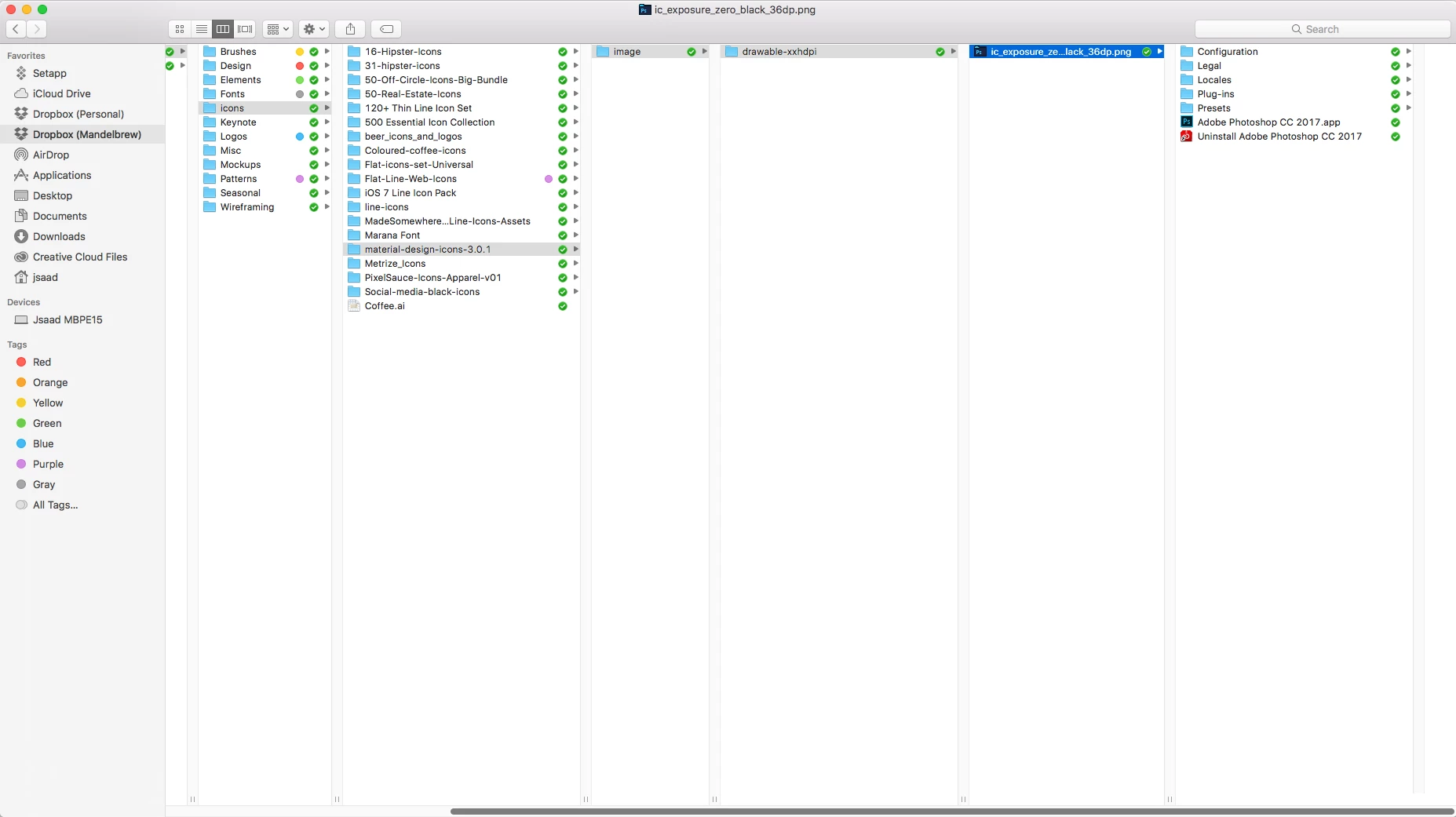
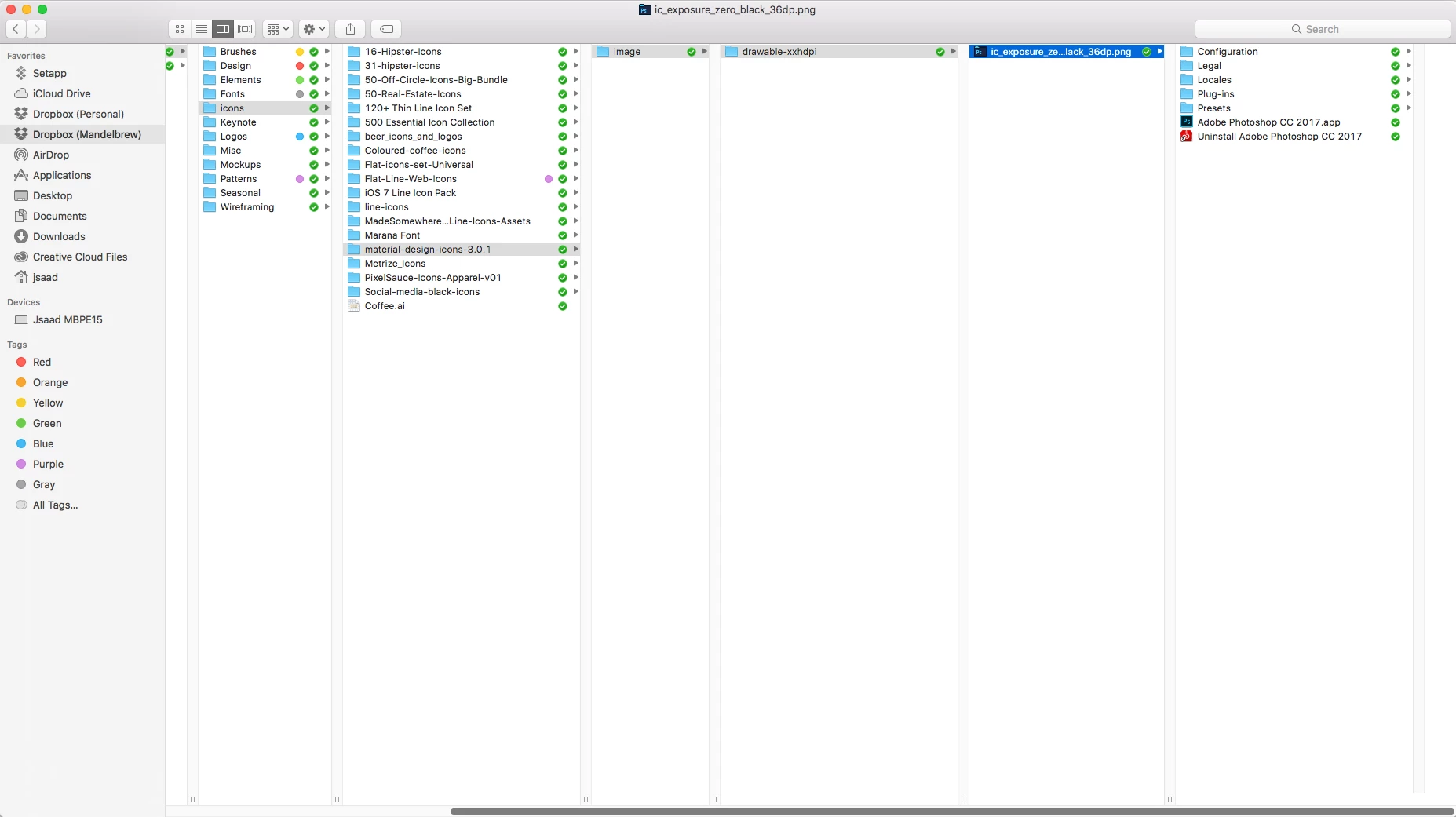
Hi! I am having a very strange issue that has been happening over and over again for the past year. Every so often, after installing or updating a desktop app using CC as usual, the app won't show indexed in spotlight, although it is installed and I can use it with no issues. After clicking on the dock icon to Show on Finder, I find the app (sometimes it is PS, sometimes XD, sometimes AI) is actually installed in my dropbox folder (please see screenshot attached).

There are no other users in this computer, and I am the only person with access to it. I am also admin.

I'm attaching a screenshot of the path it follows during installation/update. It is always the same path.

Thanks!
    This topic has been closed for replies.
    Correct answer Jeffrey_A_Wright

    Haha! I don't understand it either, Jeff, this is why I am contacting support. My apps are installing/updating in my Dropbox folder, instead of Applications - this is the issue. This has been happening constantly in the last year as I explained in my original post. The adobe apps get installed or updated in a folder the installation creates called 'material-design-icons...' IN my dropbox folder. This folder (material-design...) doesn't exist before installation.

    I.T. is completely baffled, so I thought I'd reach out to you guys. Seems you guys are as confused as we are!

    Please see the screenshots attached in my original post for more info, or let me know if you have any other questions. 

    Thanks!


    Johanna I would recommend you discontinue utilizing Dropbox temporarily uninstall it to see if you face the same issues.  You can use the web interface for any required file access.

    Once Dropbox has been completely removed then see if you are still experiencing the same difficulties with the update process.

    Alternately you may want to work with your I.T. department for a freshly restored system with only your documents and settings transferred over.  You can then install your Adobe applications, and once successfully updated, then reinstall Dropbox.

    1 reply

    Jeffrey_A_Wright
    Legend
    July 27, 2017

    Johanna Carazo what install location have you chosen within the Adobe Creative Cloud desktop application?  The Install Location setting is located under Preferences>Creative Cloud>Apps.

    j.carazo
    j.carazoAuthor
    Participating Frequently
    July 27, 2017

    It says "Default Location..."

    Please see attached screenshot. Thanks.

    Kindest,

    Johanna Carazo

    <Removed by Moderator>