Inspiring
May 10, 2015
解決済み

Problem with installation of Updates of Photoshop and Lightroom

  • May 10, 2015
  • 返信数 3.
  • 2857 ビュー

Hi.

I have MacBook Pro with brand new hard drive and the only software is installed on it is Mac OS X Yosemite 10.10.3/

I downloaded Creative Cloud App, sign in with my Adobe ID, checked at CC web site my status that my plan is active and start downloading and installing Photoshop and Lightroom. Both programs were installed and infront of each soft appeared a button Update. But when I pressed the Update button, I got an Error message: "Unable to reach Adobe servers/ Please check your firewall settings and try again in a few minutes.
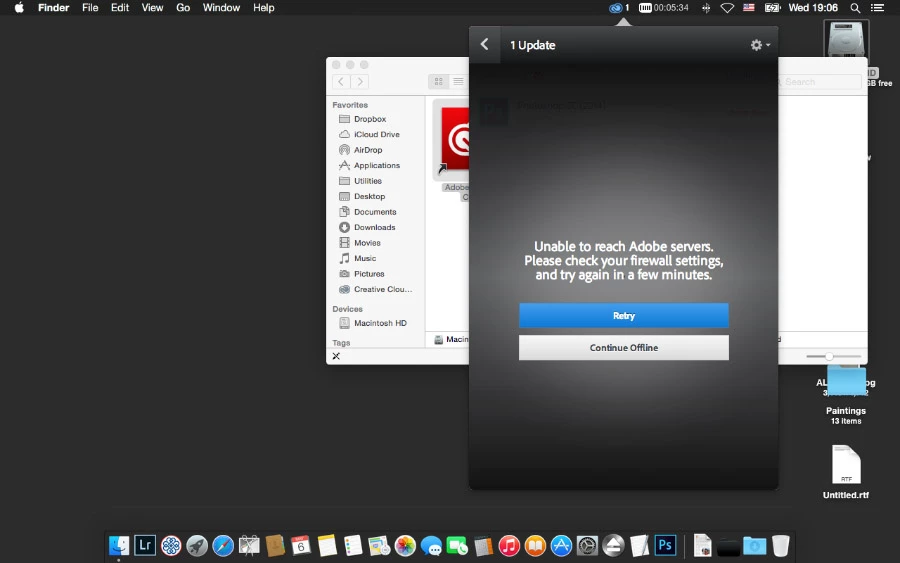
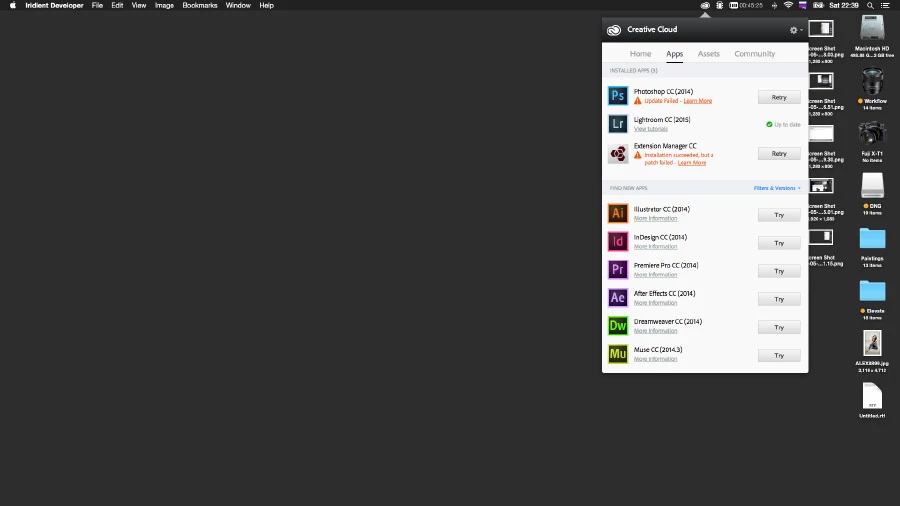
I log off from Creative Cloud App, restart my laptop, log in and try again, but Update failed
I don't use any firewall, in System Preferences Firewall is disabled, my host file is clear

(here it is)

##

# Host Database

#

# localhost is used to configure the loopback interface

# when the system is booting.  Do not change this entry.

##

255.255.255.255 broadcasthost

::1             localhost

fe80::1%lo0 localhost
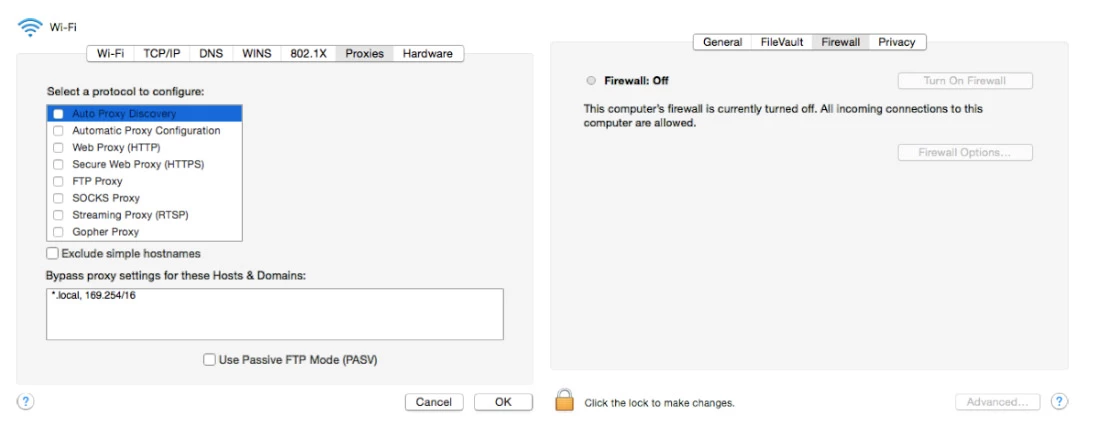
Then I turned off wi-wi and connect to Internet by cable (wired connection). But I still can not install any Update. But I can install any other software. When it comes to Update - the same "can't connect to Adobe servers".

If I go to Direct Download site, perform all 7 steps and try to download any application I get the Error screen (and no matter which browser I try):
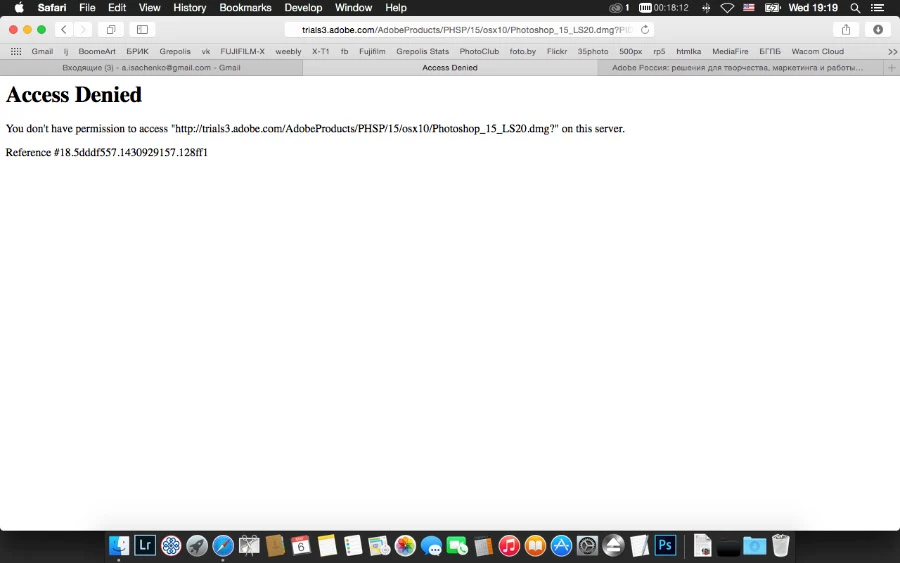
So, my question is - how can I install Updates?

このトピックへの返信は締め切られました。
解決に役立った回答 Govardhan.V

No, I get no error messages. I can download this package.

Do you have the same for the latest Photoshop update? I guess ver. 14.2.2 or higher?

Thank you/


http://swupdl.adobe.com/updates/oobe/aam20/mac/AdobePhotoshopCC2014-15.0/15.2.2/setup.dmg

返信数 3

BoomeArt作成者
Inspiring
August 29, 2015

Well guys, I can say, that the solution was found. And the help came from russian software developer, who lives now in US.

The problem was in blocked by my internet provider DNS addresses, where Adobe keeps its Updates.

How it was solved:

1. I downloaded free software "Wireshark.app" and installed it.

2. Connect my Mac via cable to modem.

3. Run Wireshark.app and it started recording.

4. I tried to connect to Adobe Download Servers.

5. Failed.

6. Analyse Wireshark.app log file.

7. Added manually to hosts file the download server address

96.17.177.26 download.adobe.com

80.150.2.210 swupdl.wip4.adobe.com

Govardhan.V
Participating Frequently
May 11, 2015

If you get Access Denied error,

click on the below link and open Photoshop Elements download page.

Just simply the keep the page open ,.

Then using same browser , try to download update again , it will work

https://helpx.adobe.com/photoshop-elements/kb/photoshop-elements-10-11-downloads.html

Atul_Saini
Legend
May 11, 2015

For unable to reach Adobe server try: Unable to reach Adobe Servers‌ & https://helpx.adobe.com/x-productkb/policy-pricing/activation-network-issues.html

As you are not able to download direct link in safari, try a different browser and follow the below mentioned steps.

  1. Adobe recommends temporarily turning off any surfing restrictions you might have running, like site or cookie blocking, filtering, firewalls or antivirus software.
  2. Click «HERE» to visit this page first, before clicking any of the links in the table below – this is critical!
  3. If asked, sign in with your Adobe ID or take a minute to create one for yourself.
  4. Now close any windows that popped up and cancel any downloads that started.
  5. OK! Now you’re logged in at Adobe with the trials cookie set, so you can instantly download anyof the software below. Just make sure you have enough disk space.
  6. Download the files either by clicking directly on the DDL links, or by right-clicking and choosing “Save Link As…” on the popup menu – and save all files to the  same
  7. Click on the link of the product you which to download:  Adobe CC 2014 Direct Download Links: Creative Cloud 2014 Release | ProDesignTools

   8. Then follow the product installation instructions here.

Delete cookies and cache still not able to download the link and share the results.

Atul_Saini

BoomeArt作成者
Inspiring
May 11, 2015

Dear Atul Saini,

When I download Photoshop from

http://prodesigntools.com/adobe-cc-2014-direct-download-links.html and

install it I still have in Creative Cloud App blue button indicating that

there is an Update for Photoshop.

Please, tell me how can I update all my software by using Creative Cloud

Desktop App?

2015-05-11 13:54 GMT+03:00 Atul_Saini <forums_noreply@adobe.com>:

Problem with installation of Updates of Photoshop and Lightroom

created by Atul_Saini <https://forums.adobe.com/people/Atul_Saini> in *Creative

Cloud Download & Install* - View the full discussion

<https://forums.adobe.com/message/7532826#7532826>

Atul_Saini
Legend
May 11, 2015

Kindly check which update is available: Creative Cloud Help | Download, install, update, or uninstall apps

If your photoshop is already update try: https://helpx.adobe.com/creative-cloud/kb/sign-in-out-creative-cloud-desktop-app.html

Let us know if you are unable to update, we would be happy to help.

Atul_Saini