Participant
October 29, 2025
Answered

Problème au démarrage de tous les produits ADOBE

  • October 29, 2025
  • 3 replies
  • 129 views

Bonjour à tous, 


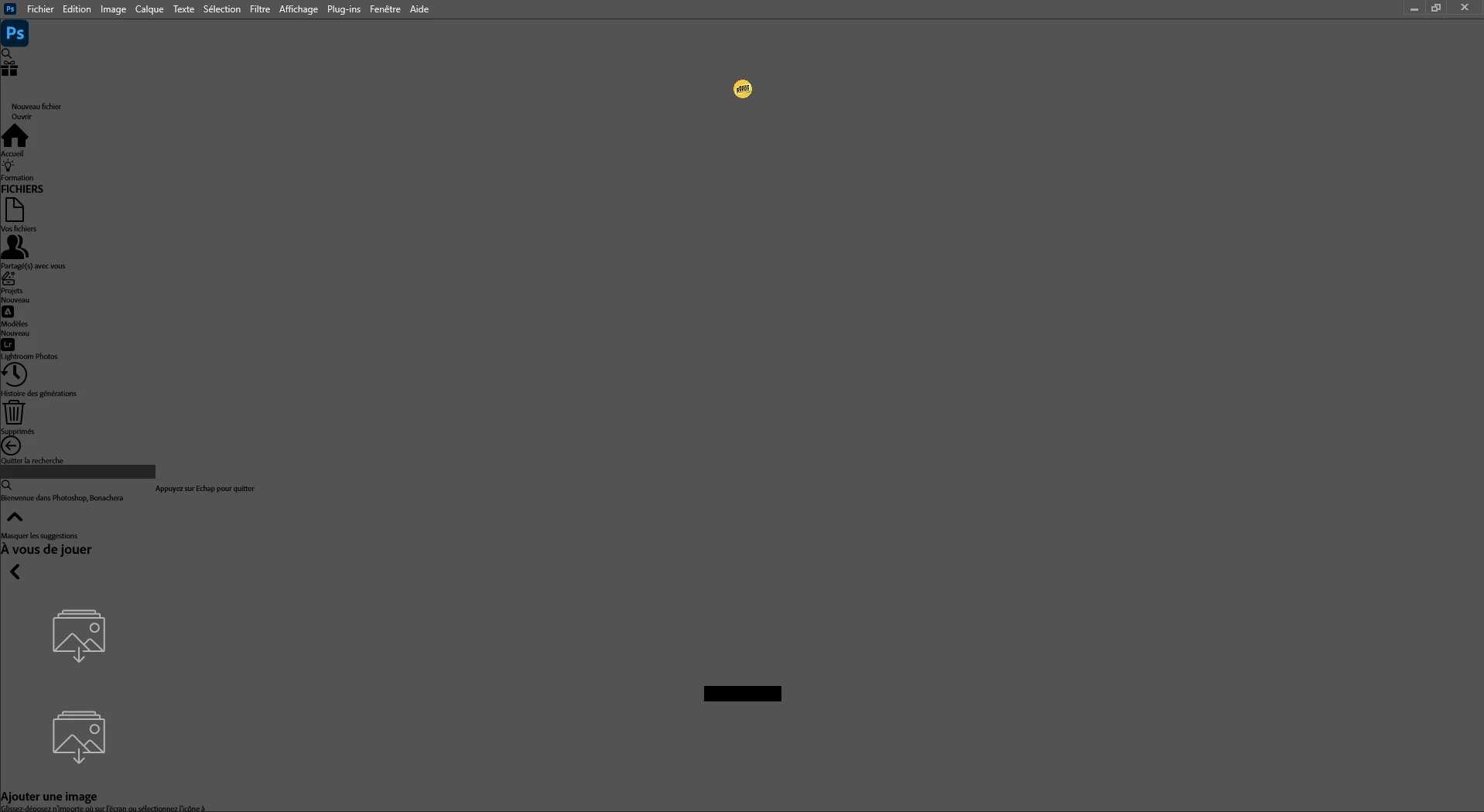
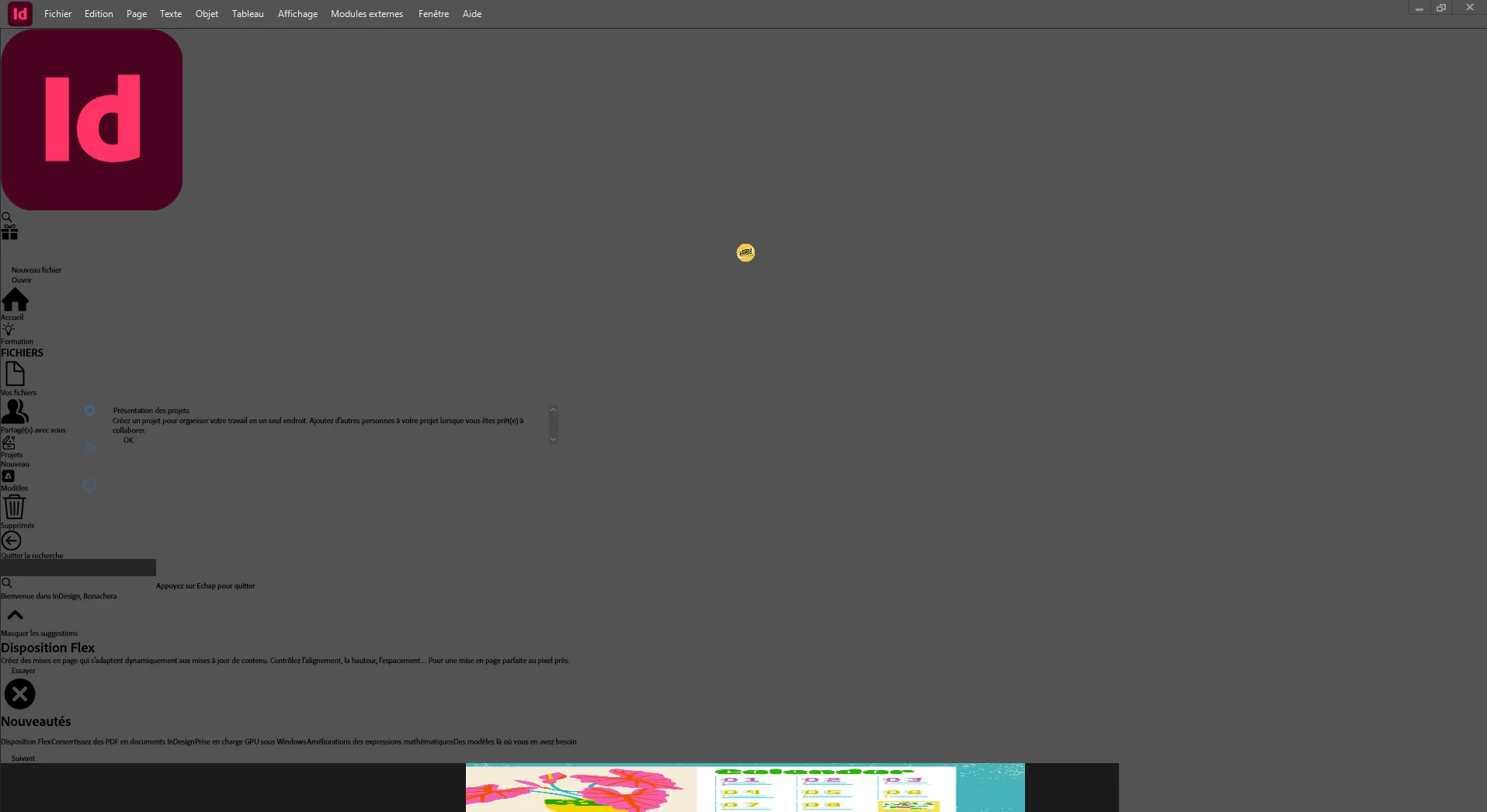
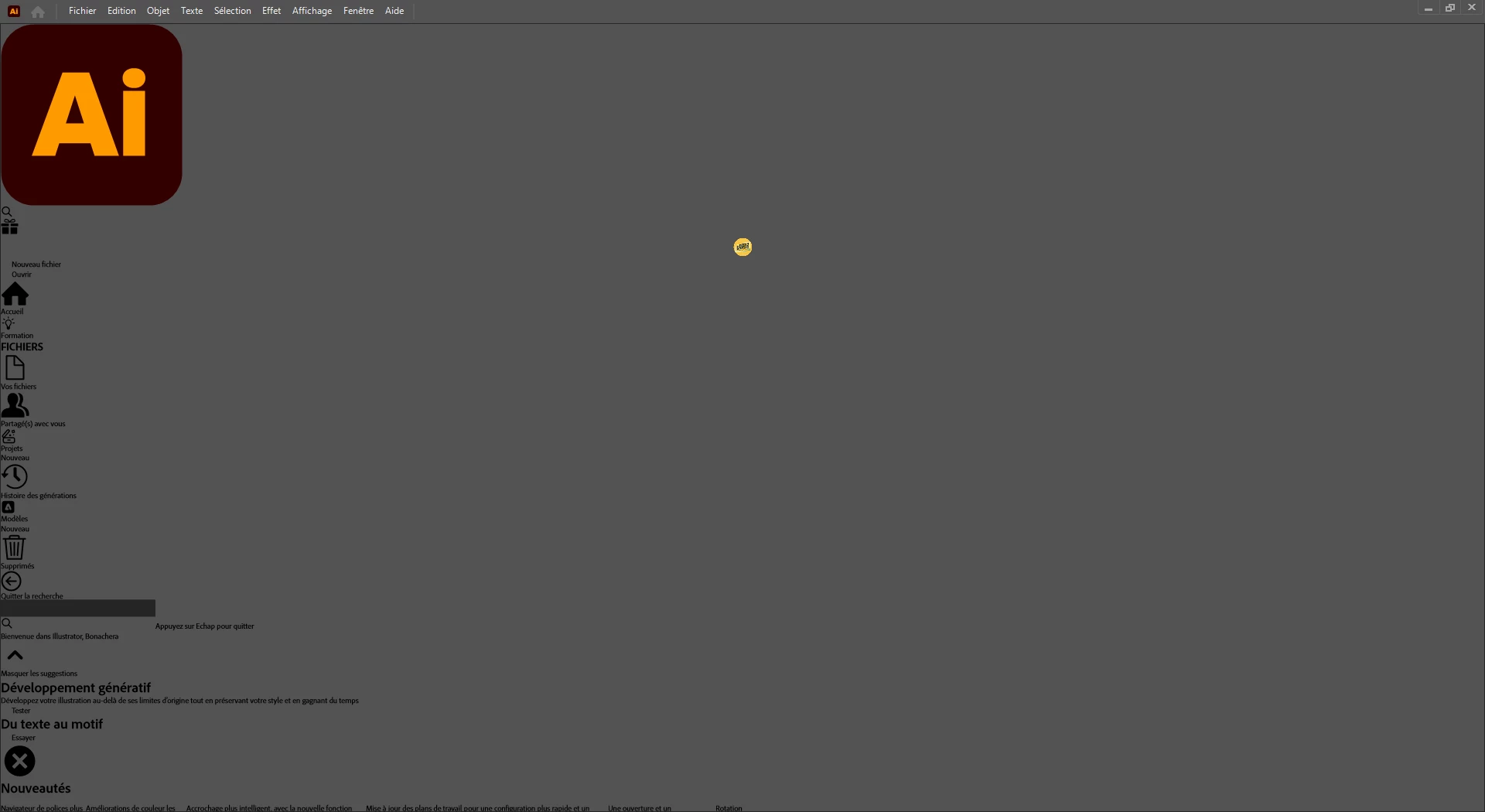
J'ai ce type d'affichage au démarrage de chaque produit Adobe actuellement. 

J'ai tous désinstallé et réinstallé via le ADOBE Cloud, identique, rien ne change.

J'ai même utilisé Revo Uninstaller pour ne laisser (quasiment ?) plus de fichiers liés à ADOBE.

Réinstallé le Cloud, les logiciels, mais rien n'y fait... Je suis bloqué.


C'est plus qu'un problème d'interface, car je ne peux pas faire de nouveau document par exemple dans Ilustrator. Je peux ouvrir un modèle ou un fichier existant en revanche.

Une fois ouvert, je ne semble pas rencontrer d'autres problèmes (mais je n'ai pas tout parcouru non plus !)


Merci de bien vouloir m'apporter votre aide ! 


-------------------


Hello everyone,

I'm getting this screen when I start every Adobe product right now.

I've uninstalled and reinstalled everything via Adobe Cloud, and it's the same process, but nothing changes.

I even used Revo Uninstaller to remove (almost?) all Adobe-related files.

I've reinstalled the Cloud and the software, but nothing works... I'm stuck.

It's more than just an interface issue, because I can't create a new document in Illustrator, for example. I can open an existing template or file, though.

Once it's open, I don't seem to encounter any other problems (but I haven't checked everything yet!).

Thank you for your help!
Correct answer Sopoz

Bonjour à tous, 


Je ne peux pas malheureusement pas vous expliquer pourquoi ce problème a existé, en revanche, j'ai laissé ADOBE le gérer en prenant à distance le controle pendant un certain temps de mon ordianteur pour opérer des installations/modifications. Je n'ai plus de problème désormais.


Il faut suivre la procédure. Chat, puis assistance en directe. 

Merci à eux et merci à vous.


(PS : ma carte NVIDIA était déjà bien en studio et non gamer...)


-------------


Hello everyone,

Unfortunately, I can't explain why this problem occurred. However, I let Adobe handle it by remotely accessing my computer for a while to perform installations and modifications. I no longer have the problem.

You need to follow the procedure: chat, then live support.

Thank you to them and thank you to you.

(PS: My NVIDIA card was already set up for studio use, not gaming...)

3 replies

SopozAuthorCorrect answer
Participant
October 29, 2025

Bonjour à tous, 


Je ne peux pas malheureusement pas vous expliquer pourquoi ce problème a existé, en revanche, j'ai laissé ADOBE le gérer en prenant à distance le controle pendant un certain temps de mon ordianteur pour opérer des installations/modifications. Je n'ai plus de problème désormais.


Il faut suivre la procédure. Chat, puis assistance en directe. 

Merci à eux et merci à vous.


(PS : ma carte NVIDIA était déjà bien en studio et non gamer...)


-------------


Hello everyone,

Unfortunately, I can't explain why this problem occurred. However, I let Adobe handle it by remotely accessing my computer for a while to perform installations and modifications. I no longer have the problem.

You need to follow the procedure: chat, then live support.

Thank you to them and thank you to you.

(PS: My NVIDIA card was already set up for studio use, not gaming...)

kglad
Community Expert
Community Expert
October 29, 2025

thanks for the update.

John T Smith
Community Expert
Community Expert
October 29, 2025

Do not count on Windows to be fully up to date when it comes to device drivers
Go to the vendor site to be sure you have an updated driver for your graphic adapter

Also check (copied link) https://www.tomshardware.com/reviews/gpu-hierarchy,4388.html
.
https://helpx.adobe.com/premiere-pro/kb/gpu-and-gpu-driver-requirements-for-premiere-pro.html
.
nVidia Driver Downloads https://www.nvidia.com/Download/index.aspx?lang=en-us
-for all Adobe programs use the STUDIO driver, not the GAMING driver
-To achieve the highest level of reliability, Studio Drivers undergo extensive
-testing against multi-app creator workflows and multiple revisions of the top
-creative applications from Adobe to Autodesk and beyond
.
If you have a laptop you MAY also need to check for a laptop specific nVidia driver
-SOME laptops require an approved driver from the laptop company, not nVidia
.
AMD/ATI Driver https://www.amd.com/en/support
.
Intel https://downloadcenter.intel.com/product/211969/Intel-HD-Graphics-Family
https://www.askwoody.com/newsletter/free-edition-working-with-the-intel-driver-support-assistant/

kglad
Community Expert
Community Expert
October 29, 2025

make sure your video card is using an updated studio (not gamer) driver.