Participating Frequently
May 27, 2015
Question

Problems starting LR CC and PS CC

  • May 27, 2015
  • 1 reply
  • 287 views

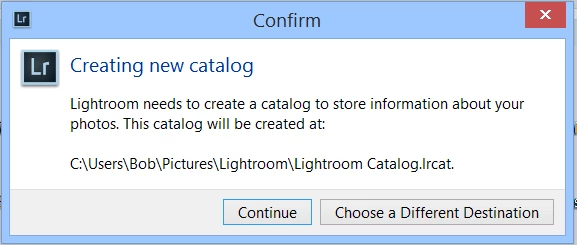
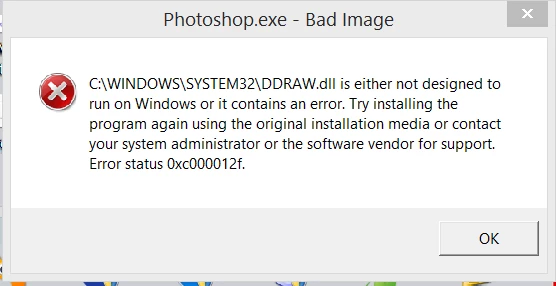
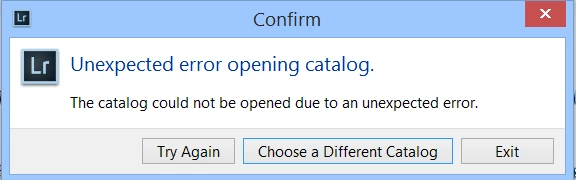
I have a new CC Photo subscription. LR and PS appear to install OK. When attempting to open LR I get the message "Unexpected error opening catalog". Catalog opens fine in LR5.7. PS reports problem with DDRAW.dll and stops. Spent frustrating 2 hours with call centre. Did virtually nothing I hadn't tried already and nearly deleted my main catalog.

I (and call centre) tried uninstalling and re-installing, but no success. Cannot change LR catalog or create a new one.

Desktop computer with Windows 8.1. Can anybody help?
This topic has been closed for replies.

1 reply

torggler3Author
Participating Frequently
May 29, 2015

Thanks for your reply. I can't reset preferences in Lightroom CC as I can't open it. I can't get further than the error messages I posted. Do you mean that I should reset the preferences in LR 5.7? Similarlly for Photoshop.

Bob Harris

kglad
Community Expert
Community Expert
May 29, 2015

Restore preferences to default settings 

  1. Navigate to the following location:


      Mac OS

    /Users/[user name]/Library/Preferences/


    Windows 7 and 8

    Users\[user name]\AppData\Roaming\Adobe\Lightroom\Preferences\

  2. Drag the following file to the Recycle Bin (Windows) or to the Trash (Mac OS):


      Mac OS

    com.adobe.Lightroom6.plist


    Windows

    Lightroom 6 Preferences.agprefs