



Program Files path changed in the registry preventing the installation of Adobe Creative Cloud
Hi,
Having a single SSD of 512Gb divided in two partitions on my laptop (C: and D:), I changed the default installation path of the programs in the registry to prevent my C: drive (80Gb) from being full too quickly.
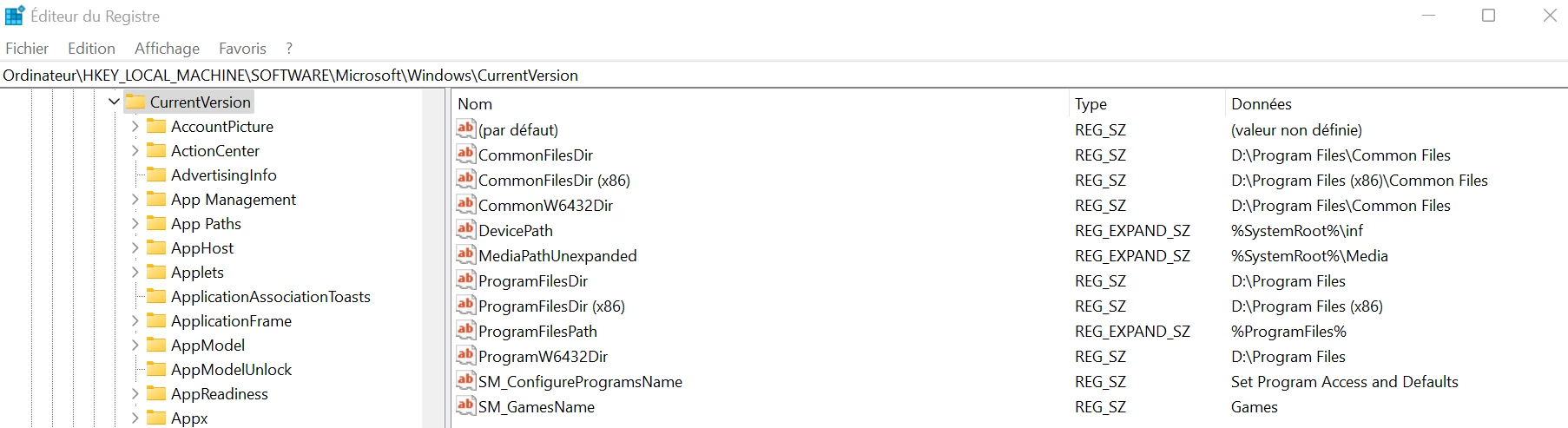
Unfortunately and after having looked for the problem during long hours, it seems that this change of path is causing the malfunction of Adobe Creative Cloud.
When I install it it works the first time but as soon as I restart my computer, it loads during a few minutes and then this sadly famous error message appears :
"Adobe Creative Cloud, needed to resolve the problem, is missing or damaged. You can try to repair to fix the issue. If the problem persists, download and install the new copy from http://www.adobe.com/go/adobecreativecloudapp."
Before posting here, I obviously tried (I think) everything starting with using the use of Creative Cloud Cleaner and all possibilities listed on this topic : https://helpx.adobe.com/creative-cloud/kb/creative-cloud-missing-damaged.html
I am now convinced my issue is related with the change in the registry and as an hint I also get this error message when Creative Cloud works after installing it at its first launch :
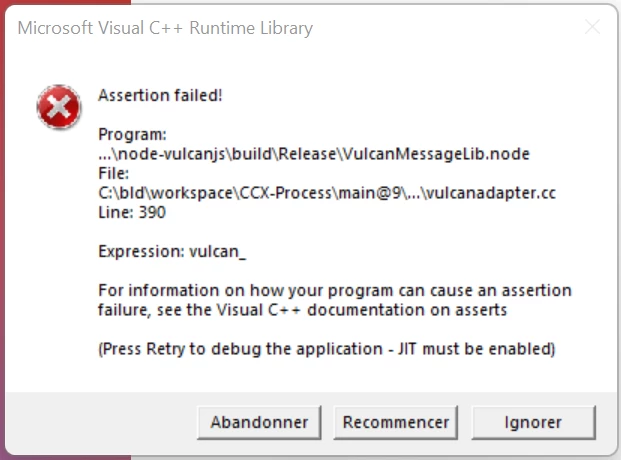
I hope someone will have a solution for me, thanks in advance !
 AdChoices