


4thLegaxy
Participant
May 6, 2017
Answered

Proxy authentication pop up with Adobe blocking entries in host file

  • May 6, 2017
  • 22 replies
  • 13145 views

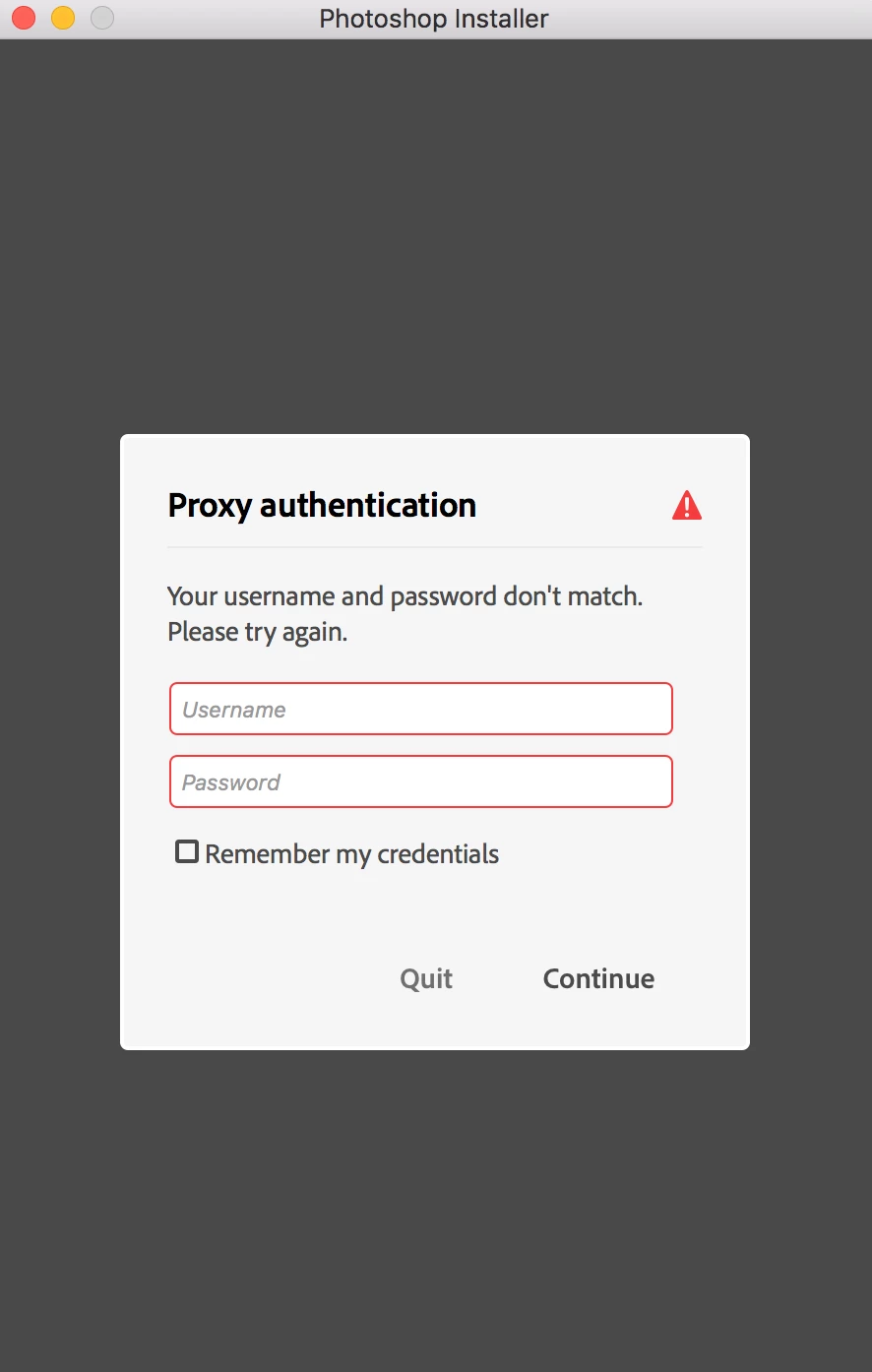
Hi! I'm on Mac. I downloaded Photoshop trial installer from Adobe site and tried opening it. It opened up and showed me proxy authentication pop up. I don't require proxy to connect to internet nor I use proxy. I don't use VPN either. I am confused what to fill. I tried not filling anything and it says my username and password don't match. I tried filling it with my Adobe credentials and still the same. Any help? (screenshot attached)

This topic is closed to new replies. Start a new post to keep the conversation going.
Correct answer Govardhan.V

1) Right click on the Finder icon on dock and select "Go-To Folder" option.
2) You will get a text box, type-in below mentioned command and then hit 'Return' key.

/etc

3) It will open the etc folder, please look for file named "hosts" and copy the same to Desktop screen.

4)Double click on Hosts file , it will open it with TextEdit,

Let me know whether you can see any Adobe related entries inside Hosts file like 127.0.0.1 activate.adobe.com.......etc??

22 replies

Participant
October 2, 2023

Facing a similar issue, I have just purchased a creative cloud subscription and Have been getting this pop up. I don't have a proxy and have been using my home wifi. I am stuck and have no Idea what to do please help


kglad
Community Expert
Community Expert
October 2, 2023

@swaraj0101 


contact adobe support via chat so they can check your computer.  there are 2 ways to contact adobe; chat and twitter (now x):

chat:
use a browser that allows popups and cookies
and click here, https://helpx.adobe.com/contact.html?rghtup=autoOpen
in the chat field (lower right), type AGENT
be patient, it can take quite a while to reach a human.

twitter/x:
tweet @AdobeCare

p.s. if you're contacted by anyone (via email or private message), it's much more likely to be a scammer than an adobe representative.

Govardhan.V
Participating Frequently
May 6, 2017

Home personal Internet connection or Office/Corporate connection?

4thLegaxy
4thLegaxyAuthor
Participant
May 6, 2017

It's a home personal internet connection.

Govardhan.V
Govardhan.VCorrect answer
Participating Frequently
May 7, 2017

1) Right click on the Finder icon on dock and select "Go-To Folder" option.
2) You will get a text box, type-in below mentioned command and then hit 'Return' key.

/etc

3) It will open the etc folder, please look for file named "hosts" and copy the same to Desktop screen.

4)Double click on Hosts file , it will open it with TextEdit,

Let me know whether you can see any Adobe related entries inside Hosts file like 127.0.0.1 activate.adobe.com.......etc??