


Purchased plan is not displayed
hello
I cannot use the purchased plan.
I purchased a photography plan as of December 5th, but I don't see my purchased plan in the creative cloud desktop app.
Instead, products previously used by the school account are being shown to be installable.
I tried deleting and reinstalling all adobe products and creative cloud desktop apps, but the symptoms are the same.
If I try to launch a product on the Photography plan (lightroom classic) in this state, I get a message that my account is not valid on this device.
If I select End button according to the displayed message, the program will, of course, end.
If I click logout button, creative cloud app is permanently be unable to log in to my personal account. Instead, prompted to log in with my school account.
Please resolve this action that is preventing me from using my purchased plan as soon as possible.
I'm in window 10 with rygen 5950X
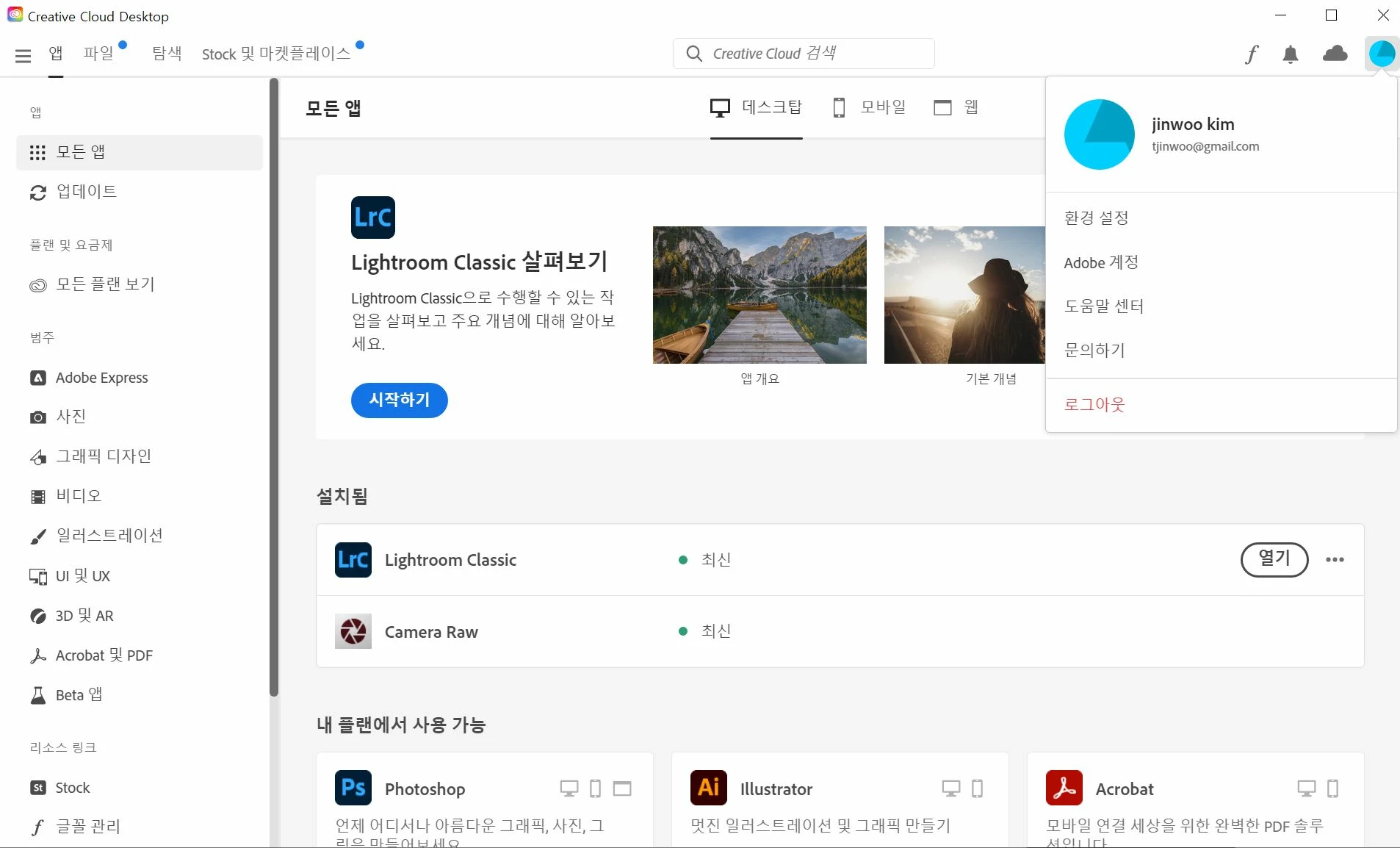
A screen that does not show the purchased plan, but shows other programs that were available on the school account.
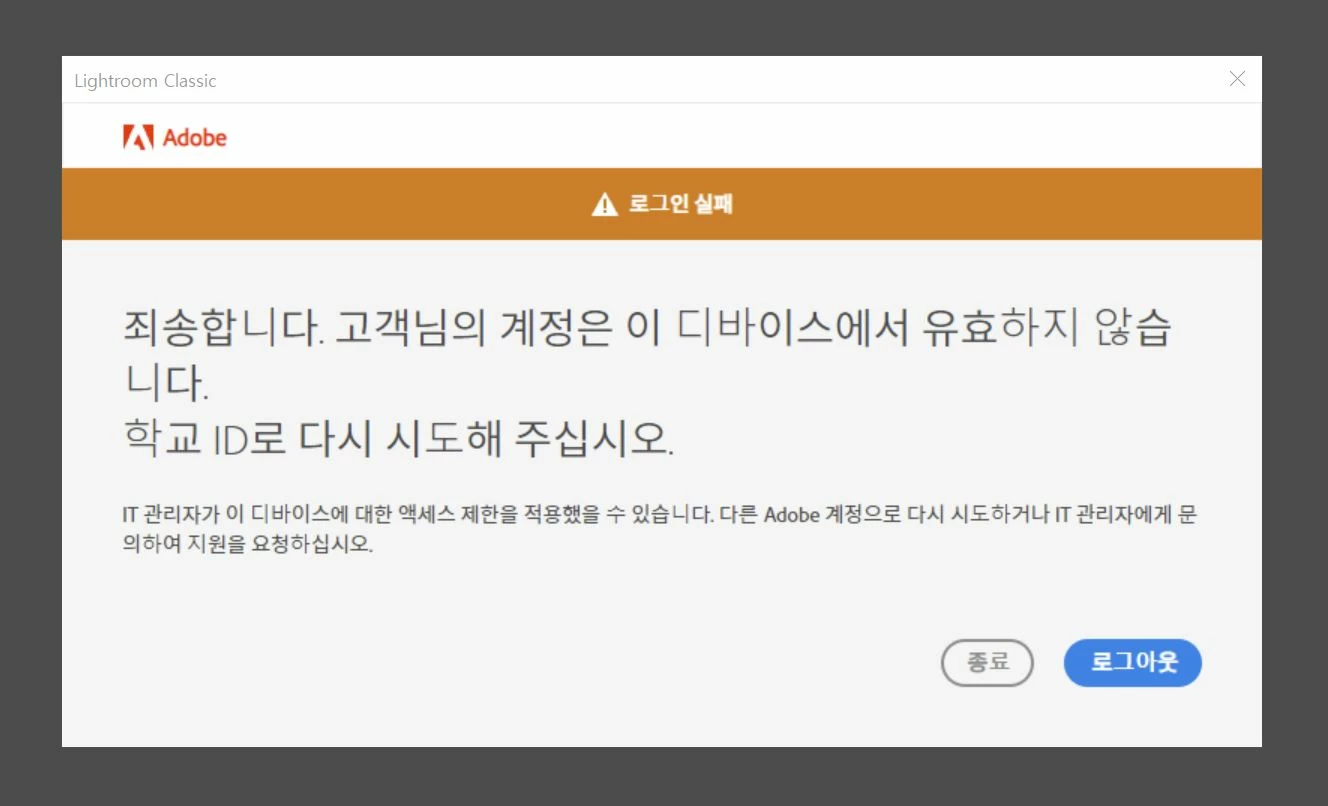
Message that my account is not valid on this device and I need to sign in with my school account. (Happens in both Lightroom and Photoshop)
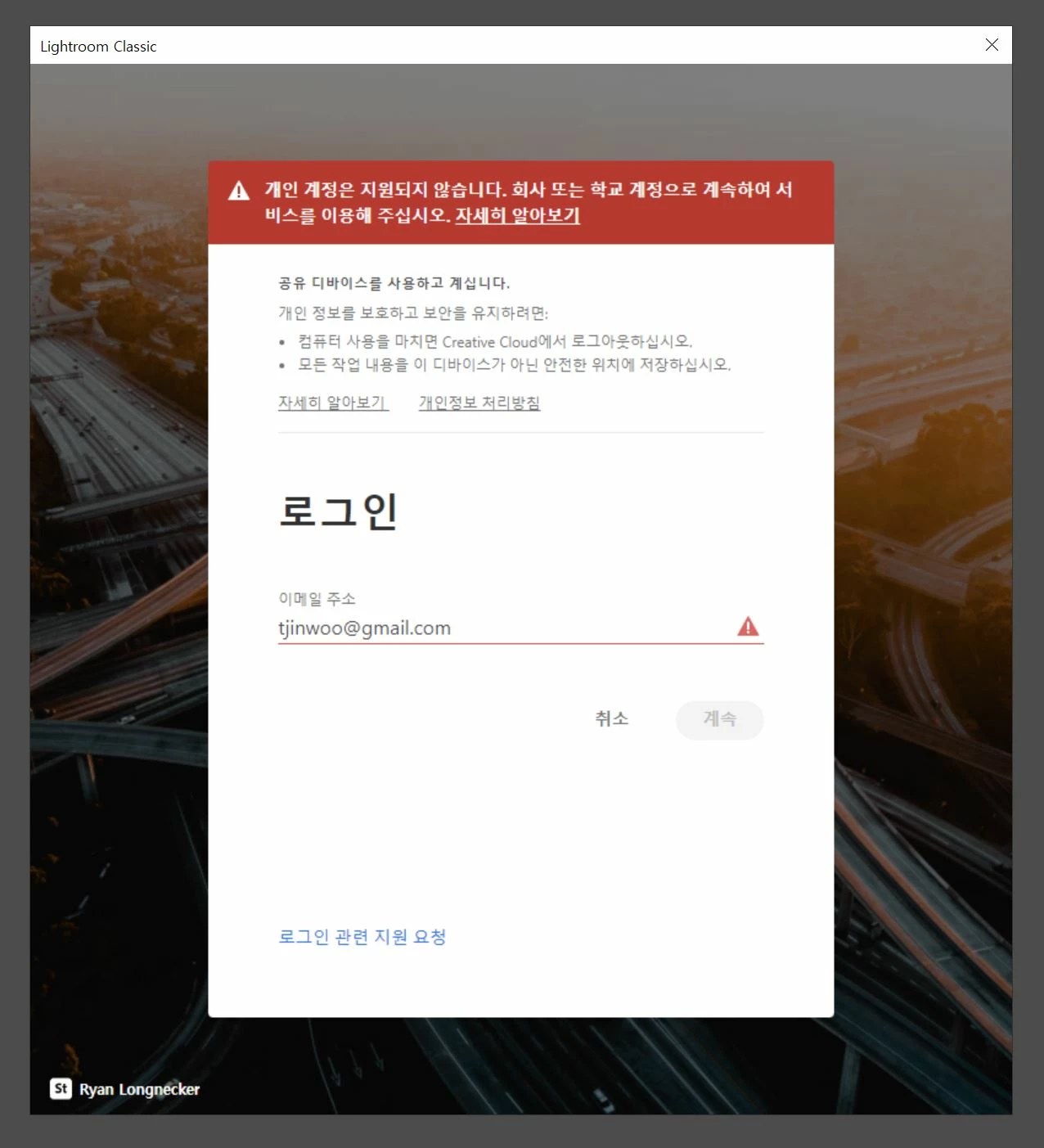
Appearance of creative cloud desktop app where access to personal account is permanently disabled
 AdChoices