
Re: Can't Uninstall my Creative Cloud
I, along with the many, many.. many... other threads/posts on the site cannot uninstall CC from my computer. I don't understand why it has to be so difficult and none of the suggested fixes work. This thing is like a virus. Why can't you just uninstall it like any other program??? I'm on Windows 7...
The first step of the Adobe instructions says to open the desktop app and click on the apps tab. But there is no apps tab (see below). The only option in the settings cog is "help" or "quit." If I try to install updates it freezes at 10% and gives various error messages. All of the solutions to the error messages are to uninstall the app. Which is what I'm trying to do in the first place.
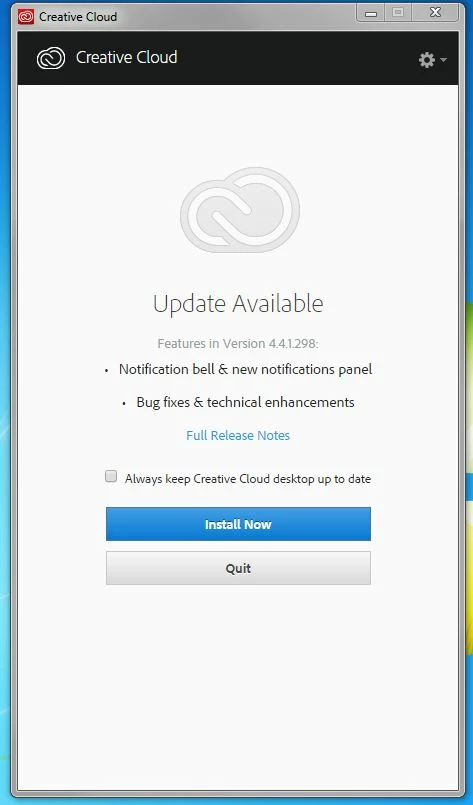
If I try to uninstall the individual programs through Windows control panel, it just opens the same Creative Cloud window as shown above, and again only has an install option, which is the opposite of what I am trying to do. This still freezes, just as if I clicked it from my desktop. If I try to the Creative Cloud app, it tells me I can't do that either, because I have apps that need it. Which I can't uninstall.
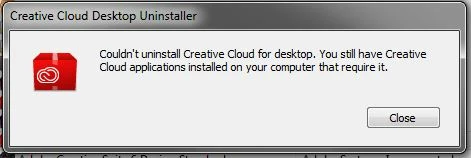
So various Adobe forum threads recommend using the CC cleaner tool. Where the first step is to uninstall the app. Which you can't do.
So other Adobe forum threads forums tell you to uninstaller utility, which also has it's own set of errors. Why do I need multiple extra programs just to uninstall the first program and then it still doesn't work? How can you actually get rid of this virus you call Creative Cloud?????
 AdChoices