


Re: Error 1002 when installing Creative Cloud desktop app
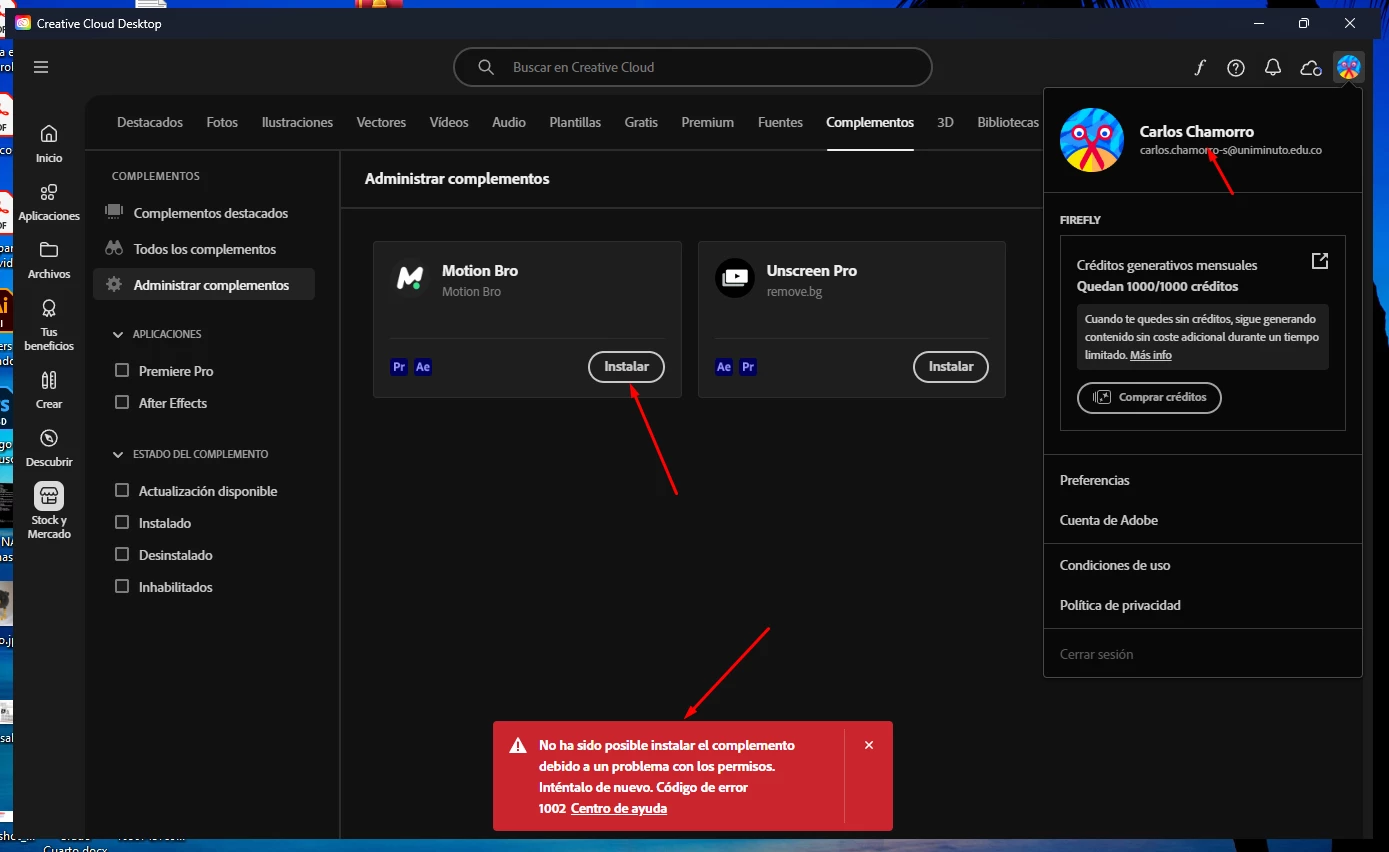
Sinceramente me parece absolutamente RIDICULO este problema. yo en mi caso estoy intentando instalar unos complementos DISPONIBLES EN LA SECCIÓN DE STOCK Y MERCADO de la misma app. me dice que me aparecerá un mensaje donde debo confirmar mis datos de loguin pero NUNCA APARECE ya desinstalé todo y volví a instalar y para las apps (premiere, after, photoshop) funciona perfectamente pero para complementos me sale este error. ESTO ES RESPONSABILIDAD DE ADOBE Y SUS ESTÚPIDOS PROTOCOLOS DE SEGURIDAD es un error de la aplicación y exijo que sea corregido de inmediato pues estoy tratando de trabajar y necesito estos complementos. me parece INDIGNANTE que tantas personas estén tendiendo el mismo problema y la respuesta sea tan MEDIOCRE como "REINSTALE" Pero no surta efecto y no genere solución.
Sincerely I find this problem absolutely RIDICULOUS. in my case I am trying to install some add-ons AVAILABLE IN THE STOCK AND MARKET SECTION of the same app. it tells me that I will get a message where I must confirm my loguin data but NEVER APPEARS I uninstalled everything and reinstalled and for the apps (premiere, after, photoshop) works perfectly but for add-ons I get this error. THIS IS THE RESPONSIBILITY OF ADOBE AND THEIR STUPID SECURITY PROTOCOLS, it is an error of the application and I demand that it be corrected immediately because I am trying to work and I need these add-ons. I find it OUTRAGEOUS that so many people are having the same problem and the answer is as mediocre as “REINSTALL” but it has no effect and does not generate a solution.
 AdChoices