(Branched out as a new discussion)
Hi Uswebpro,
As you have mentioned you are unable to see the "Show older versions" tab in the desktop app.
In the new Creative Cloud desktop app the previous versions option is not listed automatically under the 'Apps' tab until you make the changes in the settings.
Hence please launch your CC desktop app and go to settings wheel in the top right corner > Click 'Preferences' > Click 'Creative Cloud' > now click the check box for 'Show older apps'
Now go back to apps list and you should be able to see the 'Previous version' option listed under it.
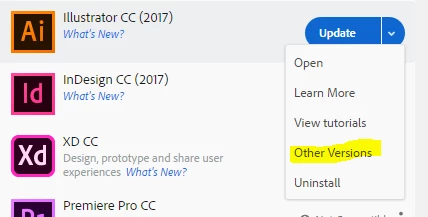
Let us know if this helps.






 AdChoices