Participant
April 18, 2018
Answered

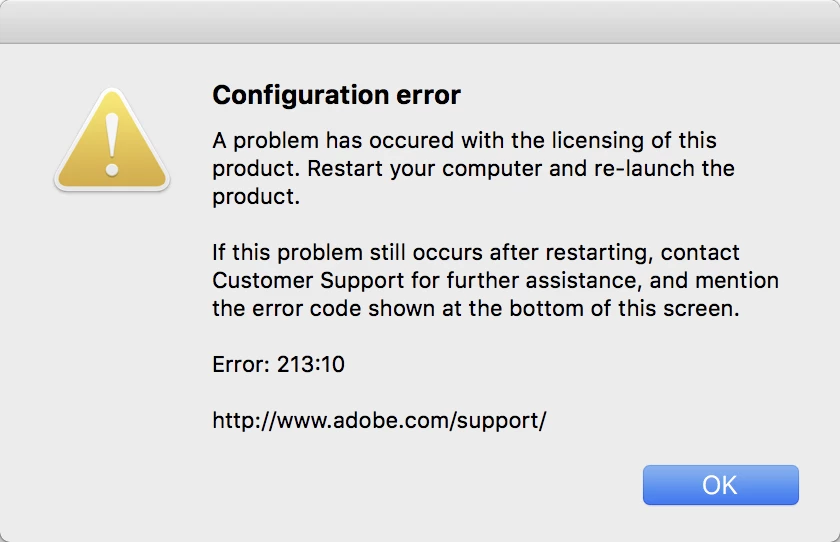
Receiving error 213:10

  • April 18, 2018
  • 2 replies
  • 3623 views

Didn't work for me, now I get Error: 213:10
This topic has been closed for replies.
Correct answer Jeffrey_A_Wright

Branching to a new discussion.

B BL MKE to resolve Error 213:10 please see Configuration error in Adobe Creative Cloud and make sure to adjust the necessary file permissions on the SLStore and AdobePCD folder.

2 replies

anthonyo36833480
Participant
November 21, 2018

Fully licensed Lightroom 5.2, which ran fine on MacOS 10.14 (Mojave). Needed RAW support for camera supported by 5.7, so I looked over the links, downloaded 5.7 and used the installer, which said it would install atop Lightroom 5.2. Obtained the dreaded Error 213:10. Followed the link above and instructions. There is no such file:

Library/Application Support/Adobe/SLStore

Jeffrey_A_Wright
Community Manager
Jeffrey_A_WrightCommunity ManagerCorrect answer
Community Manager
April 18, 2018

Branching to a new discussion.

B BL MKE to resolve Error 213:10 please see Configuration error in Adobe Creative Cloud and make sure to adjust the necessary file permissions on the SLStore and AdobePCD folder.
