Participant
May 15, 2012
Answered

Reinstall of cs6 gives error report

  • May 15, 2012
  • 1 reply
  • 771 views

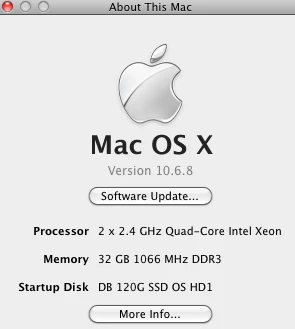
here's my machine :

when I installed cs6 the first time Premiere didn't have all the sequence presets so i was uninstalling and reinstalling - same thing happened when i got cs5.5.  after uninstall and trying to reinstall i get this message:
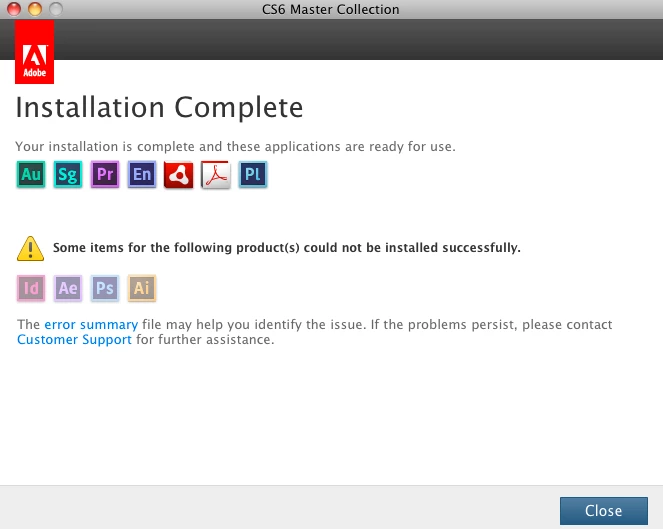
if I click on the error summary this page opens in internet
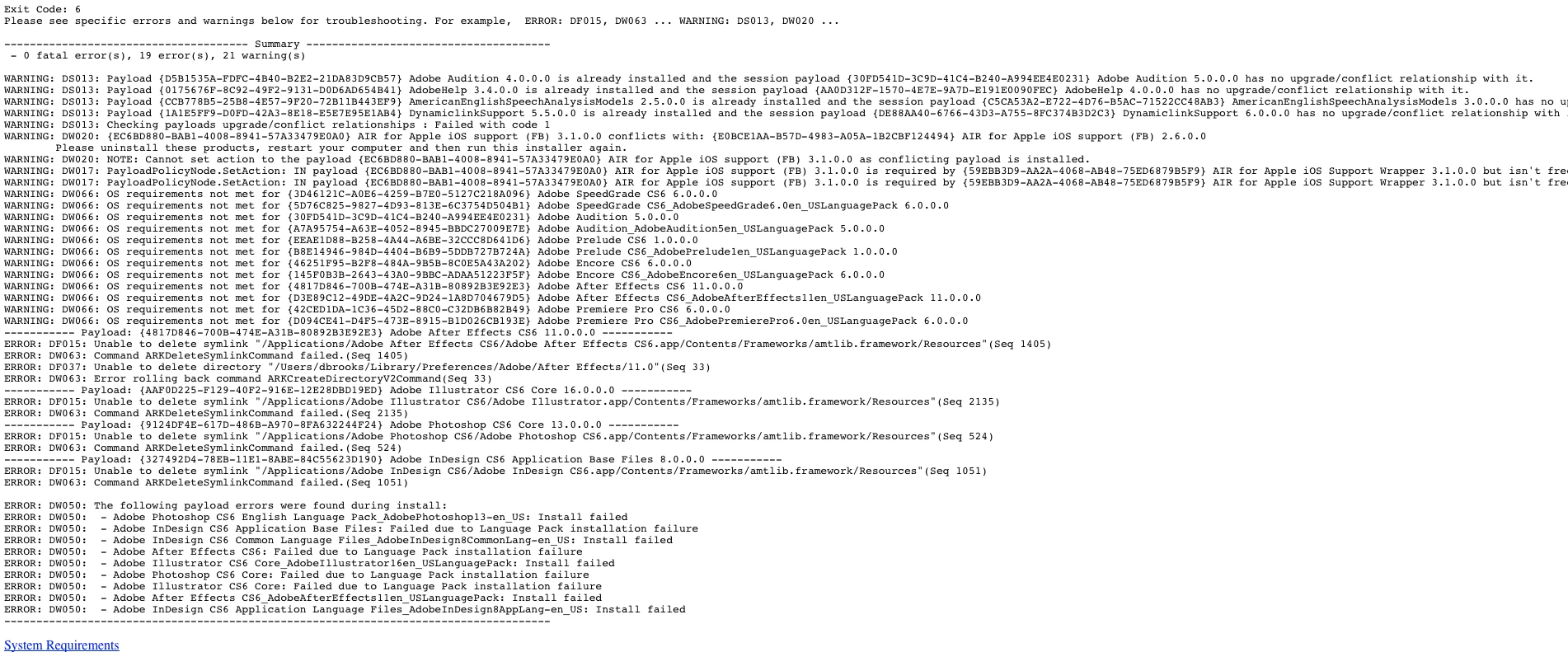
a lot of this stuff makes no sense as I had already installed and used a few of the programs???

So i uninstalled again restarted and then tried again and got same message? 

This topic has been closed for replies.
Correct answer djonbrooks

I figured this out - so to anyone else who had this problem here's what I did.  I had uninstalled the cs6 suite trial and tried to reinstall as stated above and when I tried to re-install i got the error messages shown above.  Well i tried to unistall again and when I looked in my applications folder I noticed that there were still some lingering cs6 folders still hangin round- namely the AE, Ai, Id and Ps - these were not the applications just lingering folders like settings or whatnot so I used a free 3rd party program i have called "app cleaner" and drug each folder into app cleaner and then reinstalled and voila- it installed correctly.   Note: when I drug the Ai cs6 residual folder into app cleaner there was a folder that said "Ai cs5.1 settings" i removed this folder from app cleaner so it would not delete that folder. 

1 reply

Jeffrey_A_Wright
Legend
May 15, 2012

Are you able to successfully launch each of the applications?  You can also utilize the Adobe Support Advisor - http://www.adobe.com/support/loganalyzer/ to review your installation logs.

djonbrooksAuthorCorrect answer
Participant
May 16, 2012

I figured this out - so to anyone else who had this problem here's what I did.  I had uninstalled the cs6 suite trial and tried to reinstall as stated above and when I tried to re-install i got the error messages shown above.  Well i tried to unistall again and when I looked in my applications folder I noticed that there were still some lingering cs6 folders still hangin round- namely the AE, Ai, Id and Ps - these were not the applications just lingering folders like settings or whatnot so I used a free 3rd party program i have called "app cleaner" and drug each folder into app cleaner and then reinstalled and voila- it installed correctly.   Note: when I drug the Ai cs6 residual folder into app cleaner there was a folder that said "Ai cs5.1 settings" i removed this folder from app cleaner so it would not delete that folder. 

Jeffrey_A_Wright
Legend
May 16, 2012

Thanks for the suggestions djonbrooks.  I would just add please try using the uninstallers located in Applications/Utilties/Adobe Installers first to remove the software.  If you still have difficulties I would recommend utilizing the cleaner tool prior to using App Cleaner.  Details can be found at CS Cleaner Tool for installation problems | CCM, CS6, CS5.5, CS5, CS4, CS3 - http://helpx.adobe.com/creative-suite/kb/cs5-cleaner-tool-installation-problems.html.