
Question
Selecting the interior points of a path? What changed?
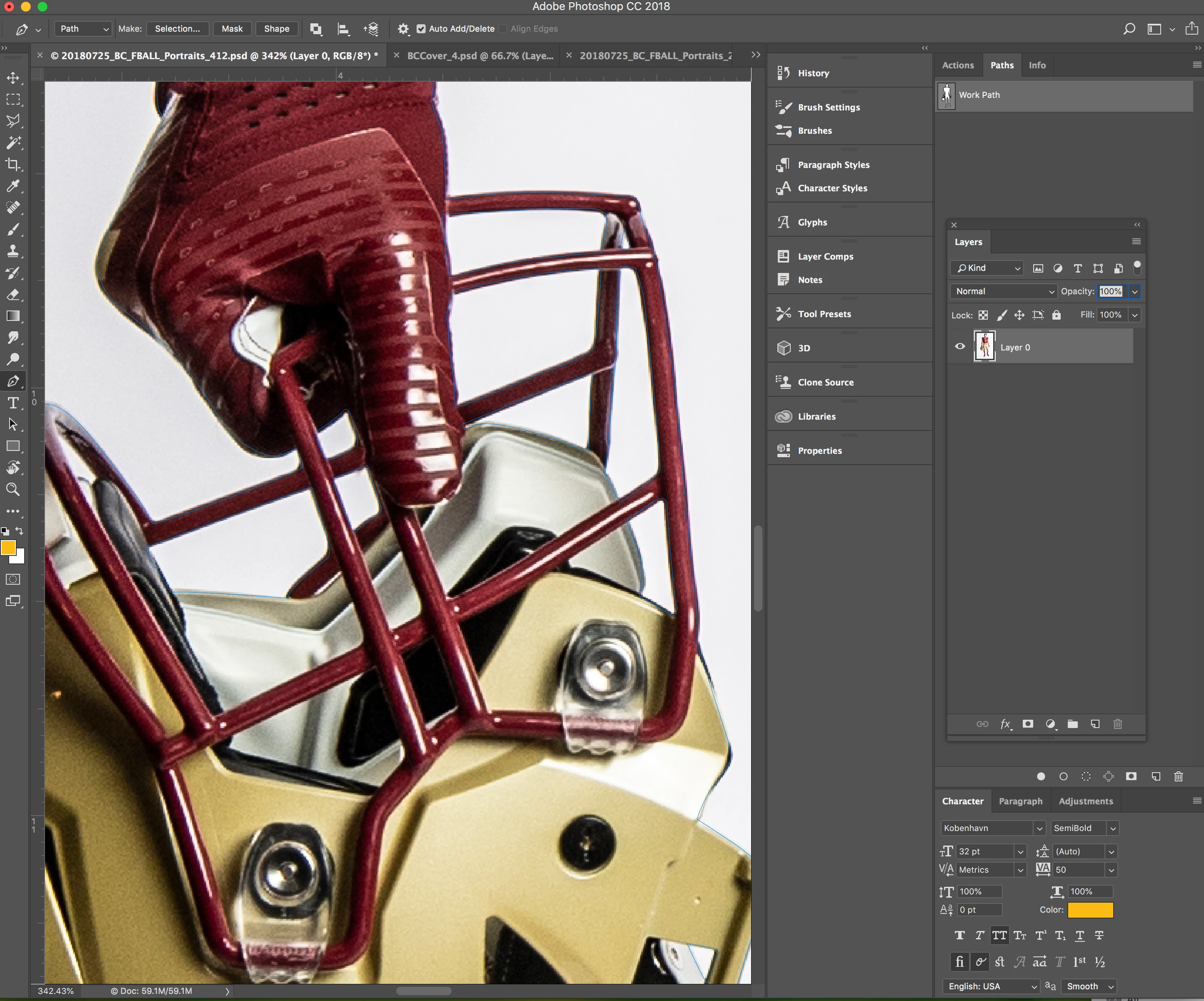
In this image you can see the path I've created to cut this image out. I've made a path for the interior sections of the helmet however when I select the path to create a clipping mask it only selects the outer selection of the helmet and player disregarding the 'holes' I have selected to be cutout. I've not had this issue before and have looked for answers. I believe I have all the correct settings... My pen tool is set to exclude overlapping shapes.
At this time I'm just creating separate paths but I would prefer to-be able to use one path as I used to be able to do.
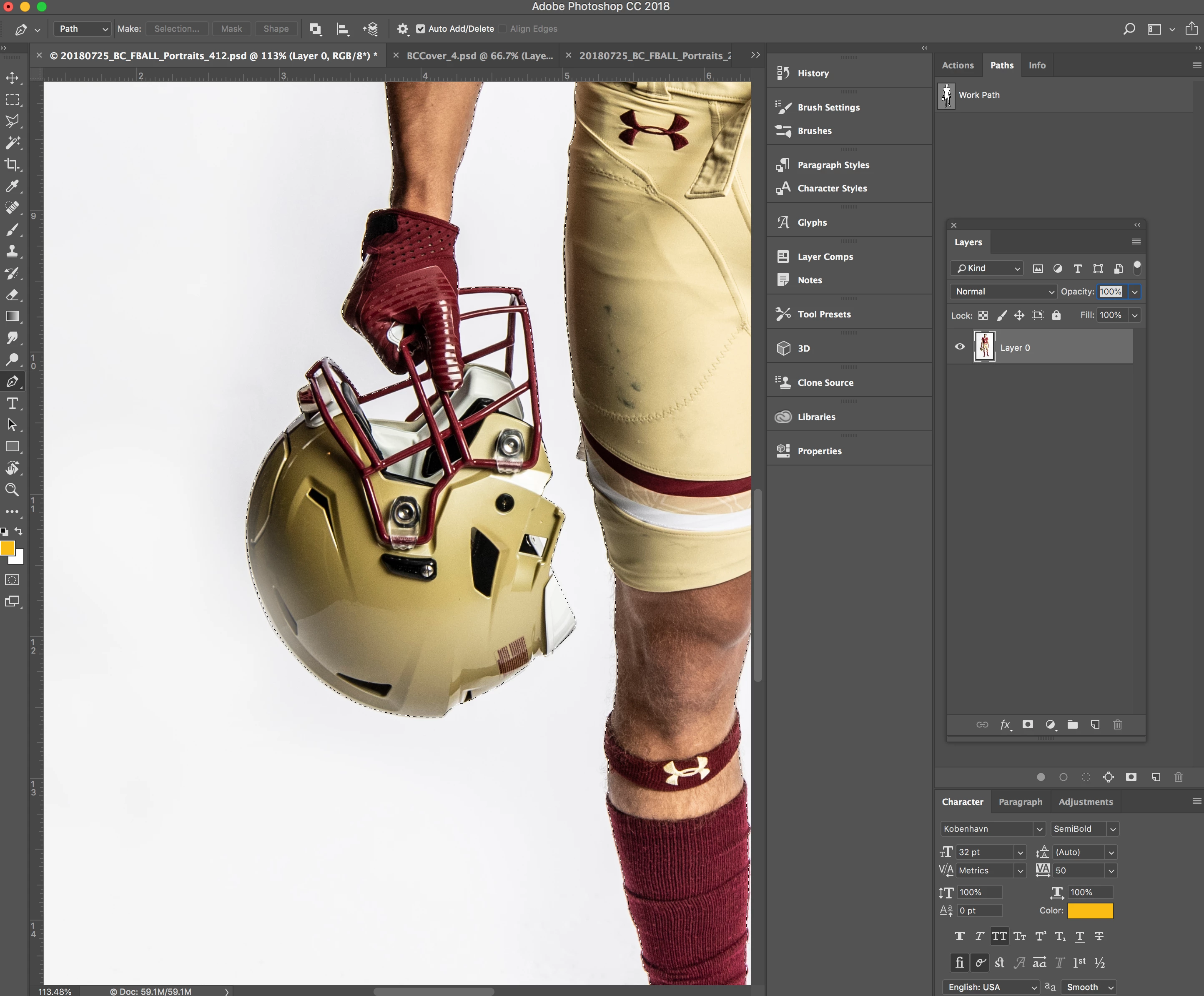
(Here you can see where it only selects the outside of the path.)
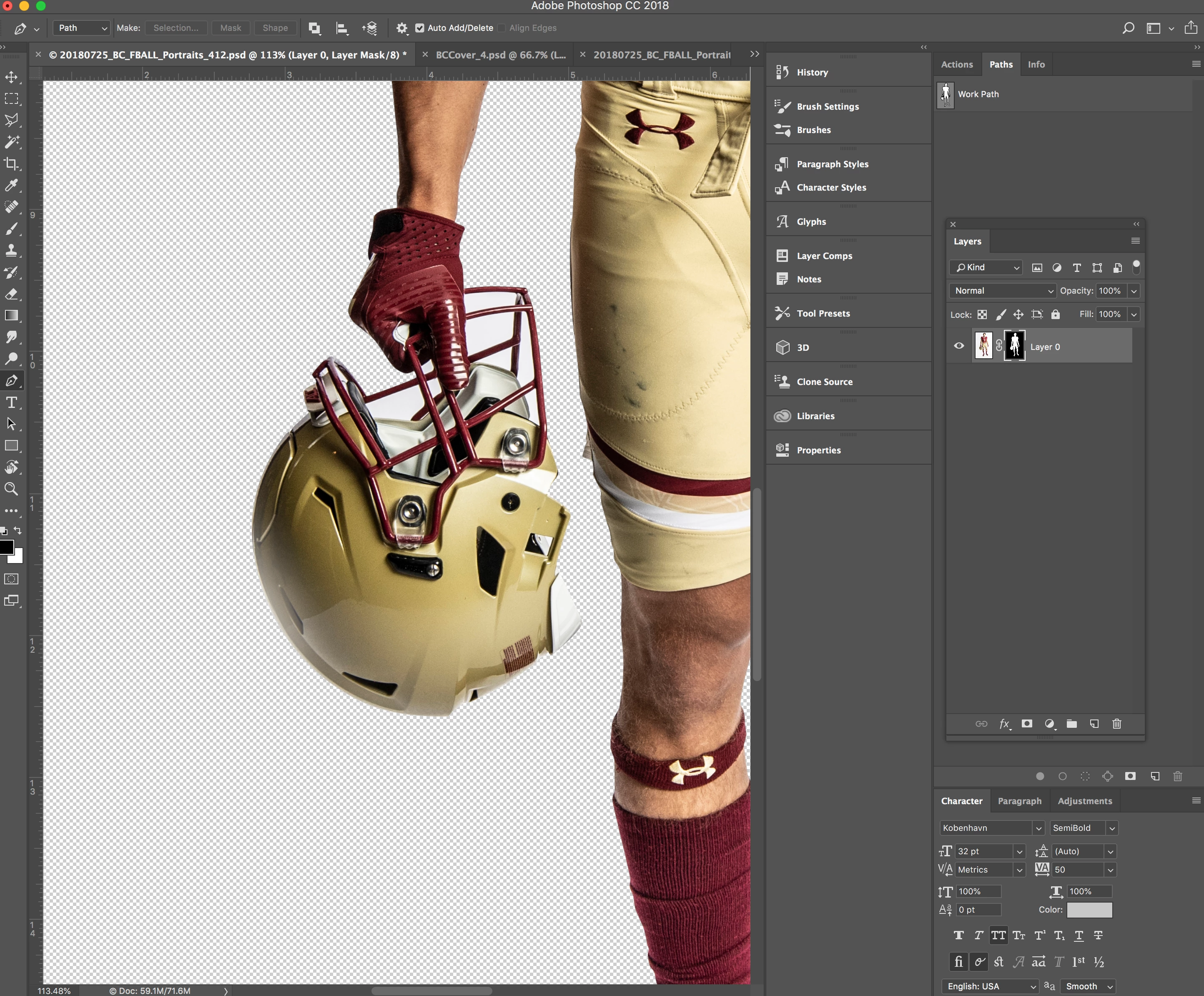
(Here you can see the mask it makes... completely disregarding my selection I made with the pen tool.)


 AdChoices