alihsynn
Participant
March 26, 2026
Question

Server Disconnection Error 206 on Mac

  • March 26, 2026
  • 1 reply
  • 45 views

Hi Community, I subscribed today to Adobe and i cant install photoshop & cc. I tried this - Disable Firewall, Uninstall Antivirus, Disable wi-fi and i use lan cable, Reset the Host. But nothing happened. I triyed download from firefox but same problem. I am Using Mac Sonoma. How can i solve this problem?

Any suggestions or help?

Thanks.
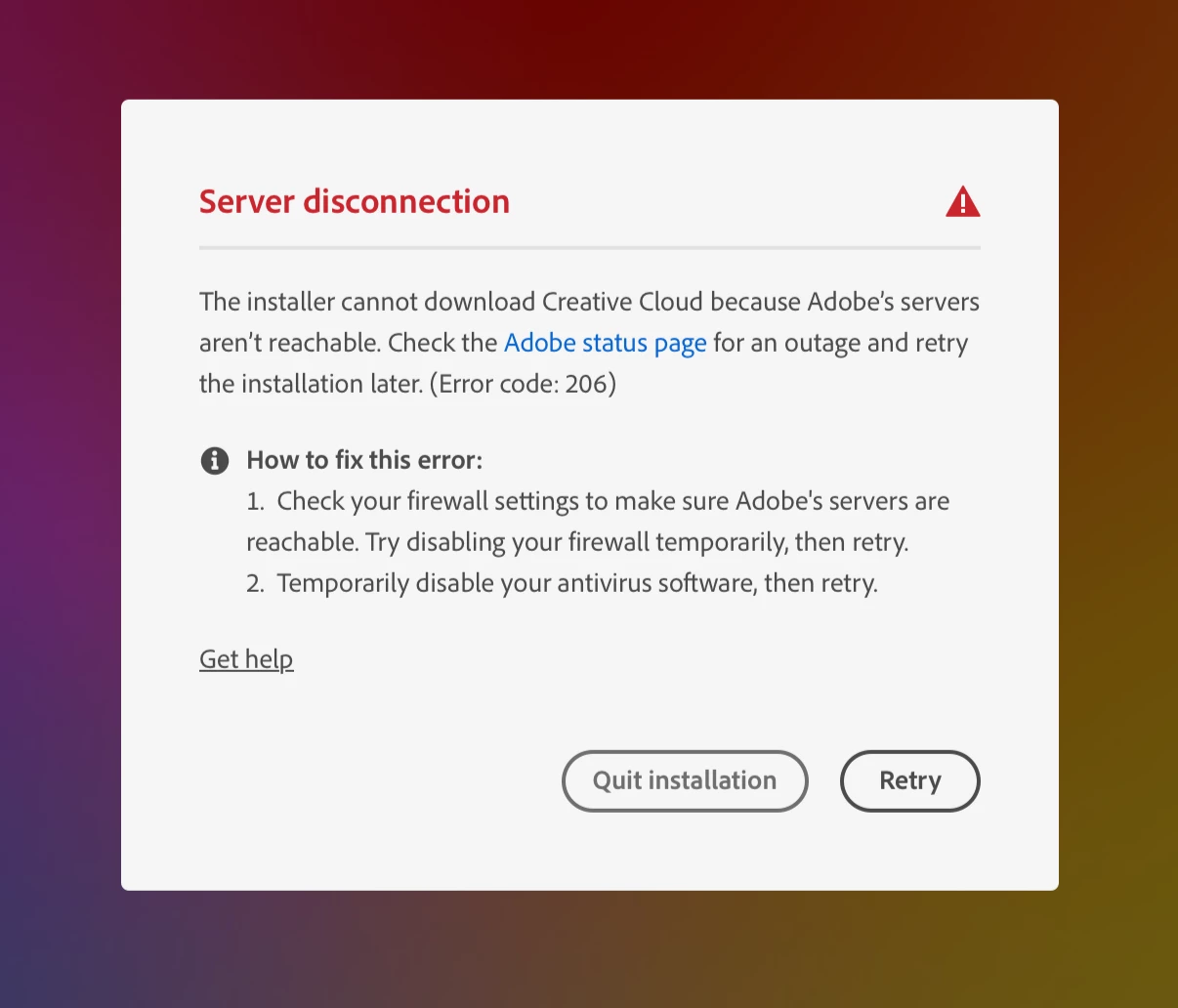
Saying “You are signed in” but same problem, giving error.


    1 reply

    kglad
    Community Expert
    Community Expert
    March 26, 2026

    did you check your browser's tls support?  https://helpx.adobe.com/creative-cloud/kb/troubleshoot-download-install-logs.html#error206


    to test your default browser's tls you can use , https://clienttest.ssllabs.com:8443/ssltest/viewMyClient.html 


    if it's not a default browser tls issue, and you tried everything at adobe's error 206 link, do this https://helpx.adobe.com/in/download-install/kb/adobe-license-issues-keychain-credential-mgr.html


    alihsynn
    alihsynnAuthor
    Participant
    March 26, 2026
    I can't do anything with the last link you sent. The suggested solutions don't show up in search results. Adobe... - there's nothing there. Because I've never used it before. I just updated my Mac, I switched to Mac Sonoma.The second link you sent is related to TLS. However, I didn't quite understand what I need to do. After downloading and installing TLS, do I need to try downloading it again?
    kglad
    Community Expert
    Community Expert
    March 26, 2026

    if your browser’s close to being updated, it’s tls is ok.


    you’ve never had anything adobe installed on your problematic computer?