


Participant
June 22, 2024
Question

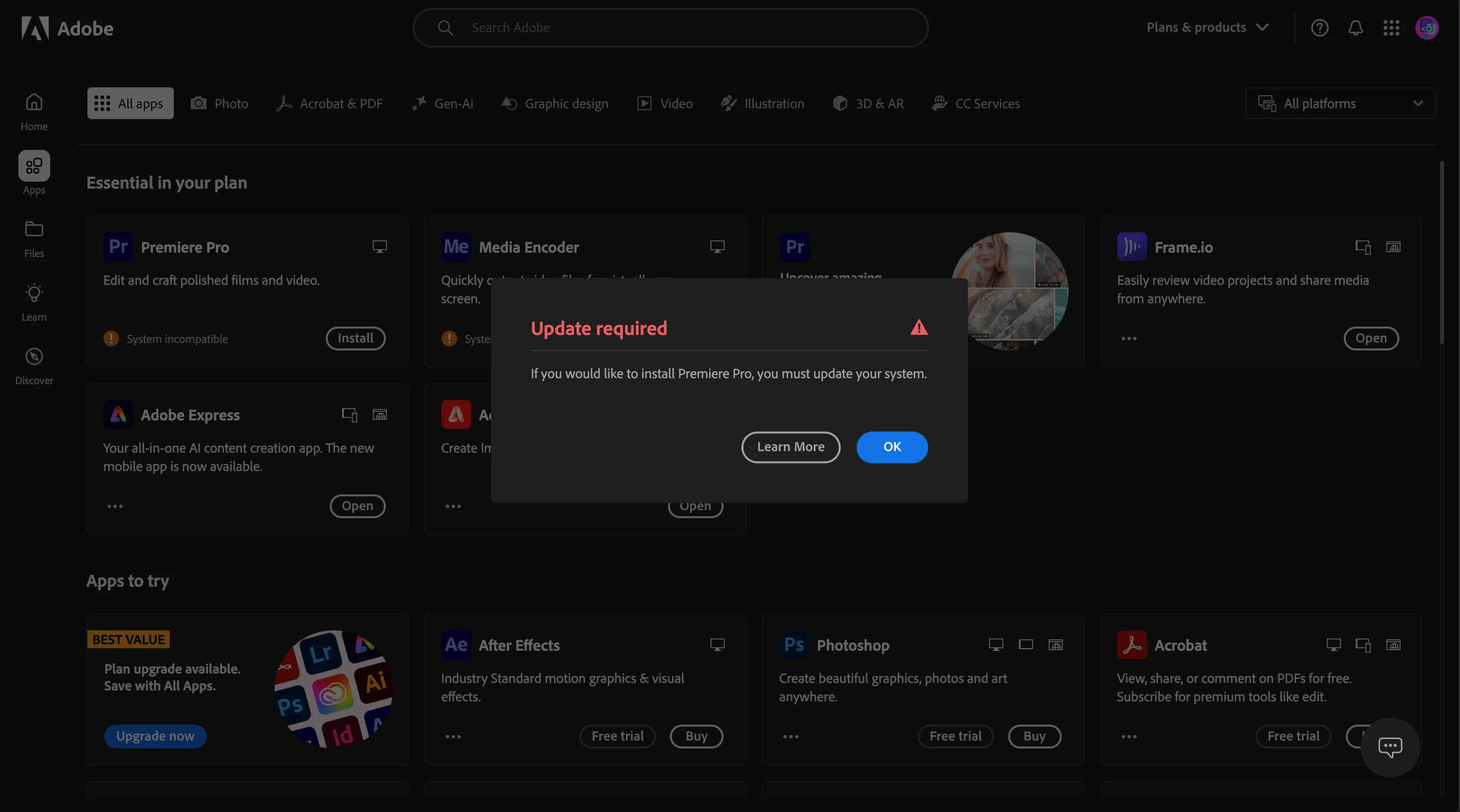
"System Incompatible" on up to date MacBook

  • June 22, 2024
  • 3 replies
  • 505 views

Everytime i go to install Premeire Pro on my Macbook, it says "If you would like to install Premiere Pro, you must update your system." 

My macbook is on the newest softwareavailable for mac and has an M2 Pro chip. I bought it for editing


Chip:  Apple M2 Pro Chip

Memory: 16 GB

Mac OS: 14.6


Can someone explain to me a way to fix this? I made sure my computer would be powerful enough and here I am with this problem anyway.
 

This topic has been closed for replies.

3 replies

Shivangi_Gupta
Community Manager
Community Manager
June 24, 2024

Hi @SYB3R381996337env,

We appreciate you contacting us. You'll need to update your OS to use the latest version of Adobe Creative Cloud applications. You can get more information here: FAQ: macOS and Apple silicon compatibility with Adobe apps


Regards,

Shivangi


Did you know that as part of your subscription, you already have access to Adobe Express? Adobe Express, lets you design  images, videos, social content, and PDFs. Learn more- https://helpx.adobe.com/express/using/express-overview.html?sdid=GHMVY8YH&mv=display&mv2=display

Legend
June 24, 2024

Adobe doesn't support beta operating systems. Install Sonoma 14.5 which is the release version.

kglad
Community Expert
Community Expert
June 22, 2024

does your computer meet specs, https://helpx.adobe.com/creative-cloud/system-requirements.html


if so, update the cc desktop app and retry.