patriley2010
Participant
May 11, 2012
Question

The application Install.app can't be opened. -1712

  • May 11, 2012
  • 5 replies
  • 57630 views

I just bought the creative cloud and i tried downloading and installing a couple cs6 apps and i get this error.

"The application Install.app can't be opened. -1712"
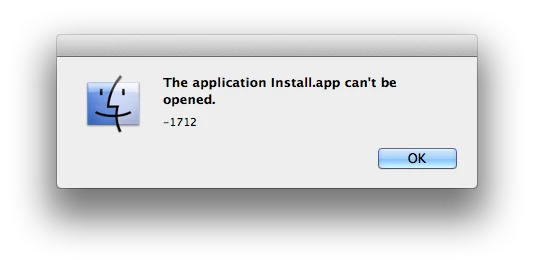
What do i do?

Running Mac OSX 10.7.3

First Generation i7

This topic has been closed for replies.

5 replies

Participant
August 18, 2016

I did a system restart and it worked!  Thanks for the reminder that when all else fails, try "restart"

Participant
August 21, 2013

I just encountered a similar problem but no dialog.

The solution is simple, just remove the extended attributes on the file, like this:

Chin$ xattr -c FlashBuilder_4_7_LS10.dmg

May it will help

station_two
Inspiring
January 4, 2015

Nice of you to chime in, but you are replying to a post that is well over two years old. 

Premjit_Singh
Participant
October 13, 2012

Hi,

Open Disk Utility and run "Verify Disk Permissions" and then "Repair Disk Permissions".

After that try installing and check if it works.

Regards,

Premjit

Participant
June 15, 2012

Please move the .dmg file to a different location and then try to install the software.

The issue is with the incorrect permissions to the location where you have saved the downloaded file of Adobe CS6

Adobe Employee
May 11, 2012

A system restart should help. 1712 is a mac OSX error when something times out usually thrown when process is running already or the process didn't close properly last time.