

vnTriNguyen
Participating Frequently
February 23, 2023
Answered

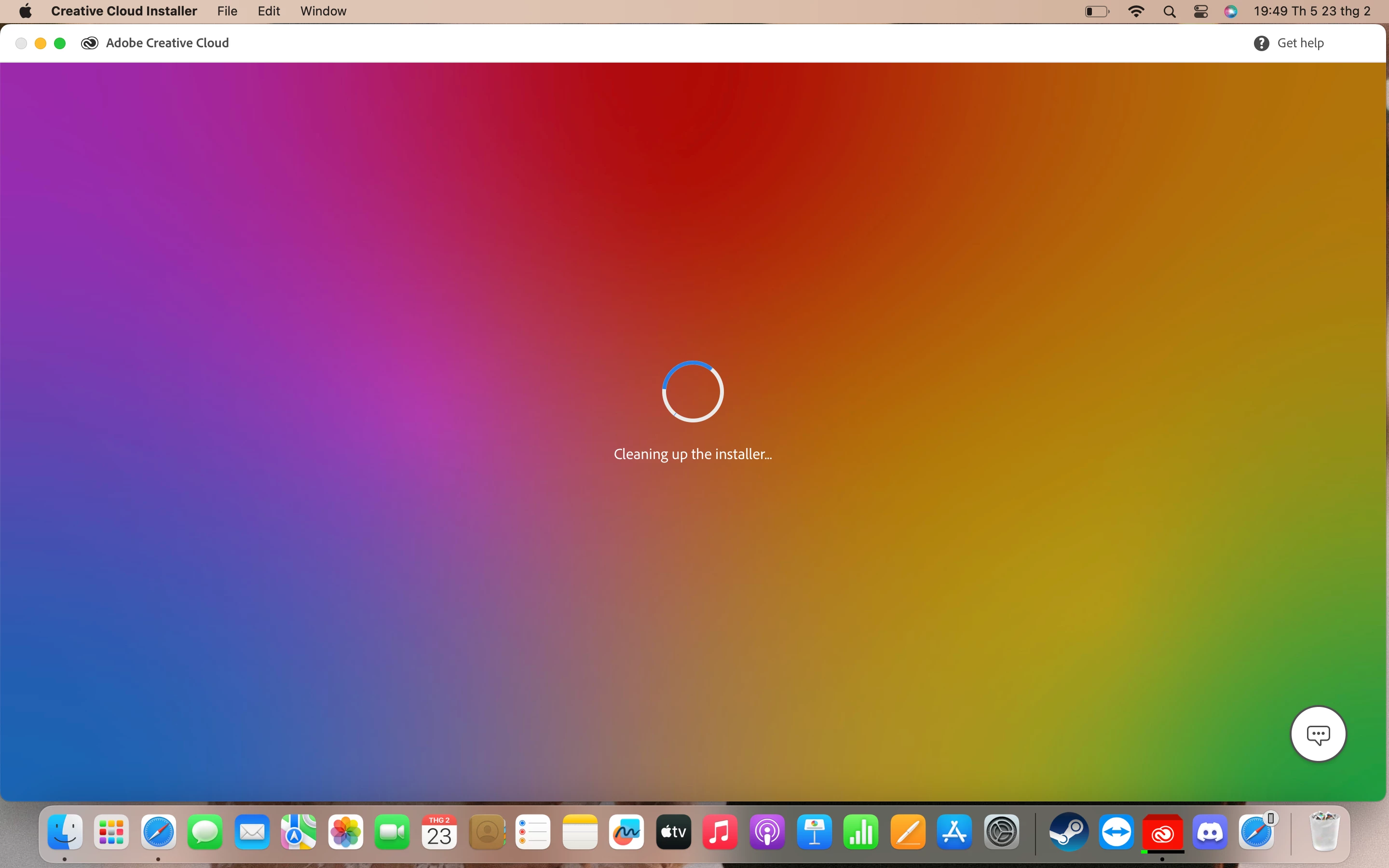
The creative cloud installer program is stuck and cannot be closed.

  • February 23, 2023
  • 2 replies
  • 1808 views

Hi everyone. The installation program did not close and has been stuck all day (as shown in the picture). Please help me.

This topic has been closed for replies.
Correct answer kglad

use your activity monitor to terminate the cc process.


then, if a restart fails, what os version is on your computer?

2 replies

Community Expert
February 23, 2023

Here's a page on things to look at for this issue:

https://helpx.adobe.com/au/download-install/kb/creative-cloud-install-stuck-advanced.html


A computer reboot is good as already mentioned. If the issue still happens, I'd suggest running the Adobe Cleaner (https://helpx.adobe.com/au/creative-cloud/kb/cc-cleaner-tool-installation-problems.html) and then trying to reinstall the CC desktop app.

vnTriNguyen
Participating Frequently
February 23, 2023

Thank you, I have solved the problem.

kglad
Community Expert
Community Expert
February 23, 2023

restart your computer and check if installation completed with no (apparent) problems.

vnTriNguyen
Participating Frequently
February 23, 2023

I can't restart my computer because a message says I need to close the "creative cloud installer" before I can restart. However, I am unable to close it :'(

kglad
Community Expert
kgladCommunity ExpertCorrect answer
Community Expert
February 23, 2023

use your activity monitor to terminate the cc process.


then, if a restart fails, what os version is on your computer?
