

Question
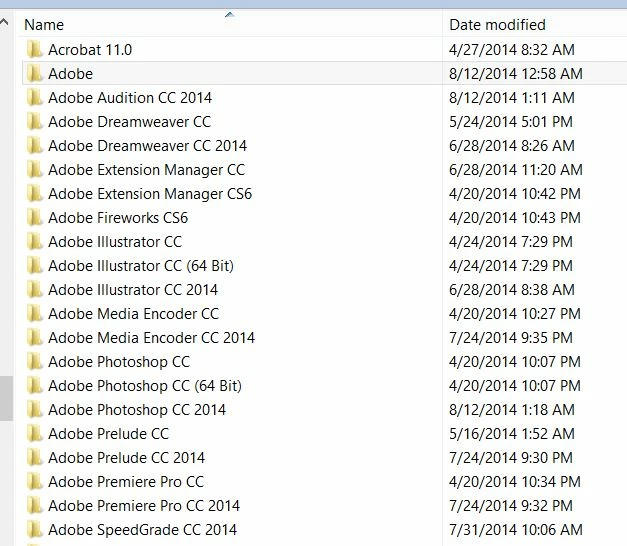
There are 2 or 3 versions of each CC app installed. How can I clean this up?
I originally purchased the full version of Creative Cloud. I did not install the trial version initially and there were no Adobe apps installed prior to purchasing CC.
Now, 6 months later, I have 2 or 3 different application folders for most Adobe CC apps (see screenshot below). Some of these duplicate app folders take up over 1GB of space each.
1) Why did the Adobe CC app installer do this?
2) How can I safely determine which apps are the ones I want to keep, and clean up the ones I don't want?
OS: Windows 8.1 64-bit
 AdChoices