


Too many sub-applications from Adobe! All that clutter is annoying.
OK... so this has been annoying me since I have been using Adobe Software decades ago. But it's only getting worse. Or at least still hasn't been completely dealt with... and since CC we get even more of it.
Why can't Adobe figure out a way to group their Apps together, simplify the overall structure and App Experience of the whole process. It's a world class mess.
In the Application folder, there*s already two additional CC apps which from a user POV should be only 1 single app...
Adobe Creative Cloud
Adobe Extension Manager CC
and then again in the Utilities Folder there's 5! folders instead of just 1, even taking up a complete row in my utility folder chooser, which is annoying as you know what. These 5 folders account for 426.146.113 bytes (433,1 MB on disk) for 1.079 items!
Adobe Application Manager
Adobe Creative Cloud
Adobe Creative Cloud Experience
Adobe Installers
Adobe Sync
... and I already de-installed the Adobe Genuine... whatever. Which will probably reinstall itself soon anyway.
At least the folder chaos in my library/ application support folder got a little bit better, by keeping almost all the junk in one Adobe folder, which wasn't like that for ages... but looky here, XD is somewhere else again. Each Adobe Team just seems to be creating their installers willy nilly... This truly and deeply annoys me every - single - time. And I am sure, I am not the only one.
This such a tiny fix – by changing some paths in the apps to at least keep all the existing clutter in a single box – that I can't believe I am experiencing this from such a long standing major player. But still the whole thousand apps and files clutter just shouldn't exist for users to experience...
** RANT OFF **
@Jeffrey_A_Wright I saw you posting on similar posts before... maybe there is a way to slowly move that info up the ladder!?
Thanx a ton
Patrick
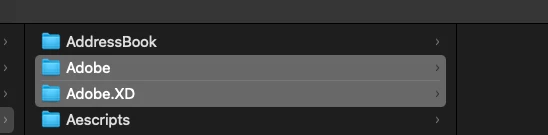
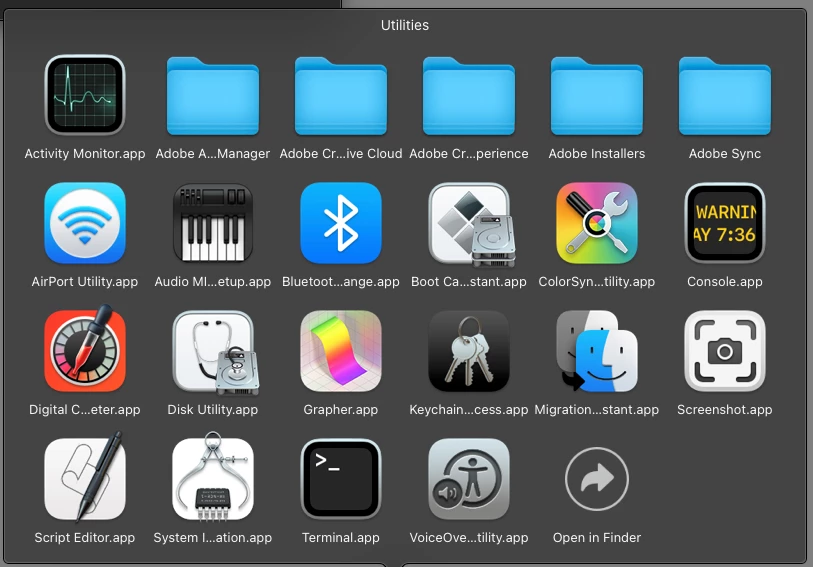
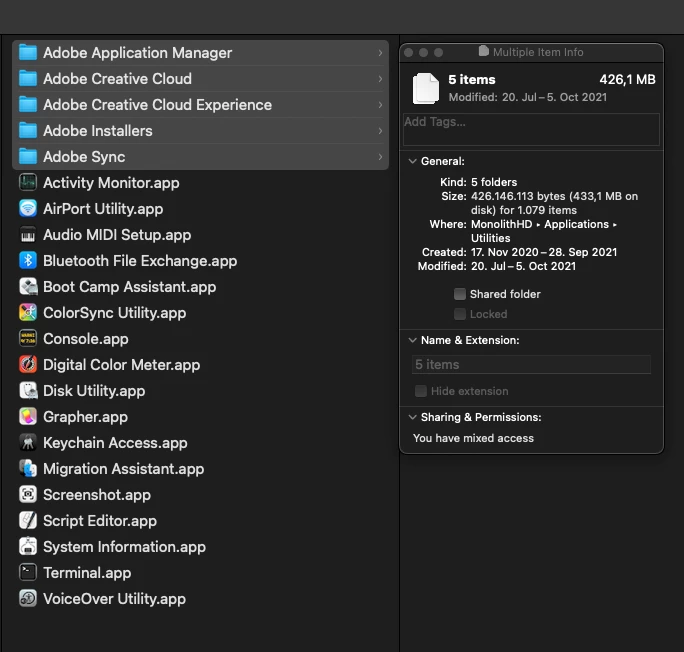
Application Manager & Installer - Why isn't that 1 thing? Same as twice! the "Adobe Creative Cloud" app and folder, PLUS the "Adobe Creative Cloud Experience"
 AdChoices