

ON THIS PAGE
Applies to: Creative Suite CS5.5
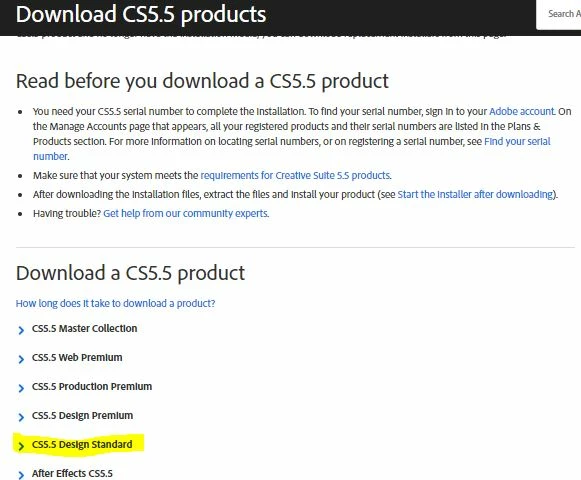
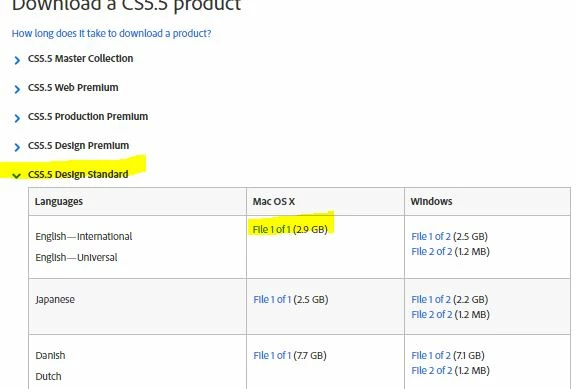
Thank you for purchasing an Adobe Creative Suite 5.5 product! Installation is quick and easy. If you purchased a retail licensed CS5.5 product and no longer have the installation media, you can download replacement installers from this page.
Read before you download a CS5.5 product
- You need your CS5.5 serial number to complete the installation. To find your serial number, sign in to your Adobe account. On the Manage Accounts page that appears, all your registered products and their serial numbers are listed in the Plans & Products section. For more information on locating serial numbers, or on registering a serial number, see Find your serial number.
- Make sure that your system meets the requirements for Creative Suite 5.5 products.
- After downloading the installation files, extract the files and install your product (see Start the installer after downloading).
- Having trouble? Get help from our community experts.
____________________________
Here is what my Manage Account page on Adobe looks like:
Products
Registered Products
| Product Name | Serial Number | Version | Platform | Registration Date |
|---|---|---|---|---|
| Adobe Creative Suite Design Standard | 1408-0553-8562-8753-xxxxxxxxx | CS5.5 | Mac | August 21, 2013 |
| Adobe Creative Suite Design Premium | 1326-1305-3084-7877-xxxxxxxxx | CS3 | Win | November 20, 2007 |
In forum discussions I've read in reference to my problem, there was a link you can click to download on this page next to the product. None on mine. I downloaded Creative Cloud to my desktop and still get the same results. Can someone shed any light on this??
 AdChoices