


Participant
January 13, 2021
Answered

trouble installing premier rush

  • January 13, 2021
  • 3 replies
  • 675 views

When trying to install premire rush, I get this message:

"the code execution cannot proceed because VCRUNTIME140.dll was not found. Reinstalling the program may fix this problem." An identical message is second but with MSVCP140. Any suggestions?

 

This topic has been closed for replies.
Correct answer kglad

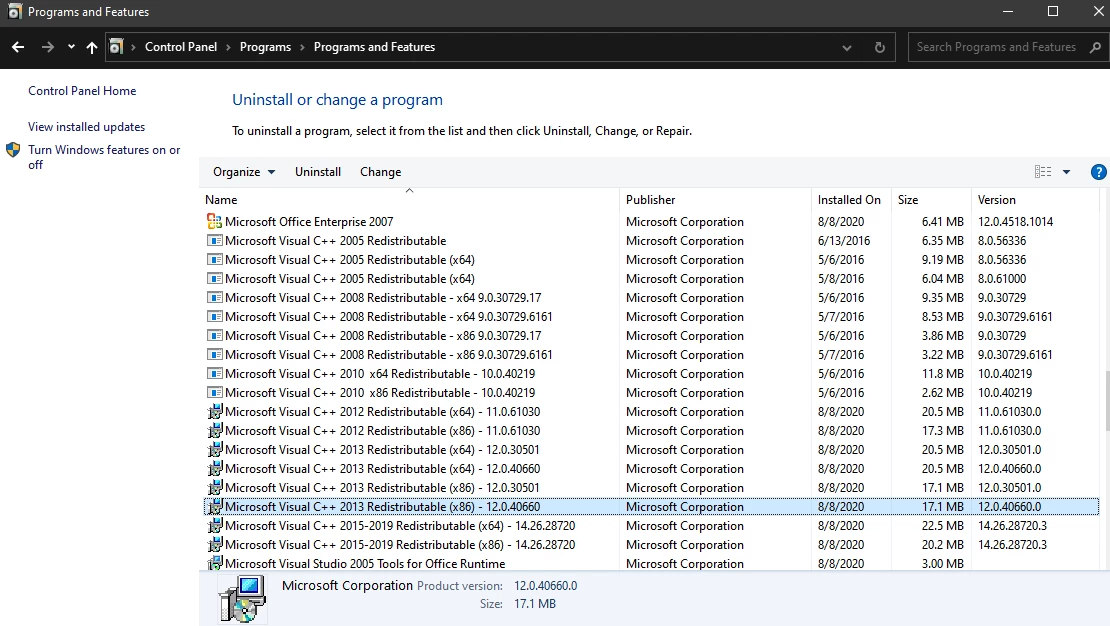
open your control panel > uninstall a program > search for microsoft visual etc


don't uinstall.  click change to start repair.


3 replies

Participant
January 13, 2021

I have windows pro 10. I don't even know where visual c++ is on my computer

Participant
January 13, 2021

I dont see Visual Studio on my computer


kglad
Community Expert
kgladCommunity ExpertCorrect answer
Community Expert
January 13, 2021

open your control panel > uninstall a program > search for microsoft visual etc


don't uinstall.  click change to start repair.


John T Smith
Community Expert
Community Expert
January 13, 2021

That is a Microsoft problem... Go to the Search bar at the top of http://www.microsoft.com/en-us/ to find and re-install the C runtime, or for ALL Windows help
-or direct to https://support.microsoft.com/en-us/help/2977003/the-latest-supported-visual-c-downloads
https://helpx.adobe.com/x-productkb/global/troubleshoot-c-runtime-errors-products.html

kglad
Community Expert
Community Expert
January 13, 2021

that's an ms visual c++ issue.


you may be able to resolve by updating your os. 


if that fails, update your visual c++ versions


if that fails, repair your visual c++ versions.