
jazuren
Participant
April 17, 2018
Answered

Trying to Install CS6 Master Collection onto my Mac but I keep getting the same error

  • April 17, 2018
  • 1 reply
  • 407 views

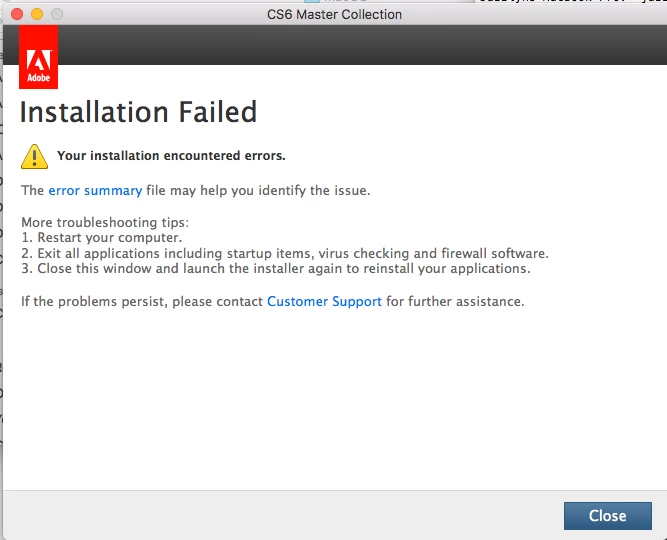
Hello. I'm trying to install CS6 Master Collection to my mac but I keep getting the same error a million times. I tried uninstalling my Creative Cloud, restarted my computer, I checked to see if I had files running, but I'm honestly not sure since Mac doesn't always let you know upfront something's still running... and I tried using the cleaning tool, but it still gives me this message. My mac is Sierra and I heard that causes problems but I also heard there was a work around...Can anyone help? Or point me to someone who can?
This topic has been closed for replies.
Correct answer Jeffrey_A_Wright

Moving this discussion to the Downloading, Installing, Setting Up forum.

Jazuren, please see Installing Creative Suite on a new Mac or macOS 10.12 (Sierra) or later which discusses the necessary workaround to install Creative Suite 6 on macOS 10.12 and later.

Please update this discussion if you have any questions, or encounter additional errors.

1 reply

Ned Murphy
Legend
April 17, 2018

What does the error summary file indicate?

What are your system specifications?

jazuren
jazurenAuthor
Participant
April 17, 2018

When I click the error summary link, it send me to this page...

whish when i click that leads me to this page...

But when I click on Creative Suite Master Collection, it sends me to the a page trying to sell me Creative Cloud instead of anything related to Cs6.

I'm not sure what you mean by system specifications, but here's a screen shot of my mac overview if that helps...

Jeffrey_A_Wright
Jeffrey_A_WrightCorrect answer
Legend
April 17, 2018

Moving this discussion to the Downloading, Installing, Setting Up forum.

Jazuren, please see Installing Creative Suite on a new Mac or macOS 10.12 (Sierra) or later which discusses the necessary workaround to install Creative Suite 6 on macOS 10.12 and later.

Please update this discussion if you have any questions, or encounter additional errors.