Participant
December 10, 2018
Answered

Unable completely uninstall CS5.1

  • December 10, 2018
  • 1 reply
  • 1126 views

Hey guys,

I made a wrong cd installing Adobe CS5.1 instead of Adobe CS6 (I have 2cds)

Adobe CS6 now are installed perfectly. But i can't removed Adobe CS5.1 partial folder.

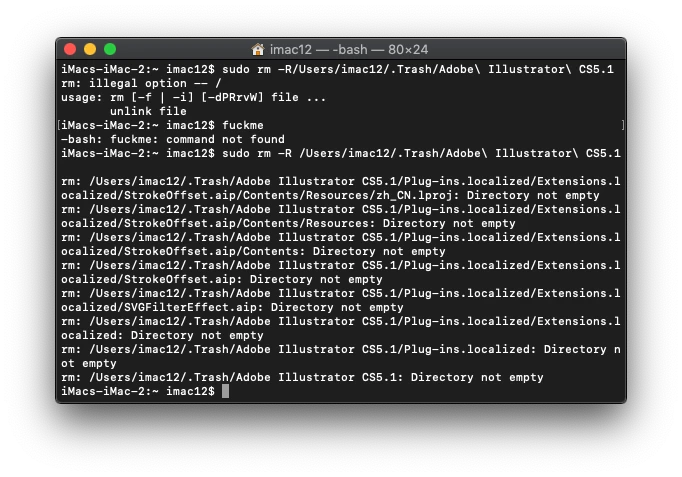
Can't completed trash my bin.

OS: Latest up to date.

Software to be delete: Adobe CS5.1
Software currently using: Adobe CS6.

Thanks.

UPERkLF.png

ZKRLxV2.png

L3g4JBx.png

n5fyXnU.png

inlCPSS.png

77fRH2K.png

AxlrxdG.png

lILwOBl.png

    This topic has been closed for replies.
    Correct answer Govardhan.V

    Directory not empty LOL


    Hmm Secure erase option might not be available in mac os Mojave.

    Try with Safe Boot mode. once booted with Safe boot mode , try to empty trash.

    1 reply

    John T Smith
    Community Expert
    Community Expert
    December 10, 2018

    I have NO idea if this will work with a partial install, but it is the only link I have

    Use the Creative Cloud Cleaner Tool to solve installation problems

    xhfooAuthor
    Participant
    December 10, 2018

    Tried Creative Cloud Cleaner, doesnt works.

    Jeffrey_A_Wright
    Community Manager
    Community Manager
    December 10, 2018

    Xhfoo, in the future, please make sure to run the uninstallers located in Applications/Utilities/Adobe Installers as opposed to dragging the apps to the trash.

    Have you rebooted the computer and then tried emptying the trash?  The items may be in use until a reboot.